About Dialog
The About dialog displays identifying information about your copy of R7.Activator, including the application name, version number, and copyright notice.
Opening the About Dialog
- Click the Help menu.
- Click About Dialog.
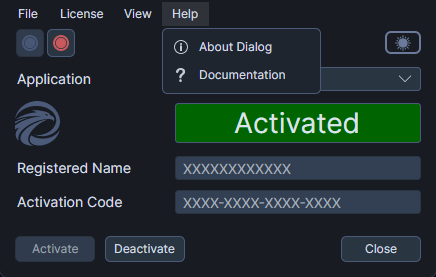
On macOS, you can also open the About dialog by selecting About R7.Activator from the application menu.
What the About Dialog Shows
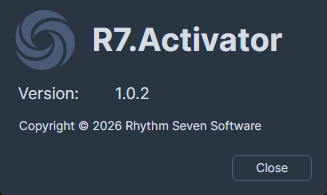
The dialog displays the following information:
- Application name -- "R7.Activator"
- Application icon -- The R7.Activator icon
- Version number -- The version of R7.Activator you are running
- Copyright notice -- The copyright information for the application
Closing the About Dialog
- Click the Close button to dismiss the dialog and return to the main window.