Welcome to Ephy
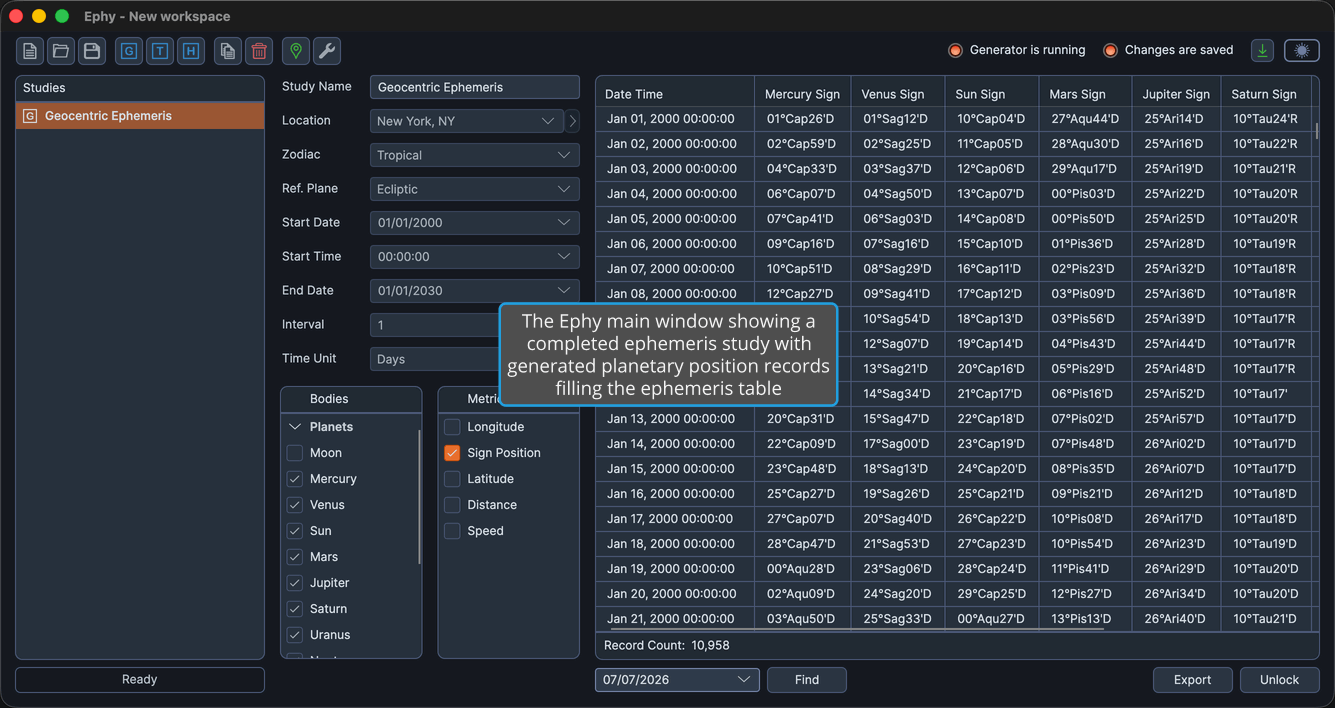
Ephy is a desktop ephemeris application that generates tables of planetary positions (geocentric, topocentric, and heliocentric) over a date range and exports them for use in other tools. It is designed for astrologers and researchers who need accurate planetary position data.
Your work in Ephy is organized into a workspace, a single file (saved with the
.ephy extension) that holds a set of studies. Each study describes one
ephemeris: its perspective, the celestial bodies and position metrics to include,
and the date range and sampling interval to cover. When you generate a study, Ephy
computes the records and displays them in the ephemeris table, ready to review or
export.
What You Can Do with Ephy
Ephy brings together everything you need to produce and work with precision ephemerides:
- Generate ephemerides from three perspectives: Produce Earth-centered, observer-relative, or Sun-centered position tables with the Geocentric, Topocentric, and Heliocentric study types.
- Choose exactly what to compute: Select which celestial bodies and which position metrics appear in your results with the Bodies Selection List and the Metrics Selection List.
- Set the reference system and time span: Define the location, zodiac, and reference plane in the Basic Ephemeris Settings, and set the dates and sampling interval in the Ephemeris Date Range and Interval.
- Save and reuse configurations: Store common settings and body selections as named presets with Ephemeris Settings Presets and Bodies List Presets.
- Generate and review records: Generate a study to fill the Ephemeris Table, then find a record by date or copy records to the clipboard.
- Export to CSV: Send your generated records to a spreadsheet or external tool by exporting them to CSV.
- Manage your workspace and studies: Create, open, and save workspaces in Workspace Management, and create, copy, delete, and reorder studies in Study Management.
- Maintain reference data and defaults: Keep a shared library of observing locations in the Locations Editor, and set the starting values for new studies in the Default Settings Editor.
Getting Help
To learn how a particular part of Ephy works, browse the categories in the sidebar. A good place to start is the Main Window, which orients you to the application layout and the commands available from the menu bar and toolbar.
Inside the application, choose Help → Documentation to open this documentation, or Help → About Dialog to check which version of Ephy you are running.