Metrics Selection List
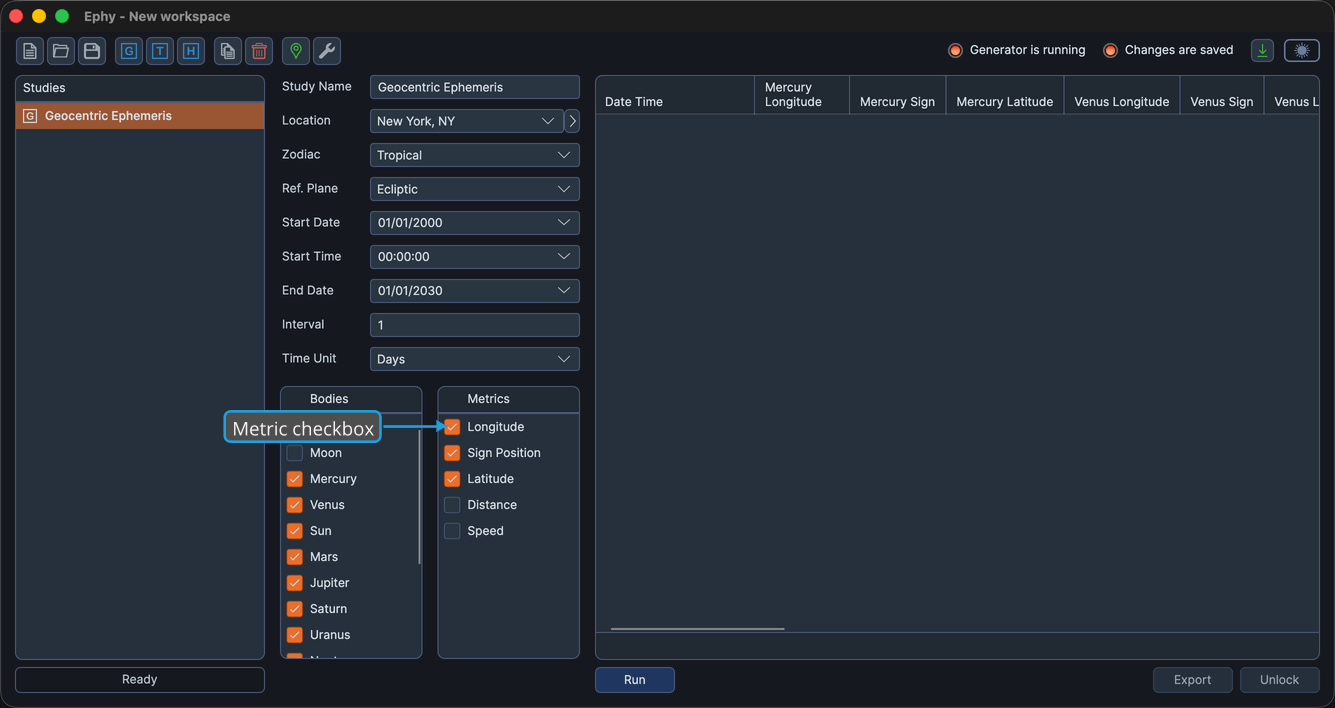
The Metrics Selection List controls which position metrics appear as columns in the ephemeris table. Each metric row carries a checkbox: checking a metric adds its column for every selected body, and unchecking removes it. The list works before or after you generate records, and it appears the same way in all three ephemeris study types.
Selecting Metrics
To show or hide a single metric column:
- Click the metric's checkbox to select or deselect it.
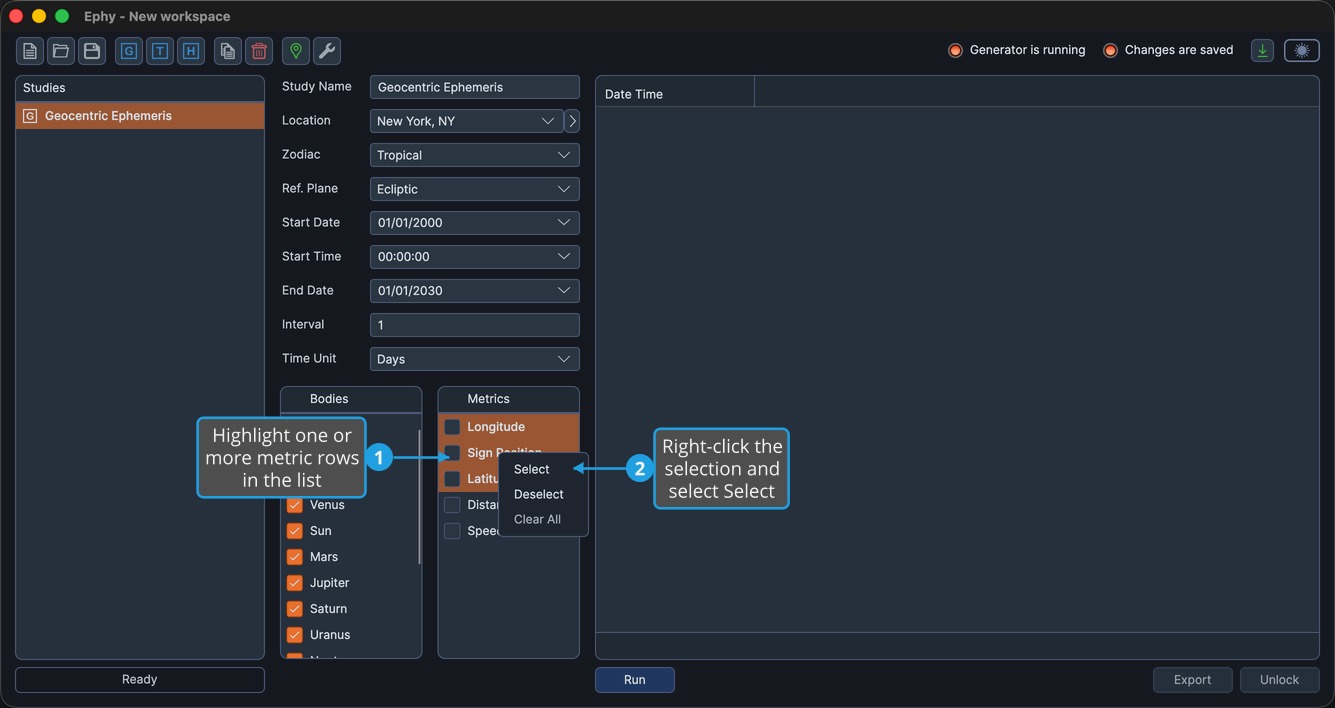
The right-click context menu acts on the metric rows you have highlighted, so you can change several at once.
Ctrl-click or Shift-click metric rows to highlight several at once before using the context menu.
To select the highlighted metrics:
- Highlight one or more metric rows in the list.
- Right-click the selection and select Select.
To deselect the highlighted metrics:
- Highlight one or more metric rows in the list.
- Right-click the selection and select Deselect.
To deselect every metric at once:
- Right-click any metric row and select Clear All.
Available Metrics
The list offers five metrics. The label for two of them depends on the study's reference plane, so the table below shows both forms.
| With Ecliptic reference plane | With Equatorial reference plane | Description |
|---|---|---|
| Longitude | Right Asc | The body's longitude along the reference plane. |
| Sign Position | Sign Position | The body's position expressed within its zodiac sign. |
| Latitude | Declination | The body's latitude relative to the reference plane. |
| Distance | Distance | The body's distance from the coordinate origin, expressed in AU. |
| Speed | Speed | The body's rate of motion, expressed in degrees per day. |
Selecting metrics here is one of two ways to control which columns appear in the ephemeris table. You can also show or hide any column directly from the table; see Toggle Column Visibility.