Copy Records
You can copy data from the ephemeris table to the clipboard to paste into other documents and tools. A right-click menu on the record rows offers several formats, from a single record's date to a whole selection as formatted text.
Copying Records
Once records have been generated, to copy record data to the clipboard:
- To copy one record, right-click it in the ephemeris table. To copy several records as text, select the rows first, then right-click the selection.
- Select a copy command from the context menu.
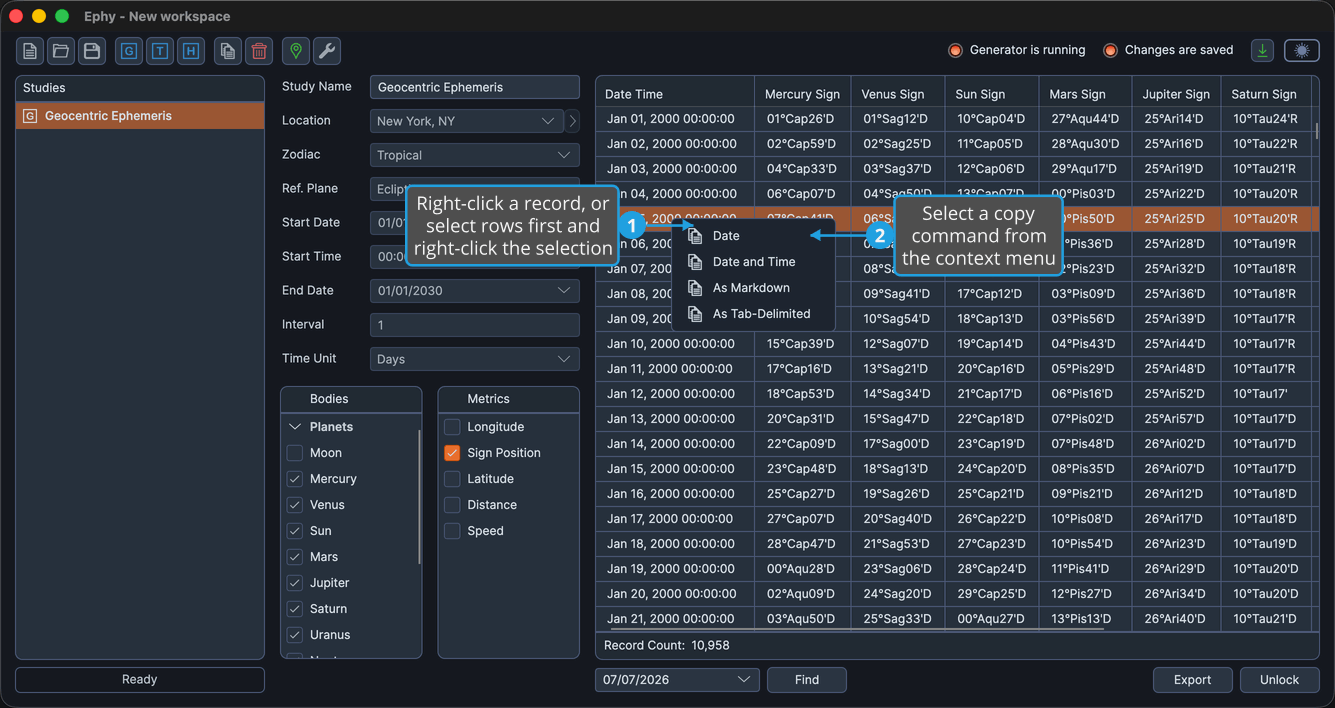
The context menu offers these commands:
| Command | What it copies |
|---|---|
| Date | The selected record's date. |
| Date and Time | The selected record's date and time. |
| As Markdown | The selected records as a Markdown table. |
| As Tab-Delimited | The selected records as tab-delimited text. |
A brief "Copied" status confirms the data is on the clipboard.