Unlock Study
After you generate a study, its settings lock so the records match the configuration that produced them. Unlocking returns the study to its editable state, clearing the generated records so you can change the settings and generate again. The Unlock button is available only while the study is locked.
Unlocking a Study
To unlock a generated study:
- Click the Unlock button beside the ephemeris table.
- Confirm clearing the records in the Confirmation Request dialog.
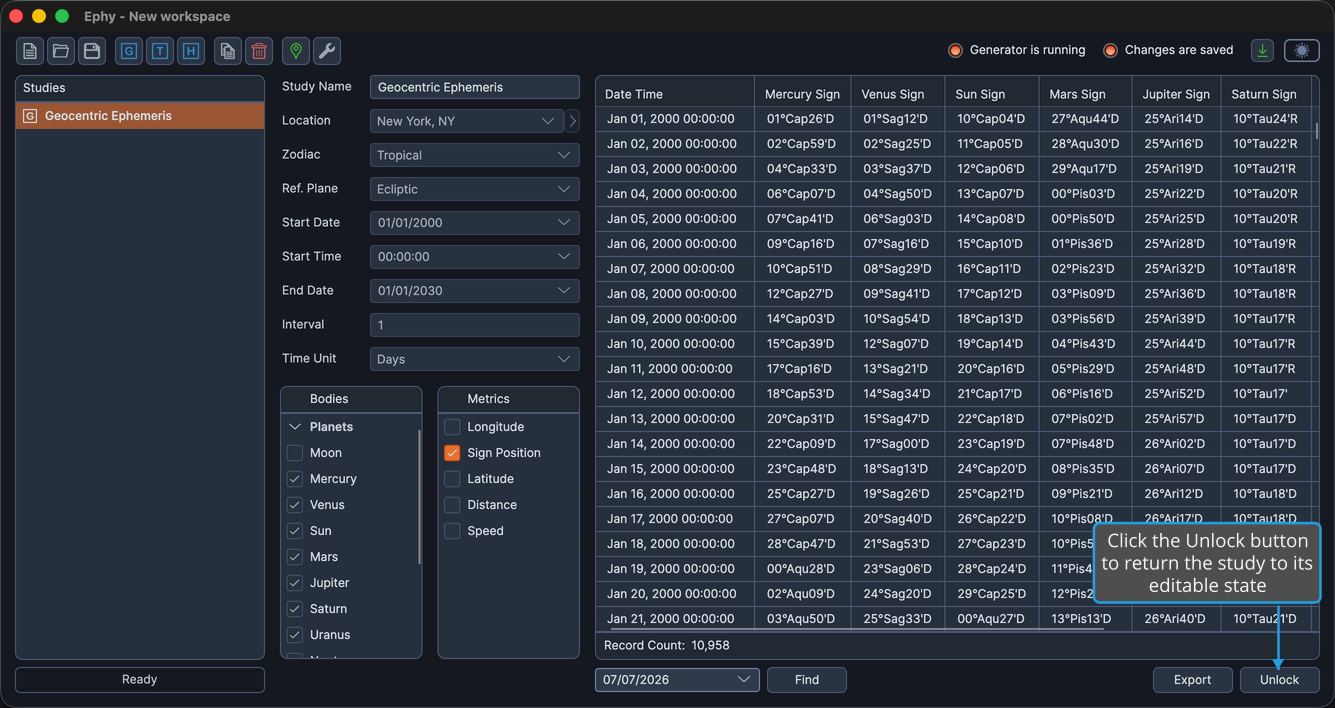
Once you confirm, the generated records are cleared, and the settings and the Run button are re-enabled so you can adjust the study and generate it again.
note
For details on the confirmation prompt, see Confirm on the Confirmation Request Dialog.