Generate Records
Generating computes the ephemeris records for the study you have configured, filling the ephemeris table with one row per sampled date and time. A progress indicator shows how far the generation has gotten, and when it finishes the settings become locked so the records match the configuration that produced them.
Generating a Study's Records
Before you generate, make sure the study has a location selected, along with the bodies, metrics, and date range you want. Then:
- Click the Run button below the ephemeris table.
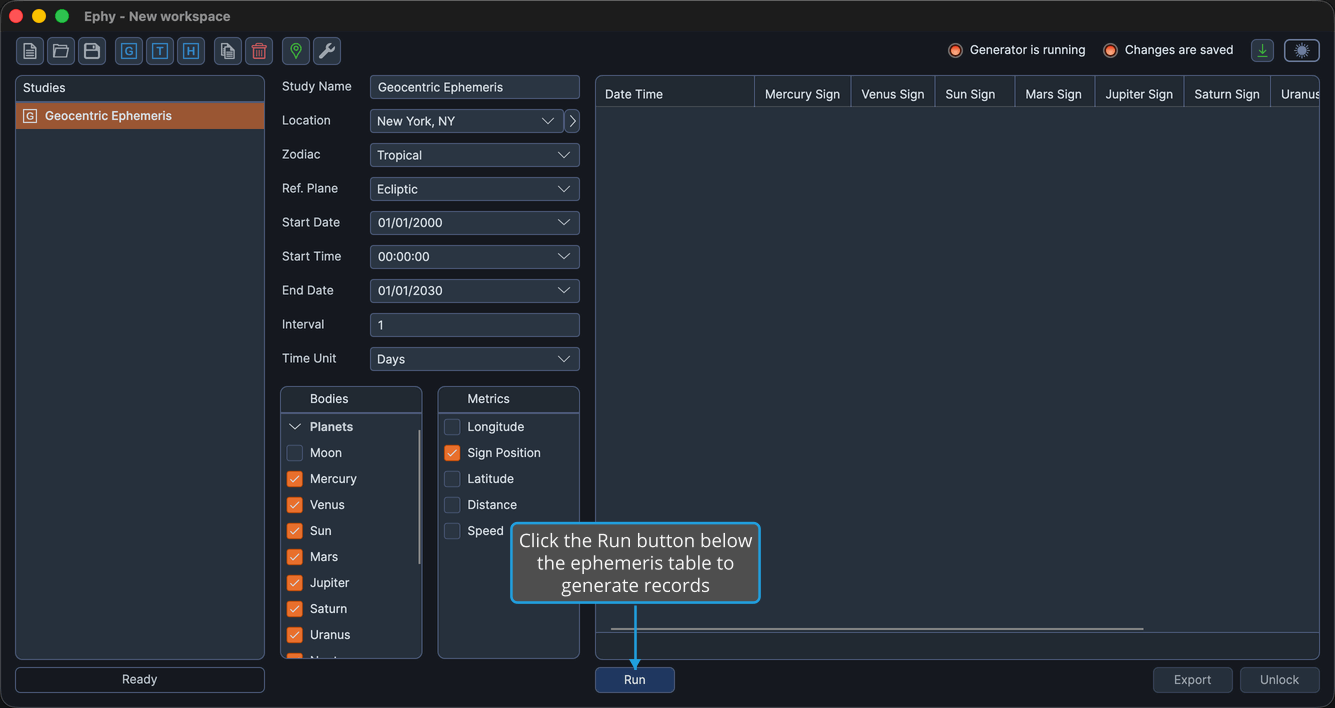
While the generation proceeds, a progress indicator shows the completion percentage. When it finishes, the ephemeris table fills with records and the Run button is hidden.
A location is required to generate records. Ephy computes and displays each record's date and time according to the location's time zone, so a study cannot be generated until a location is selected in its Basic Ephemeris Settings.
To change a study's settings after generating, unlock the study. Unlocking clears the generated records and re-enables the settings and the Run button.