Status Indicators
Two status indicators in the upper-right area of the toolbar provide at-a-glance information about the current application state. Both indicators update automatically.
Generator Is Running
The Generator is running indicator shows whether any study in the workspace is currently generating records. This indicator appears during generation and helps you track when the process is active.
Changes Are Saved
The Changes are saved indicator shows whether the workspace has unsaved changes. After you make modifications to studies or their parameters, this indicator reflects the unsaved state until you save the workspace.
Viewing Status Indicators
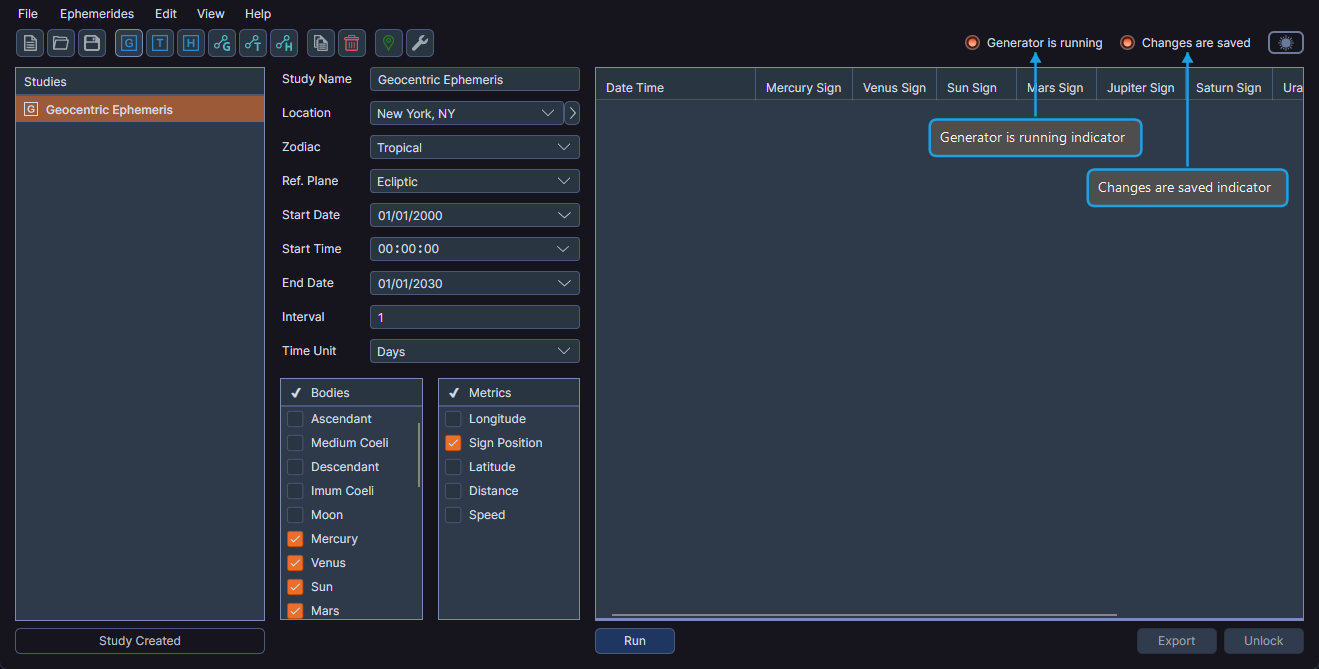
- Observe the status indicators in the upper-right area of the toolbar.
When the "Changes are saved" indicator shows unsaved changes, press Ctrl+S (or Cmd+S on macOS) to save your workspace quickly. See Workspace Management for more save options.