Default Settings Editor
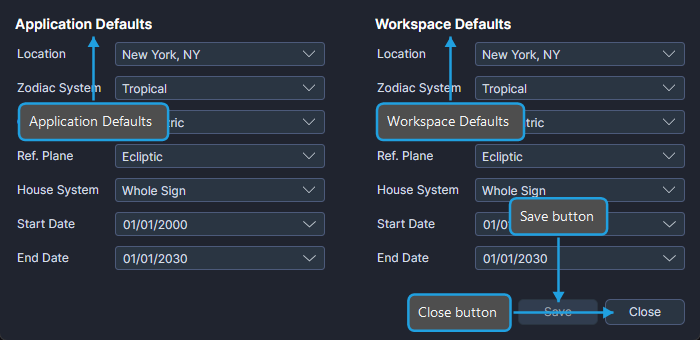
The Default Settings Editor is a dialog for configuring default parameter values at two levels: Application Defaults and Workspace Defaults. Setting defaults reduces repetitive configuration when creating new studies.
Defaults Hierarchy
Ephy uses a two-tier defaults hierarchy:
- Application Defaults persist globally across all workspaces. When you create a new workspace, Ephy assigns the Application Defaults to the new workspace's Workspace Defaults.
- Workspace Defaults persist with the individual workspace file. When you create a new study within a workspace, Ephy applies the Workspace Defaults to the new study's parameters.
This means Application Defaults seed new Workspace Defaults, and Workspace Defaults seed new studies. If you always work with the same configuration, set your Application Defaults once and all new workspaces and studies will inherit those values.
Opening the Default Settings Editor
- Click the Default Settings toolbar button or select Edit > Default Settings from the menu.
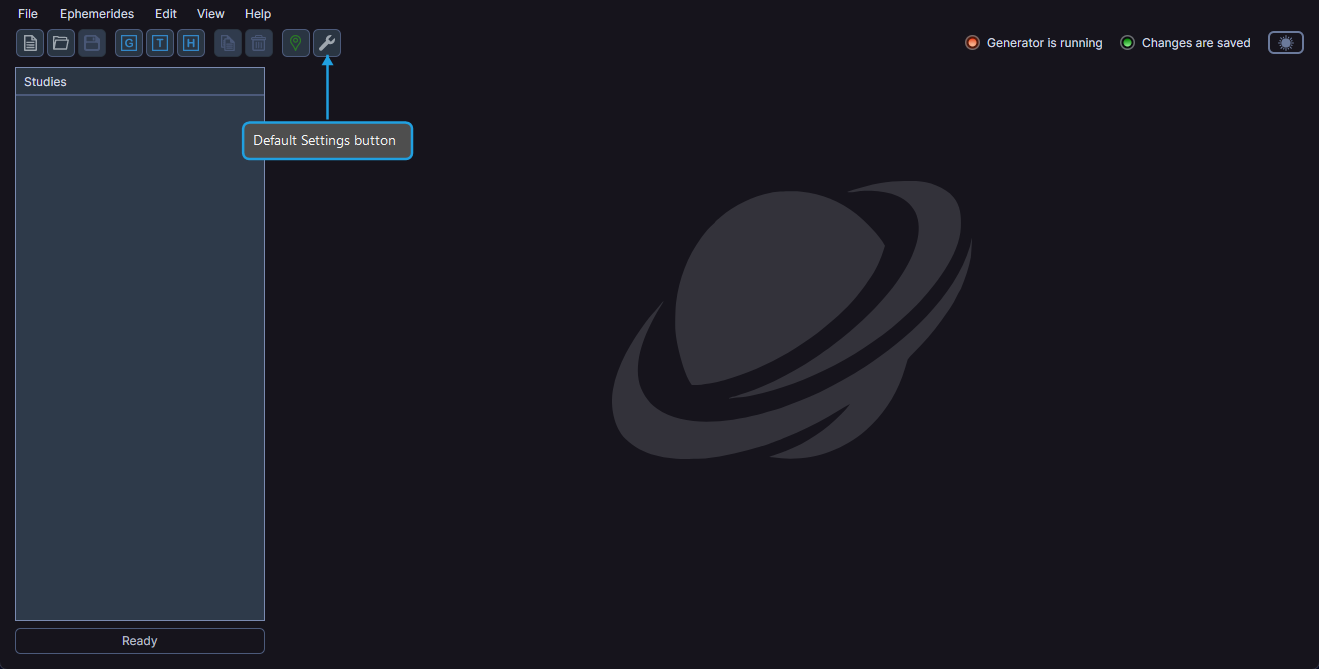
Editing Default Settings
To configure default values:
- Click the Default Settings toolbar button or select Edit > Default Settings.
- Adjust settings in the Application Defaults and/or Workspace Defaults columns.
- Click Save to apply changes.
Configurable Settings
Both the Application Defaults and Workspace Defaults columns contain the same set of configurable fields:
Location
Select a default geographic location from the Location dropdown. The list contains locations managed through the Locations Editor.
Zodiac System
Select a default zodiac system:
| Option | Description |
|---|---|
| Tropical | Based on the vernal equinox |
| Sidereal | Based on fixed star positions |
Coordinate Origin
Select a default coordinate origin:
| Option | Description |
|---|---|
| Geocentric | Positions as observed from Earth's center |
| Topocentric | Positions as observed from a specific location on Earth's surface |
| Heliocentric | Positions as observed from the Sun |
Reference Plane
Select a default reference plane:
| Option | Description |
|---|---|
| Ecliptic | Positions measured relative to the ecliptic plane |
| Equatorial | Positions measured relative to the celestial equator |
House System
Select a default house system:
| Option |
|---|
| Equal (Ascendant) |
| Alcabitus |
| Campanus |
| Koch |
| Morinus |
| Porphyry |
| Placidus |
| Regiomontanus |
| Topocentric (Polich/Page) |
| Vehlow Equal |
| Whole Sign |
Start Date and End Date
Set default start and end dates for new studies using the date pickers.
Closing the Editor
- Click the Close button to close the Default Settings Editor.
If you have unsaved changes, a confirmation prompt asks whether you want to save before closing.