Ephemeris Presets
Ephemeris presets let you save common combinations of ephemeris configuration settings and apply them to any study. A preset captures the location, zodiac system, coordinate origin, reference plane, and date range settings. All R7 applications share ephemeris presets.
Applying an Ephemeris Preset
To apply a saved ephemeris preset:
- Click the presets flyout button next to the Location dropdown.
- Hover over Presets to expand the preset submenu.
- Click a preset name to apply it.
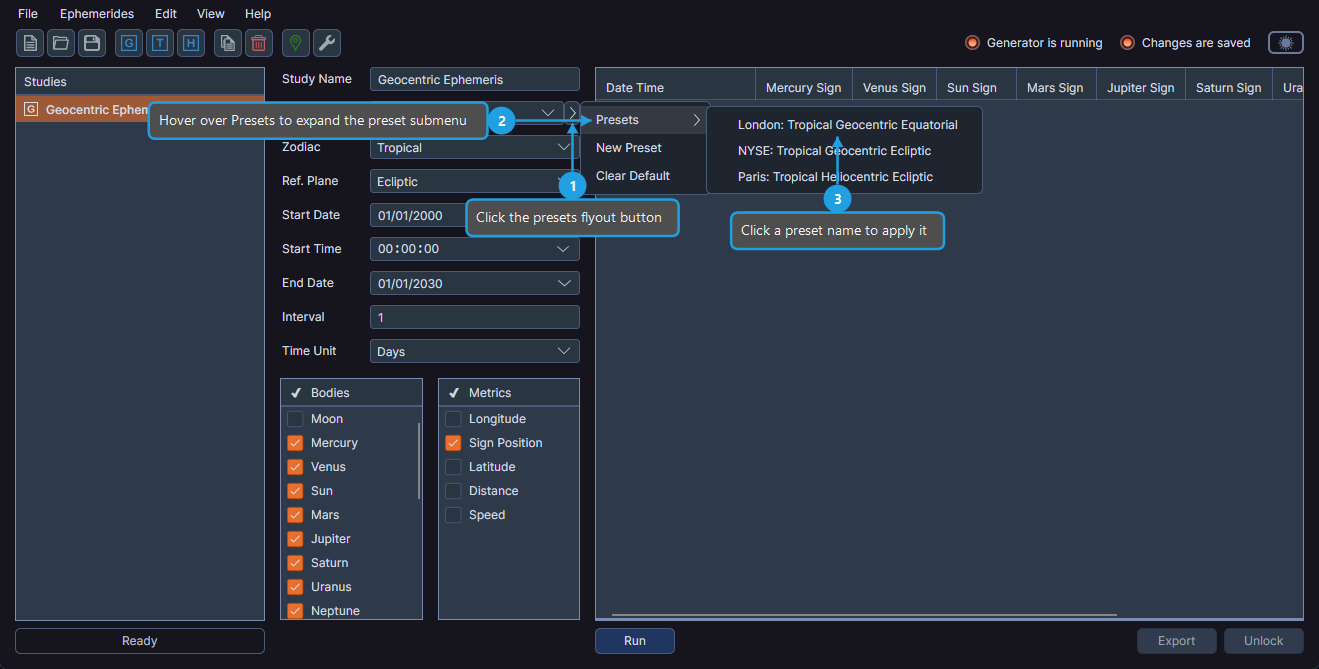
All configuration fields in the study update simultaneously to match the preset.
Creating a New Ephemeris Preset
To save the current ephemeris configuration as a new preset:
- Click the presets flyout button next to the Location dropdown.
- Click New Preset.
- Enter a name for the preset and confirm.
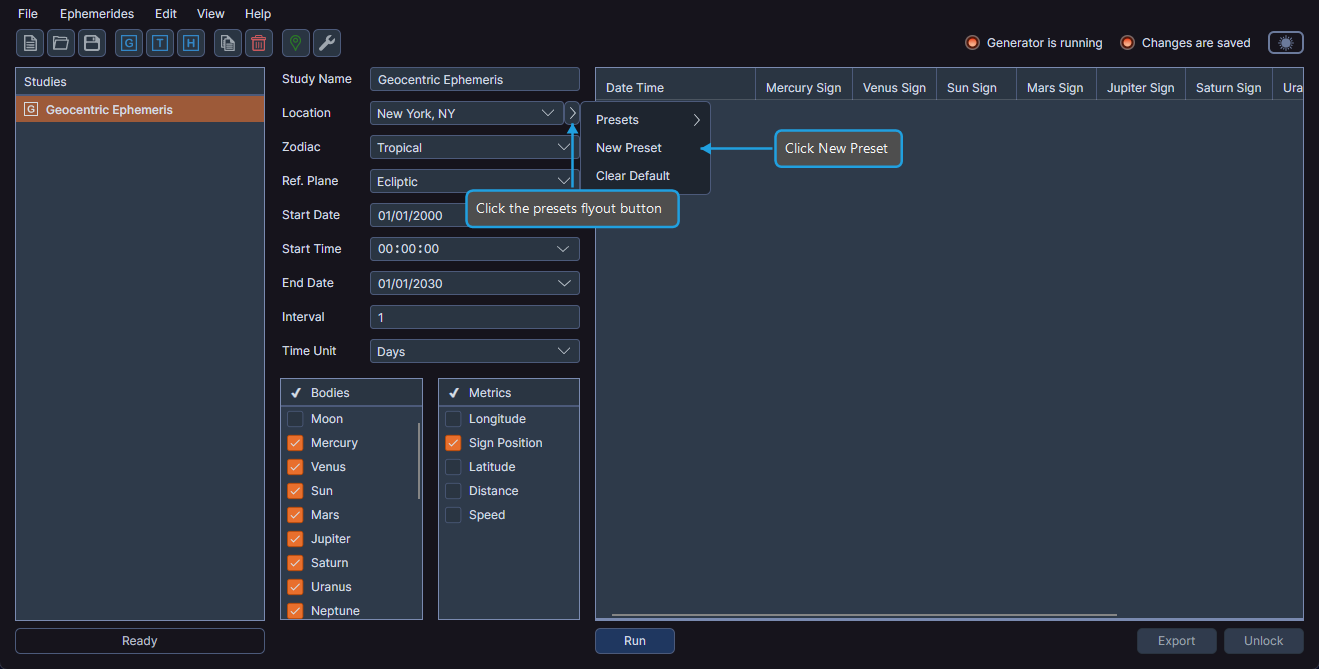
Ephy saves the preset, and it becomes available in the Presets submenu.
Managing Ephemeris Presets
You can rename, replace, set as default, or delete an existing preset.
To manage an ephemeris preset:
- Click the presets flyout button next to the Location dropdown.
- Hover over Presets to expand the preset submenu.
- Right-click a specific preset to view management options.
- Click Set Default, Rename, Replace, or Delete.
| Option | Description |
|---|---|
| Set Default | Makes this preset the default, automatically applied to new studies |
| Rename | Changes the preset name |
| Replace | Overwrites the preset with the current configuration settings |
| Delete | Permanently removes the preset |
Clearing the Default Ephemeris Preset
To remove the default preset assignment so Ephy does not apply an ephemeris preset automatically when creating new studies:
- Click the presets flyout button next to the Location dropdown.
- Click Clear Default.