Body Selection
Each study view includes a Bodies list that lets you choose which celestial bodies to include in the generated ephemeris. At least one body must be selected before you can generate records.
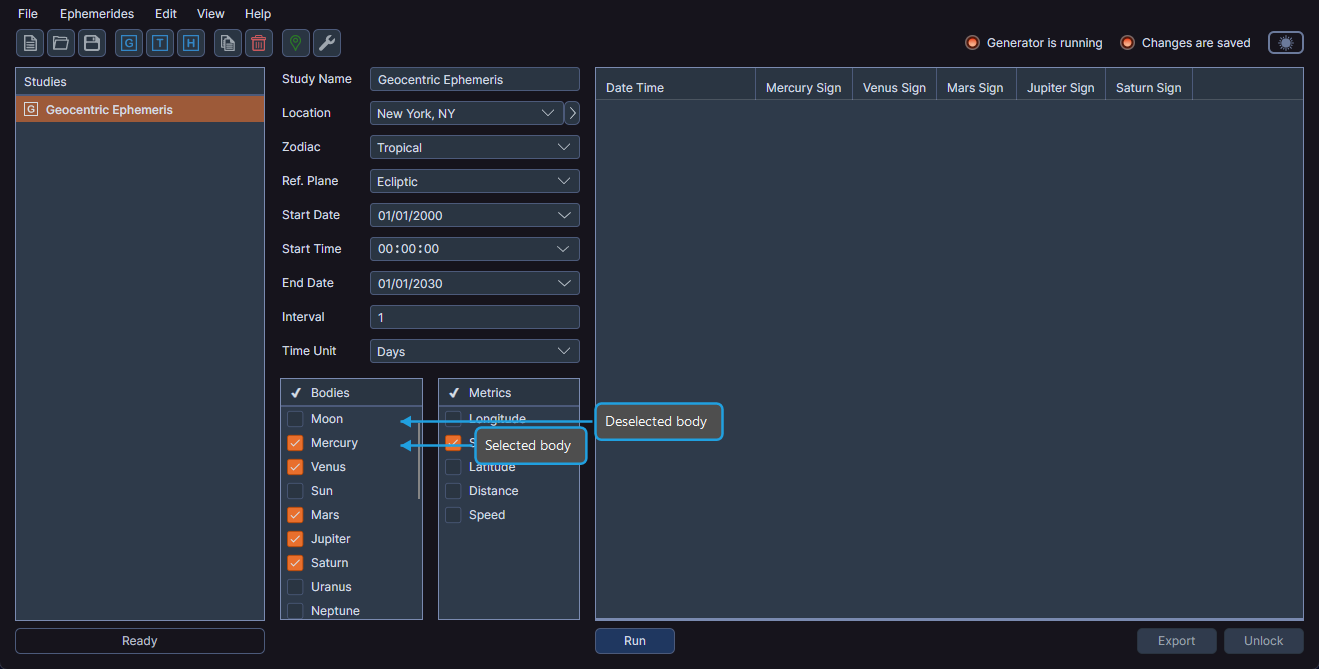
note
The checkmark icon in the Bodies list header is decorative only and does not have selection functionality.
Selecting or Deselecting a Body
- Click the checkbox next to a body name to select or deselect it.
The generated ephemeris includes selected bodies and excludes deselected bodies.
Bulk Select or Deselect
You can select or deselect multiple bodies at once using the context menu.
To bulk select or deselect bodies:
- Select one or more bodies in the list (use Shift+Click or Ctrl+Click to select multiple items).
- Right-click to open the context menu.
- Click Select or Deselect.
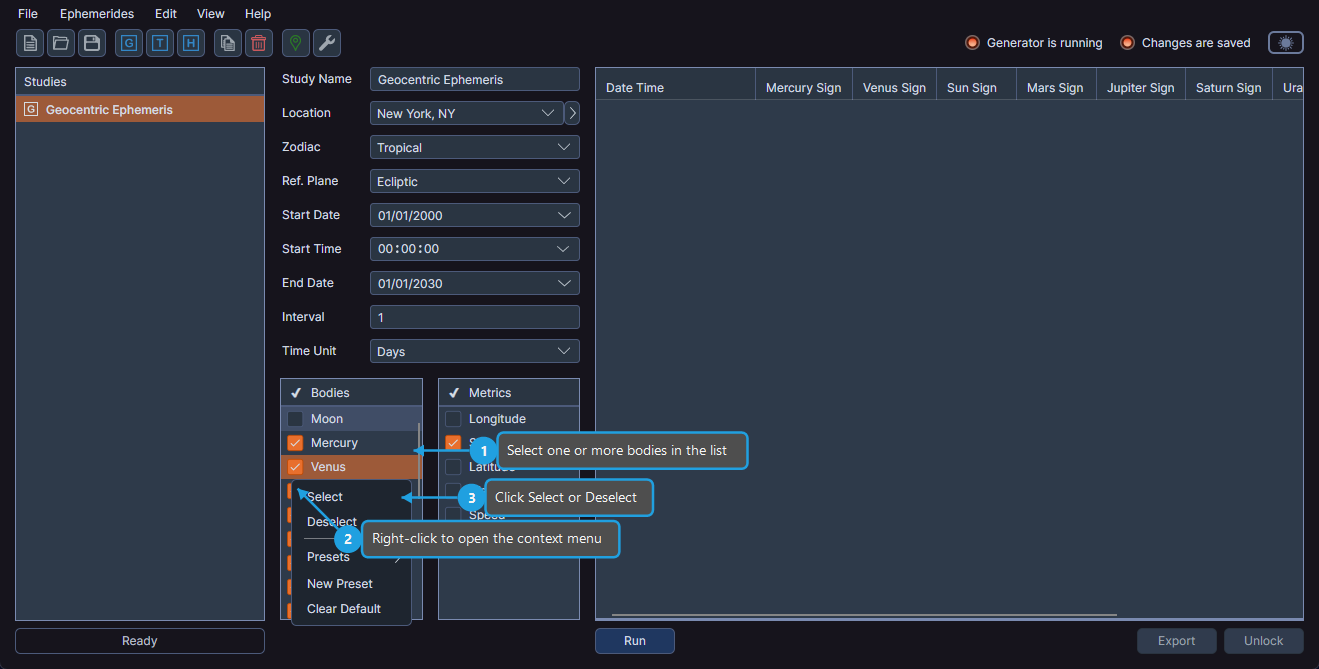
Ephy updates all highlighted bodies in the list accordingly.
Available Bodies
The bodies available in the list depend on the study type:
- Geocentric and Topocentric studies include planets (Moon through Pluto), smaller bodies (Tenet, Vesta, Juno, Ceres, Pallas, Chiron, Pholus), and lunar axis points (Lunar Apogee, Mean Apogee, North Node, Mean Node).
- Heliocentric studies include planets (Mercury through Pluto, with Earth replacing Moon/Sun), and smaller bodies. Lunar axis points are not available in heliocentric studies.
For the complete list of bodies available in each study type, see the study pages: