Locations Editor
The Locations Editor dialog lets you manage the collection of geographic locations available throughout Cygnus. Locations determine the time zone for displaying dates and times in every ephemeris study and define the observer position for topocentric parallax corrections.
Opening the Locations Editor
Using the Menu
- Click Edit on the menu bar.
- Click Locations in the Edit menu.
Using the Toolbar
- Click the Locations toolbar button.
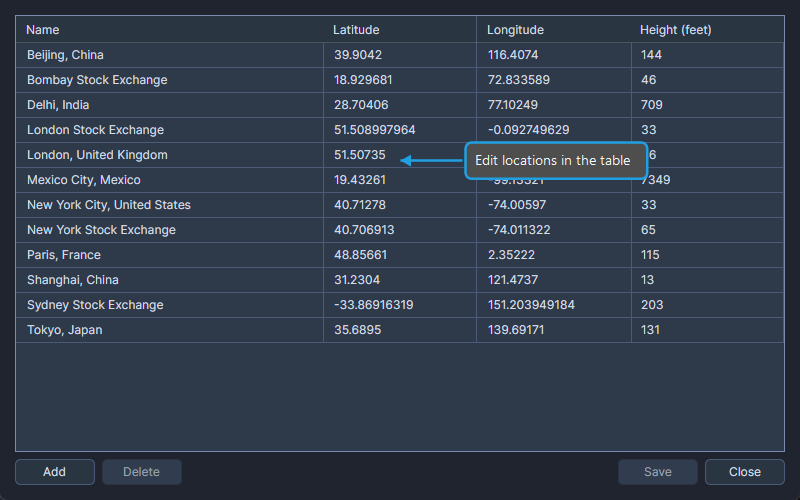
Managing Locations
The Locations Editor displays your locations in an editable table. You can add, edit, and delete locations within this dialog. Each location includes geographic coordinates and time zone information.
The locations you manage here appear in the Location dropdown across all study types and in the Default Settings Editor.
A location is required for all ephemeris types, including geocentric and heliocentric, because dates and times are displayed according to the location's time zone.