Recent Files
The Recent Files submenu provides quick access to workspaces you have recently opened or saved, so you can return to them without browsing for the file.
Opening a Recent Workspace
To open a recently used workspace:
- Click File in the menu bar.
- Hover over Recent Files to expand the submenu.
- Click the desired file path.
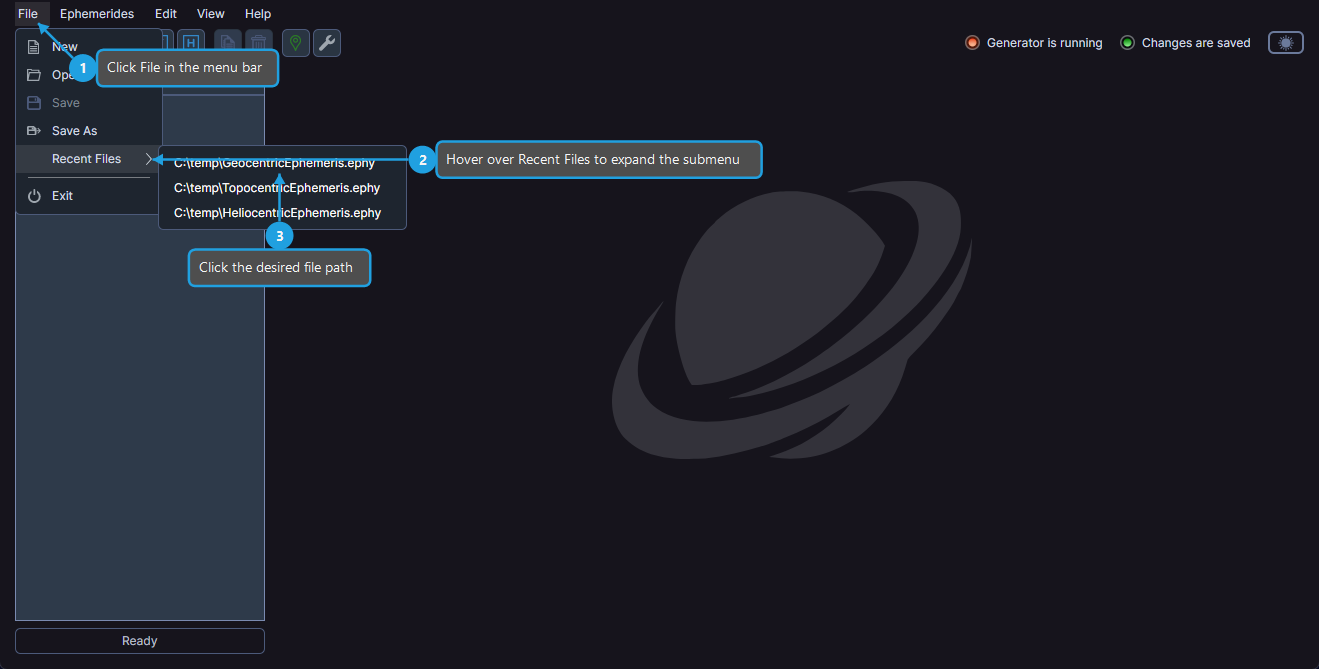
The selected workspace loads and its studies appear in the studies list panel.
info
If a file listed in Recent Files no longer exists at its original location, Ephy notifies you and removes the entry from the list.
note
If the current workspace has unsaved changes, the unsaved changes prompt appears before the recent workspace is opened.