Cancel Record Generation
Canceling stops a generation that is still in progress. It is the answer to realizing halfway through a long generation that the date range is too wide or the interval too fine: rather than waiting out several minutes of unwanted records, stop, fix the setting, and generate again.
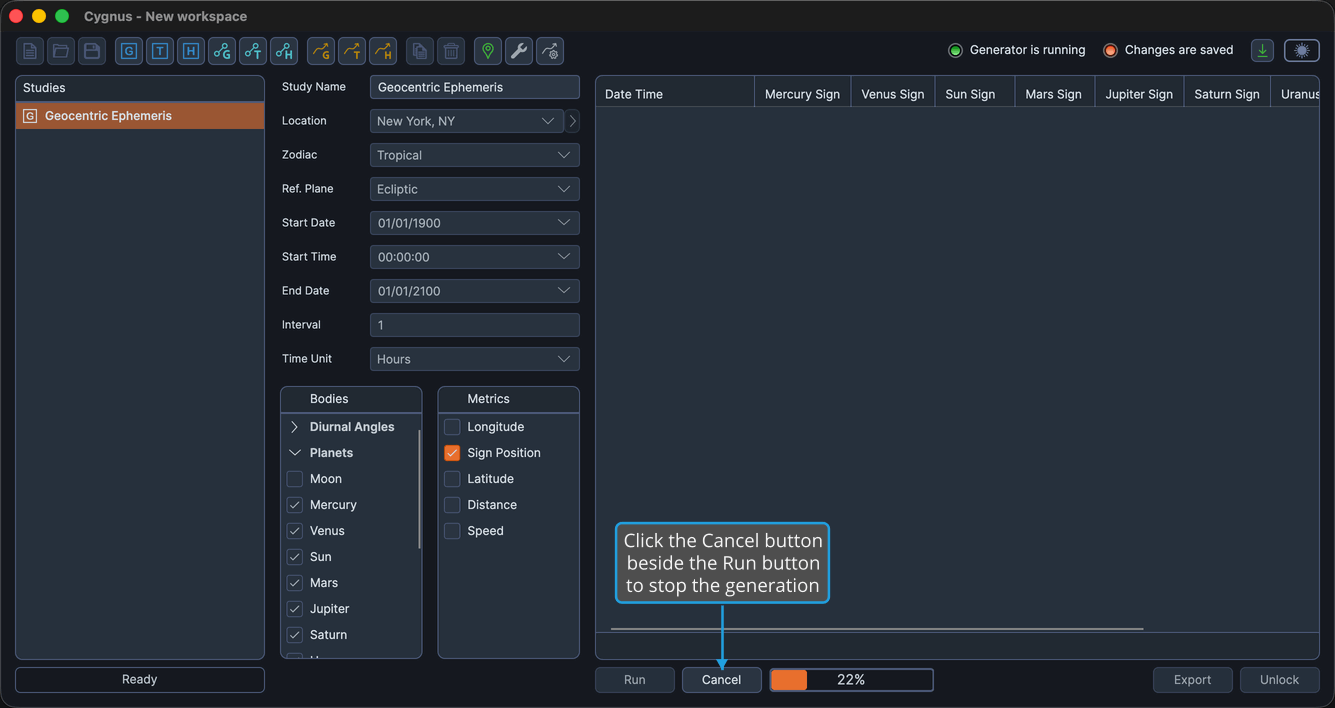
The Cancel button is visible only while the study is generating records. It appears beside the Run button, together with the progress indicator, and disappears again as soon as the generation stops.
Cancel a Generation in Progress
To stop the generation:
- Click the Cancel button beside the Run button.
Generation stops, the Cancel button and the progress indicator disappear, and the study stays unlocked, so you can adjust its settings and generate it again straight away.
Because a canceled study never completes its generation, it never locks. The Run button stays visible and the settings stay editable, with no need to unlock anything.