Status Indicators
Two labeled status lights sit at the top right of the main window and tell you at a glance whether work is in progress and whether anything would be lost by closing the workspace. They are read-only, so there is nothing to click.
What Each Indicator Reports
Each indicator is green when its condition is true and red when it is false.
| Indicator | Green when | Red when |
|---|---|---|
| Generator is running | A study in the workspace is generating records. | No study is generating records. |
| Changes are saved | The workspace holds no unsaved changes. | The workspace holds unsaved changes. |
Because the colors follow the condition rather than the severity, Changes are saved turns red the moment you edit a study and turns green again as soon as you save the workspace with Ctrl+S (Cmd+S on macOS).
Both indicators are always visible: the main window cannot be narrowed past the width at which they would otherwise fade out.
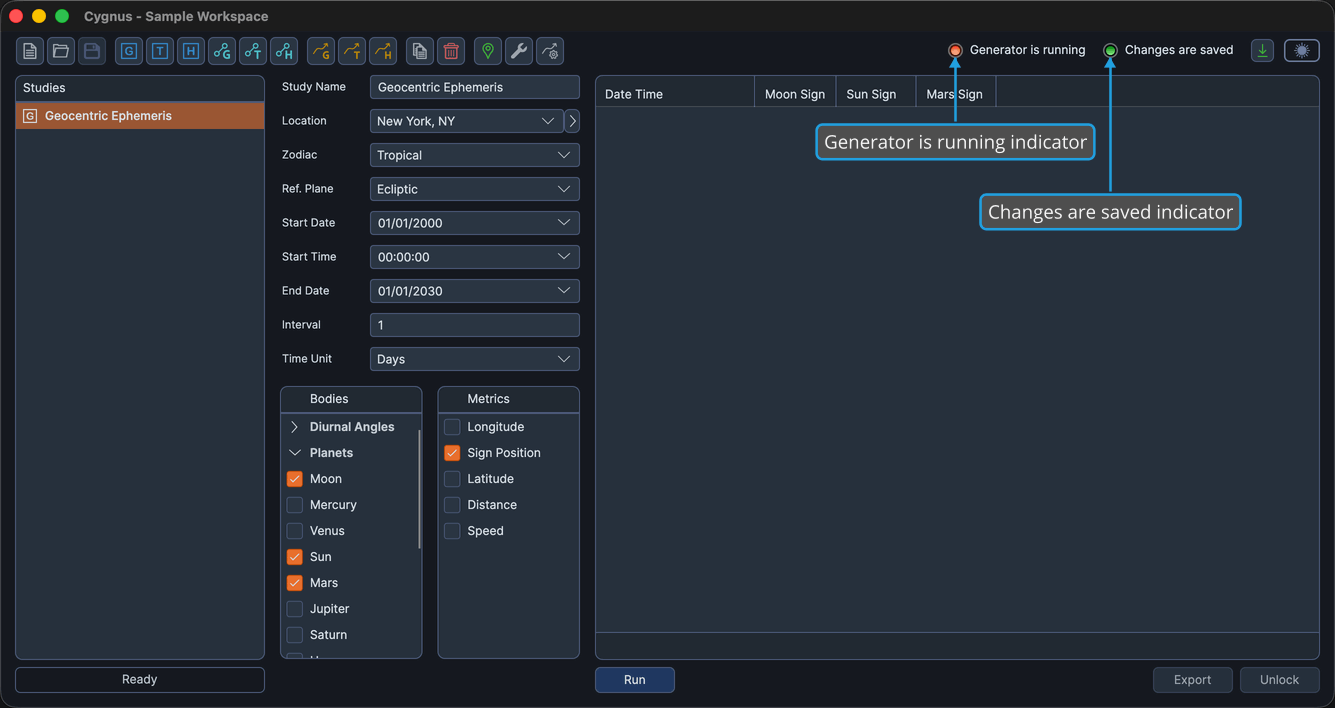
If you are unsure whether a long generation has finished, watch Generator is running. It stays green for as long as any study in the workspace is still producing records, even if you have switched to a different study in the meantime.