Exit Application
Quit Cygnus without losing work. Choose File → Exit, click the window's close button or press Cmd+Q (Alt+F4 on Windows), and answer the Unsaved Changes prompt if one appears.
You can't exit while a workspace is being loaded or saved, or while a study is generating.
Exit Cygnus
Close Cygnus when the workspace has no unsaved changes, or has never been saved.
Cygnus asks about unsaved changes only for a workspace that has been saved before. A workspace that has never been saved closes without a prompt, so save it first if you want to keep its studies: see Save Workspace.
- Open the File menu (Open the File Menu).
- Click Exit.
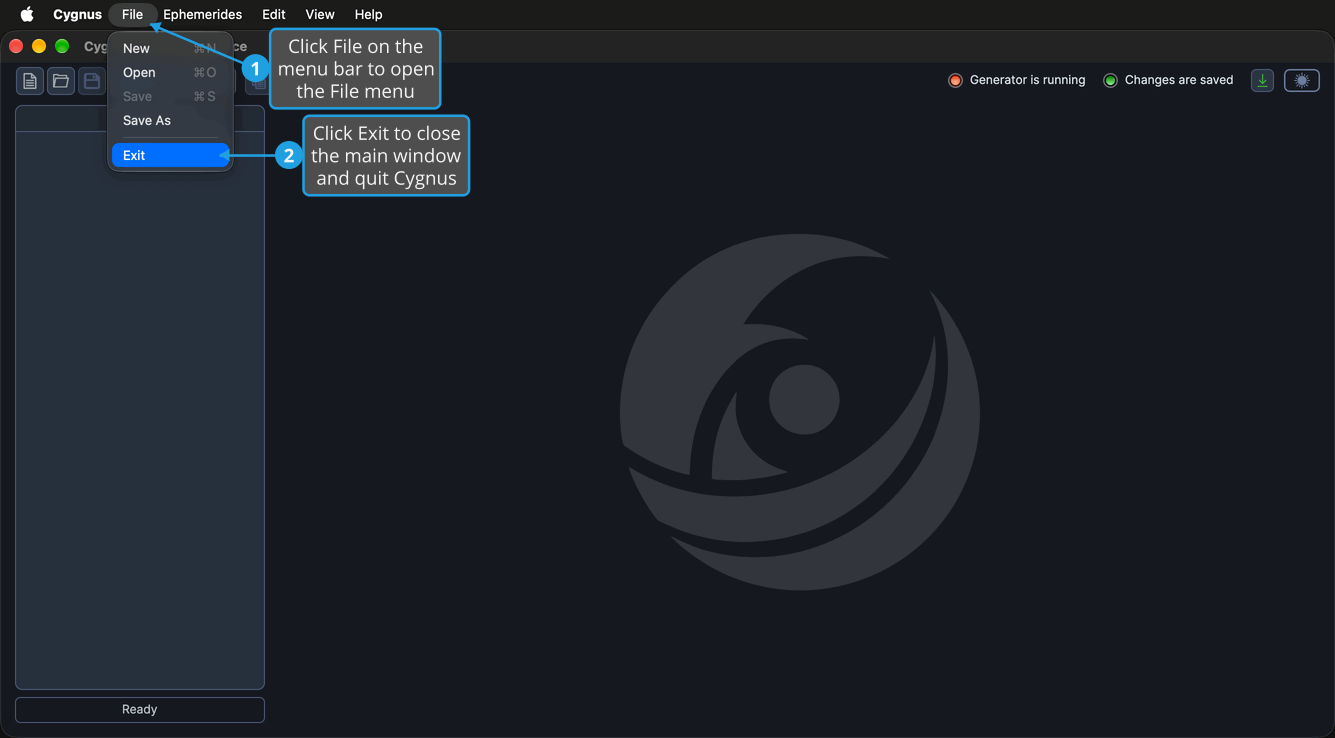
The main window closes and Cygnus quits. You can also click the window's close button, or press Cmd+Q (Alt+F4 on Windows).
Exit Cygnus and Save Changes
Close Cygnus after saving the unsaved changes of a workspace that has been saved before.
- Open the File menu (Open the File Menu).
- Click Exit.
- Save your changes in the Unsaved Changes prompt (Save Changes from the Unsaved Changes Prompt).
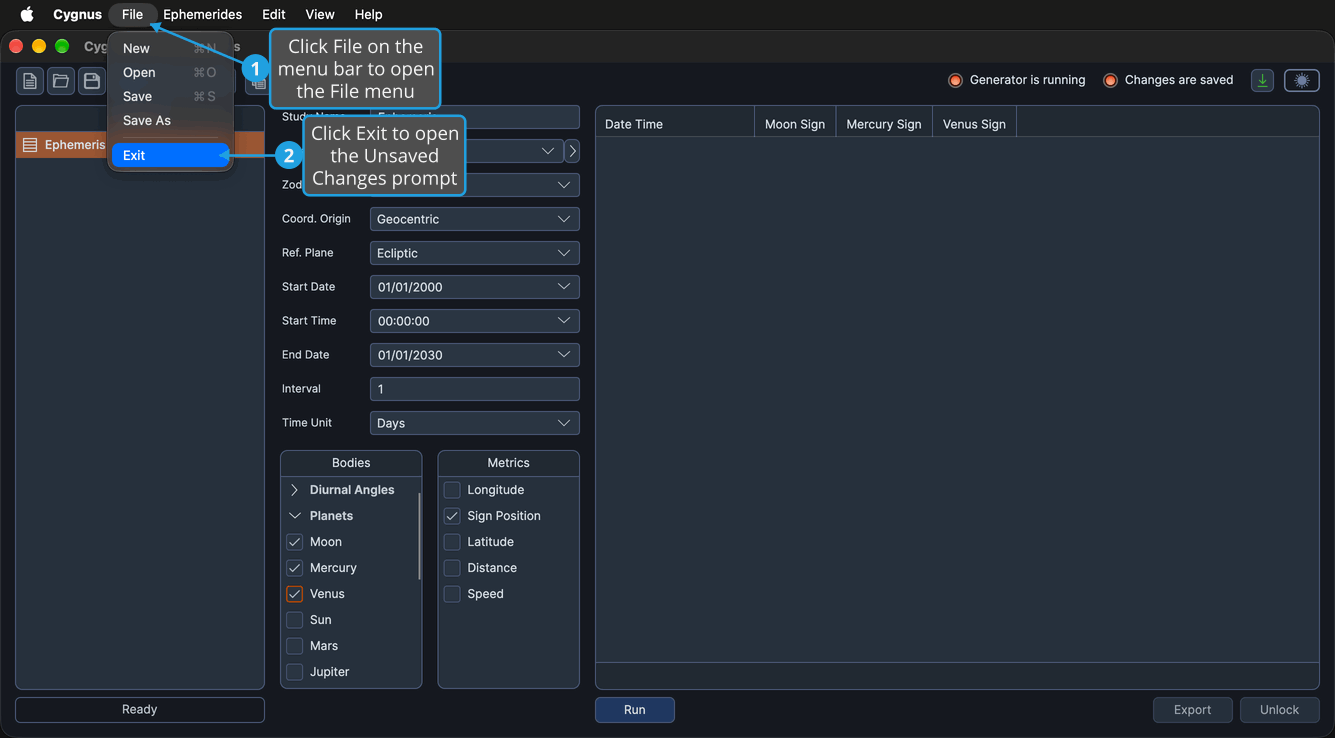
The prompt asks "Would you like to save your changes before exiting?" Because the workspace has been saved before, Cygnus saves it to the same location without opening a save dialog, then quits. If the save fails, Cygnus stays open with the changes still unsaved.
To quit without saving, click No in the prompt: see Discard Changes from the Unsaved Changes Prompt. To stay in Cygnus, click Cancel: see Cancel from the Unsaved Changes Prompt.