Studies List
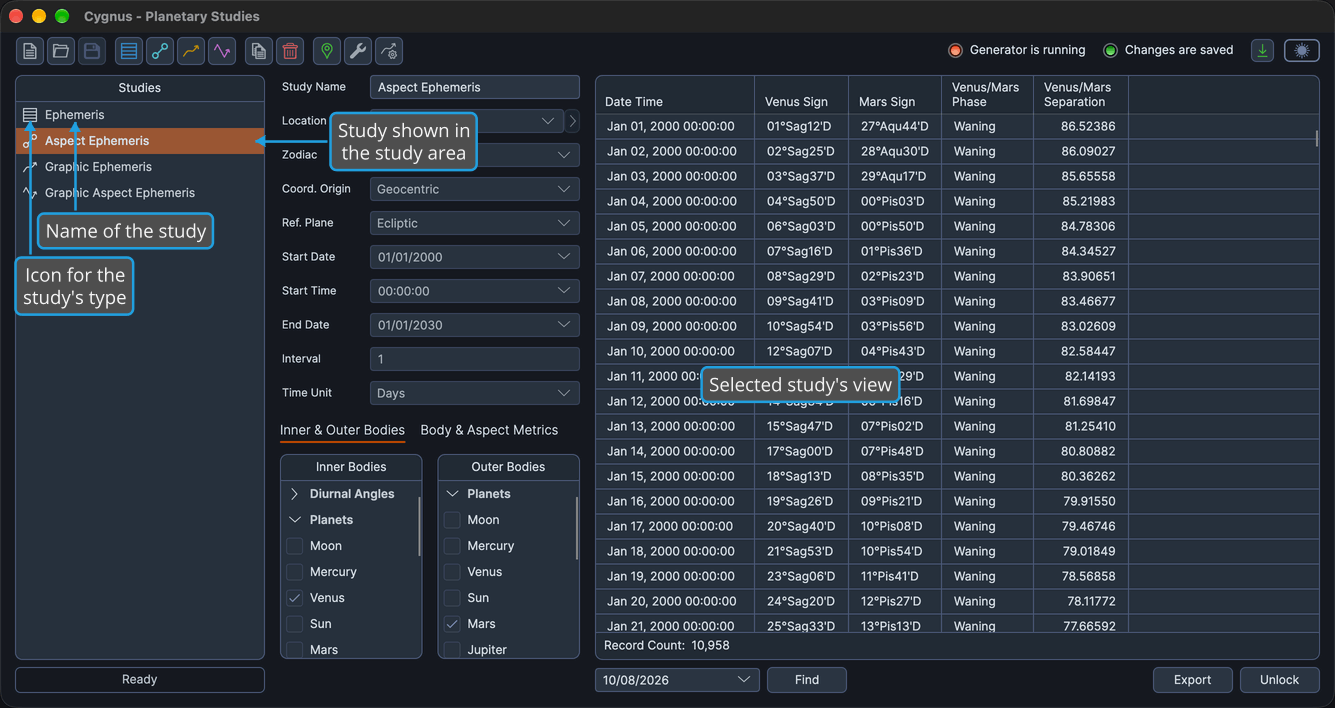
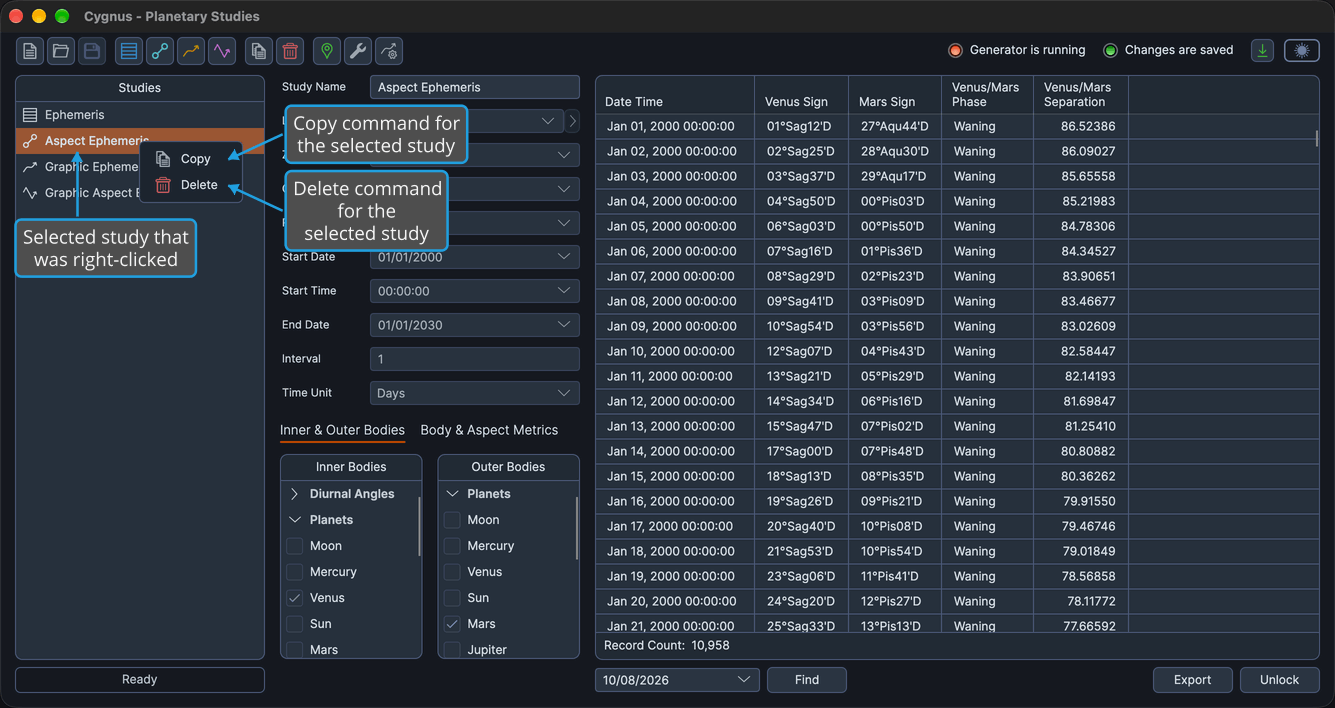
The Studies list, in the left column of the main window, shows every study in the workspace at a glance and lets you switch between them. Click a study to open it in the study area. Right-click the selected study and choose Copy or Delete, or press Delete to delete it.
Open a Study in the Study Area
Show one of the workspace's studies in the study area. The workspace must hold at least one study.
- Click a study in the Studies list.
The study is highlighted in the Studies list, and its view fills the study area: the settings column on the left, and the results, count bar and button bar on the right.
Studies in the List
The list, headed Studies, holds the studies of the open workspace in workspace order. Each row shows an icon for the study's type beside the study's name. You manage the studies in the list from the menus, the toolbar and the list itself:
- Create a study from the Ephemerides menu or the study-type toolbar buttons: see Create Study.
- Copy the selected study from the Edit menu, the toolbar or the context menu: see Copy Study.
- Delete the selected study from the Edit menu, the toolbar or the context menu, or press Delete: see Delete Study.
- Reorder the studies by dragging or from the keyboard: see Reorder Studies.
Studies Context Menu
Both commands act on the selected study, so click the study first and right-click it to open the context menu.
| Command | Description | Details |
|---|---|---|
| Copy | Adds a copy of the study, with its settings but without its results, to the bottom of the list and selects it. | See Copy Study. |
| Delete | Removes the study and its results once you confirm. | See Delete Study. |
Keyboard Shortcuts
With the Studies list focused, these keys act on the selected study.
| Key | Action | Details |
|---|---|---|
| Delete | Deletes the selected study once you confirm. | See Delete Study. |
| Option+Up (Alt+Up on Windows) | Moves the selected study up one place. | See Reorder Studies. |
| Option+Down (Alt+Down on Windows) | Moves the selected study down one place. | See Reorder Studies. |