Delete Study
Remove studies you no longer need from the workspace. Click the study, then choose Edit → Delete Study, click the Delete Study button (the trash can icon) on the Toolbar, right-click the study and choose Delete, or press Delete. Cygnus asks you to confirm before it deletes the study.
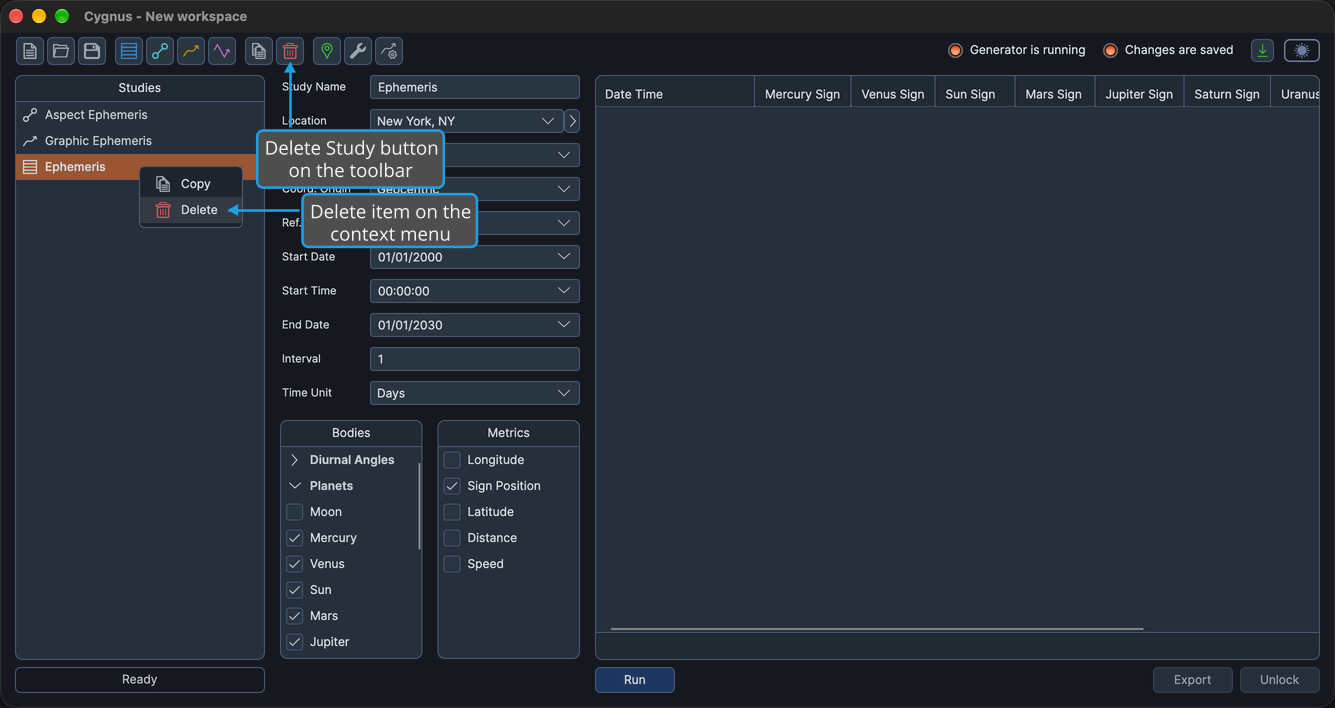
Deleting a study removes the study and its generated results from the workspace.
Delete a Study
You cannot delete a study while the workspace is being loaded or saved, or while the selected study is generating. To delete a study that is generating, wait for it to finish or cancel its generation (see Cancel Study Generation).
To delete a study:
- Click the study you want to delete in the Studies List.
- Open the Edit menu (see Open the Edit Menu).
- Click Delete Study in the Edit menu.
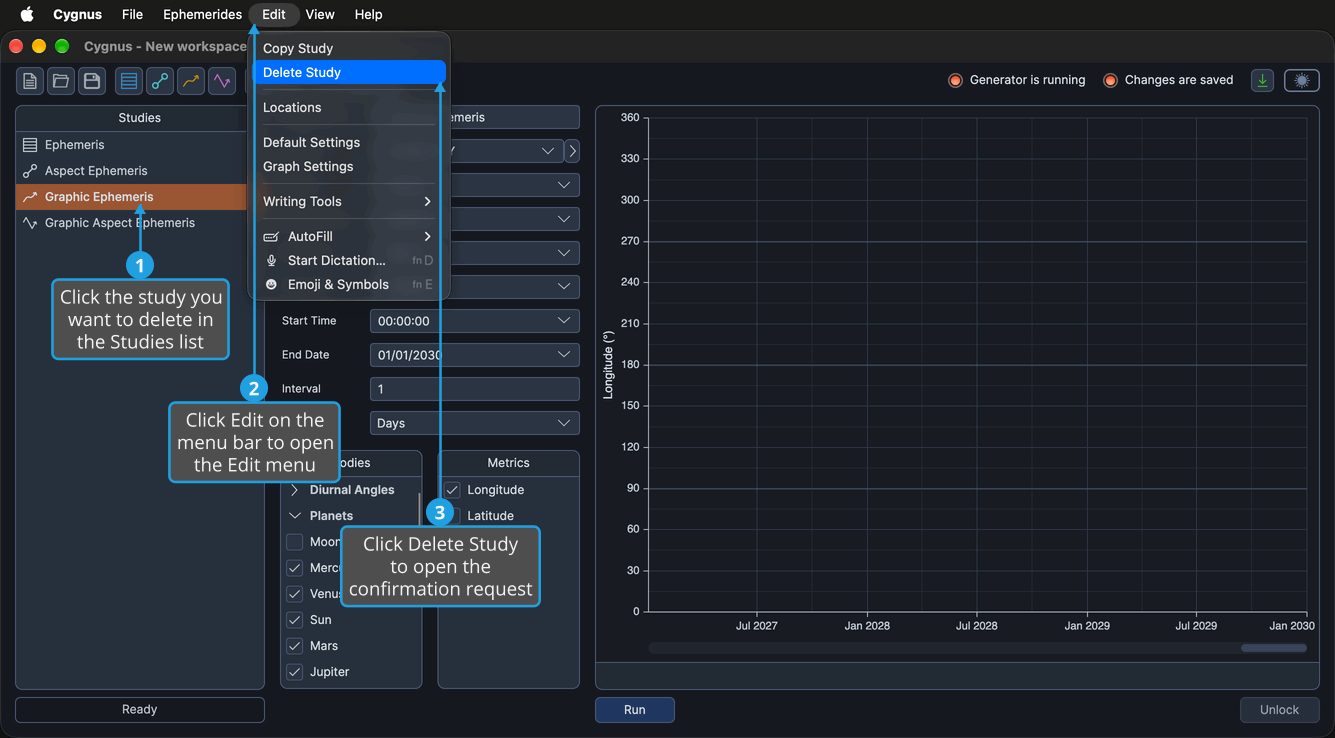
When Cygnus asks "Delete the selected study?", confirm the request (see Confirm a Confirmation Request).
The study and its results are removed from the workspace, and the study above it in the Studies list is selected; when you delete the first study, the new first study is selected. The workspace now has unsaved changes, so the Changes are saved indicator shows red (see Status Indicators).
To keep the study, decline the request instead (see Decline a Confirmation Request).
Instead of the Edit menu, you can:
- Click the Delete Study button (the trash can icon) on the toolbar.
- Right-click the study in the Studies list and choose Delete.
- Press Delete while the Studies list has keyboard focus.
Each of these asks for the same confirmation.
Related Topics
- Studies List: see and select the studies of the workspace.
- Copy Study: duplicate a study with all of its settings.
- Create Study: add a new study to the workspace.
- Save Workspace: keep the workspace without the deleted study.