Cancel Study Generation
Abandon a long generation, for example one you started with the wrong settings. While the study is generating, click Cancel in the button bar below the results.
The Cancel button appears beside Run, together with the progress bar, only while the selected study is generating. It works the same way on all four study types.
Cancel the Generation
To stop the selected study's generation:
- Click Cancel in the button bar below the results.
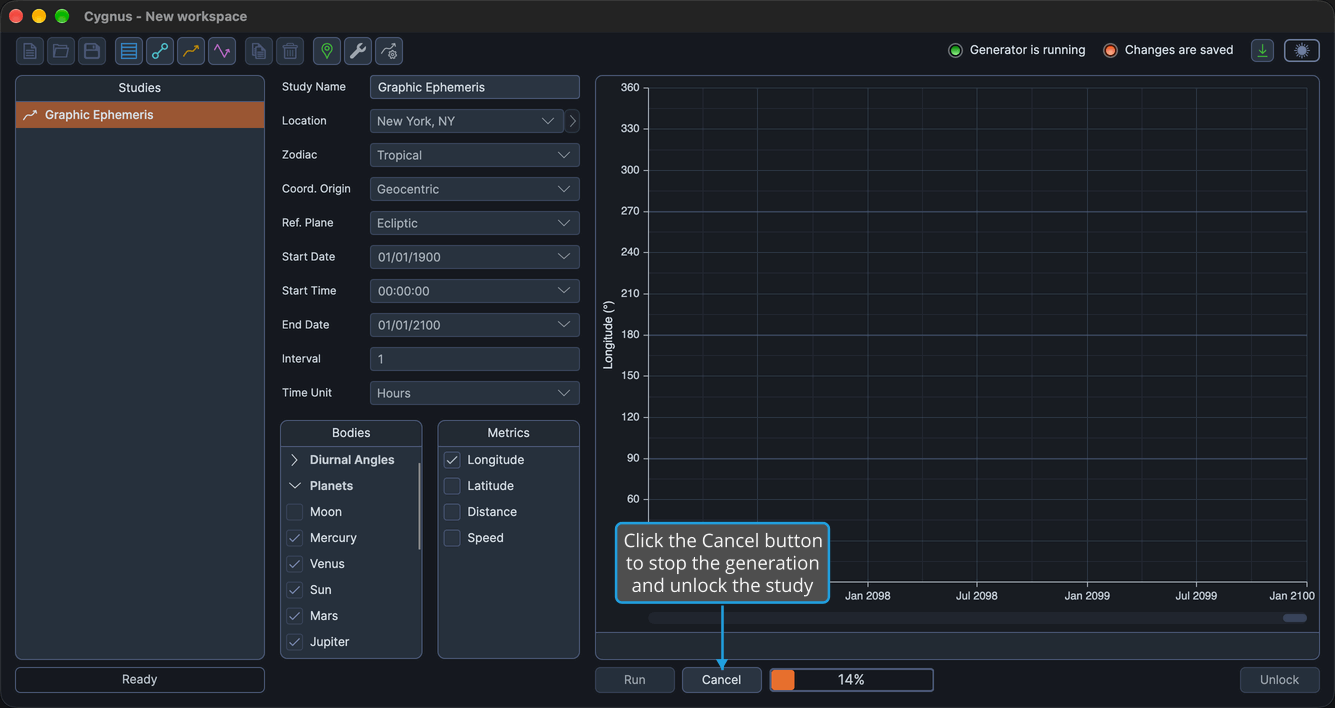
Cygnus does not ask for confirmation. Generation stops, the Cancel button and the progress bar disappear, and the study is unlocked: its settings and lists can be edited again, and the Run button is available. Change the settings you need and generate the study again, as described in Generate Study.
Related Topics
- Generate Study: produce the records or graph of a configured study.
- Status Indicators: see at a glance whether a study is still generating.
- Unlock Study: return a study to its editable state after generation has finished.