Status Indicators
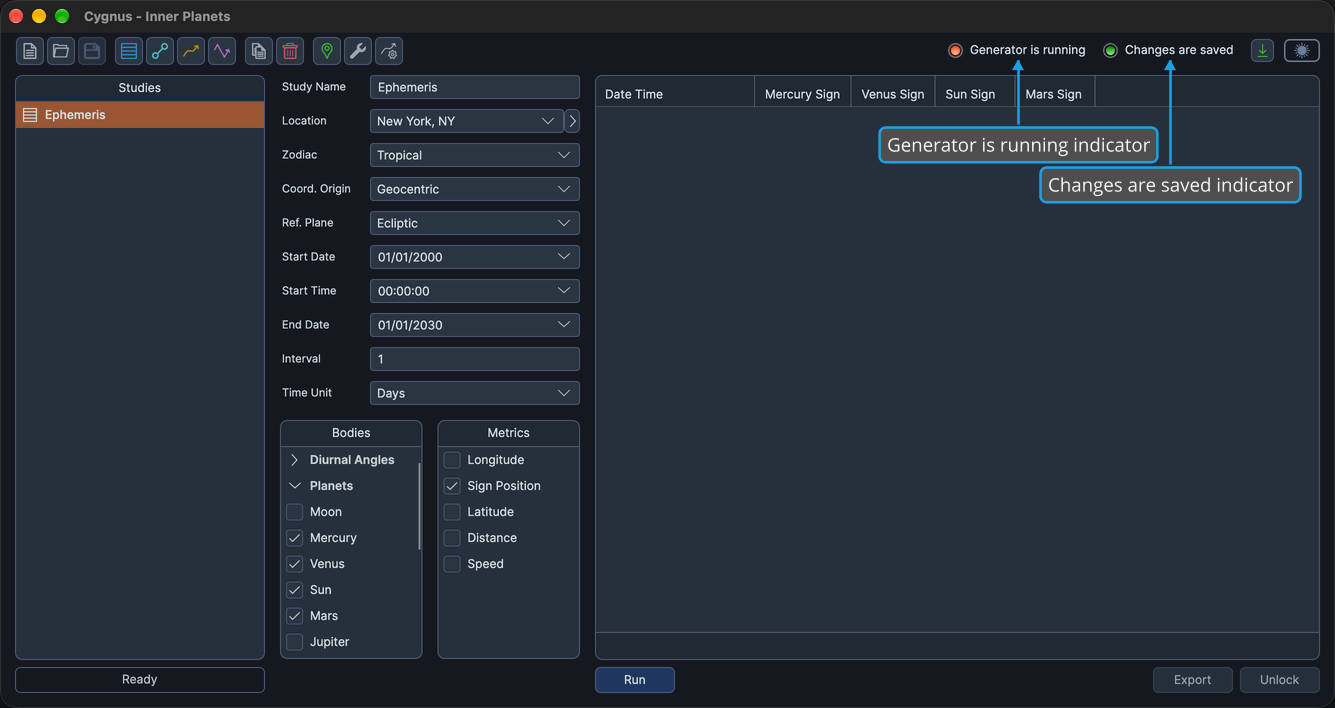
The status indicators tell you at a glance whether a study is still generating and whether you have unsaved work. Look at the two indicators at the right end of the toolbar row: they update by themselves and need no interaction.
Read the Status Indicators
Each indicator is a labeled light that is green when its statement is true and red when it is false.
| Indicator | Green | Red |
|---|---|---|
| Generator is running | A study in the workspace is generating results. | No study is generating. |
| Changes are saved | Every change to the workspace has been saved. | The workspace has unsaved changes. |
tip
When Changes are saved is red, save the workspace to keep your work: see Save Workspace. Saving turns the indicator green.
info
While Generator is running is green, you can't save the workspace, start a new workspace, open another workspace or exit Cygnus. To stop a study that is generating, see Cancel Study Generation.