Theme Toggle
Work in the color scheme that suits your surroundings: Cygnus has a Light theme and a Dark theme. Click the theme switch at the right end of the toolbar row, or choose View → Toggle Theme.
Toggle the Theme
Switch Cygnus between its Light and Dark themes.
- Click View on the menu bar.
- Click Toggle Theme.
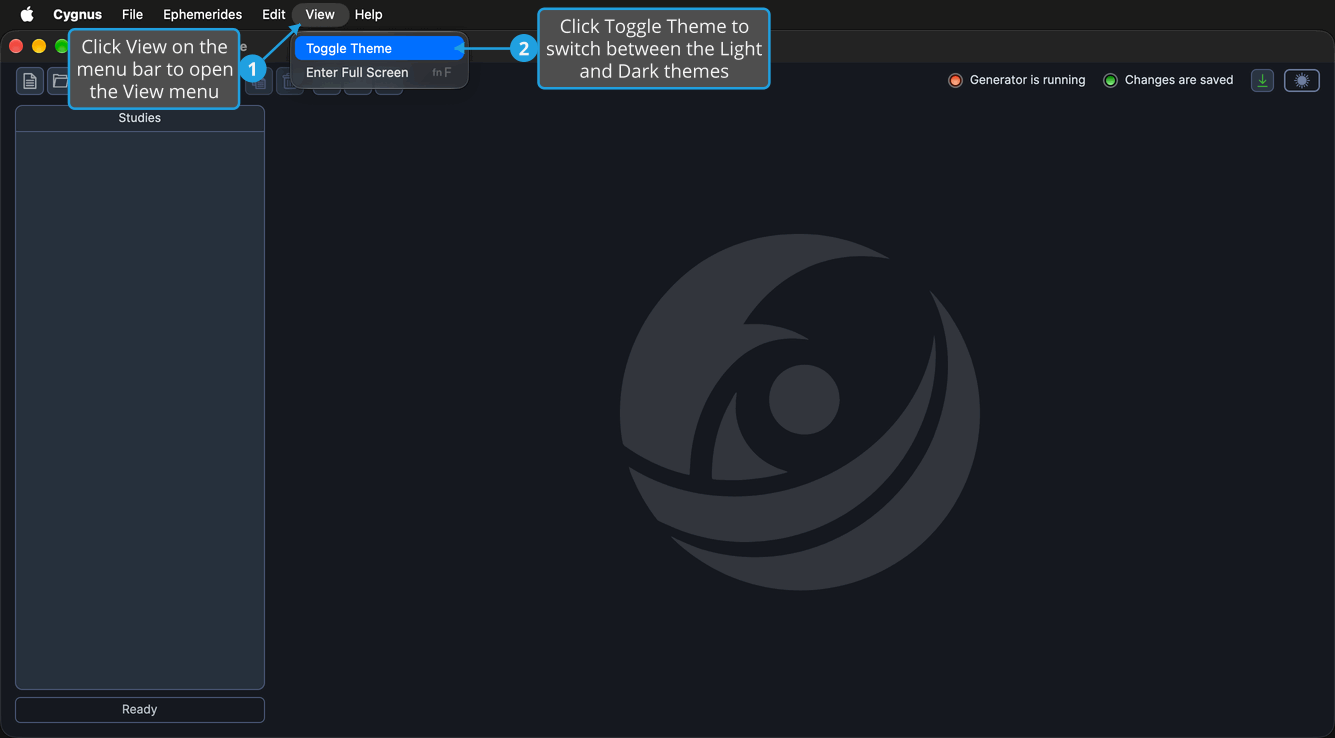
The whole application switches to the other theme, and the theme switch at the right end of the toolbar row changes position. Cygnus remembers your choice and applies it the next time it starts.
On macOS, View is in the menu bar at the top of the screen. On Windows, you can also press Alt+V and then T.
tip
For one-click switching, click the theme switch at the far right of the toolbar row.