Copy Study
Make a variation of an existing study without setting it up again from scratch. Click the study, then choose Edit → Copy Study, click the Copy Study button on the Toolbar, or right-click the study and choose Copy. The Copy Study button shows an icon only: the same icon as Copy on the context menu and, on Windows, as Copy Study in the Edit menu.
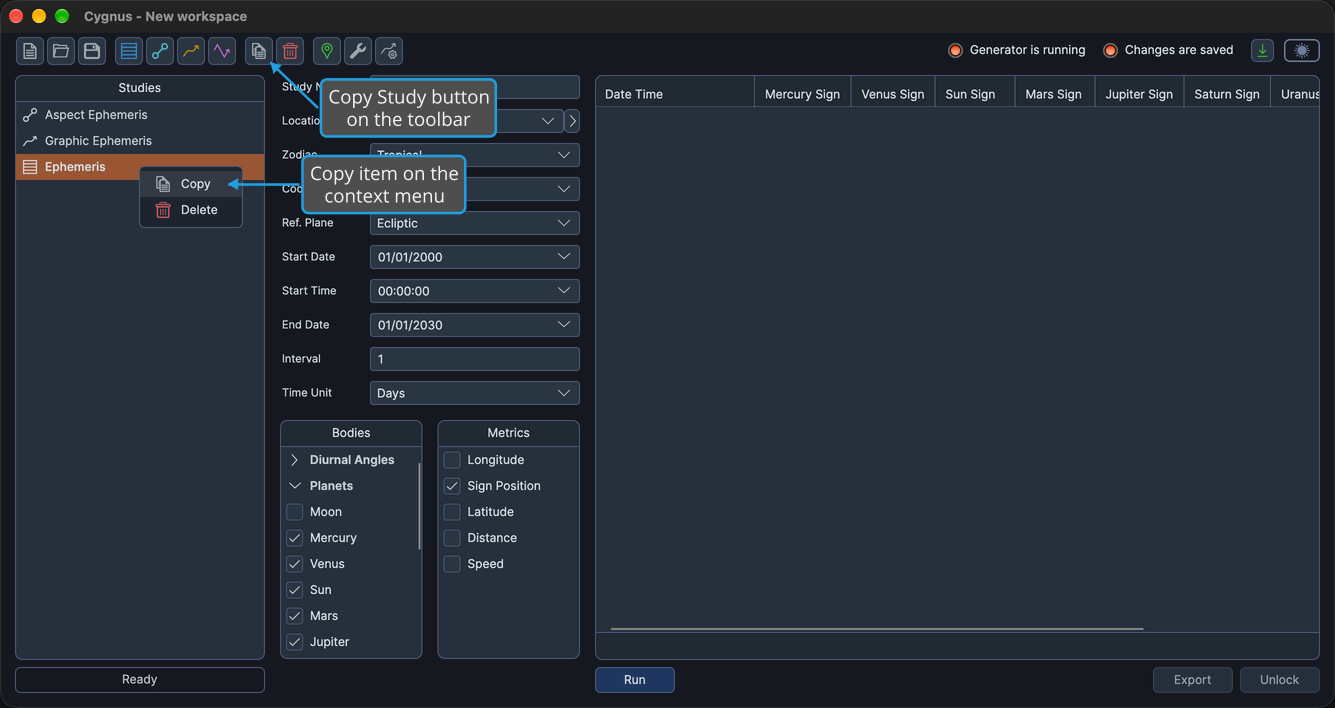
The copy has all of the original study's settings but none of its generated results. Cygnus names it after the original with " (copy)" appended, so a copy of "Ephemeris" is named "Ephemeris (copy)". When the original's name already contains "(copy)", the copy takes the same name.
Copy a Study
You cannot copy a study while the workspace is being loaded or saved, or while the selected study is generating.
To copy a study:
- Click the study you want to copy in the Studies List.
- Open the Edit menu (see Open the Edit Menu).
- Click Copy Study in the Edit menu.
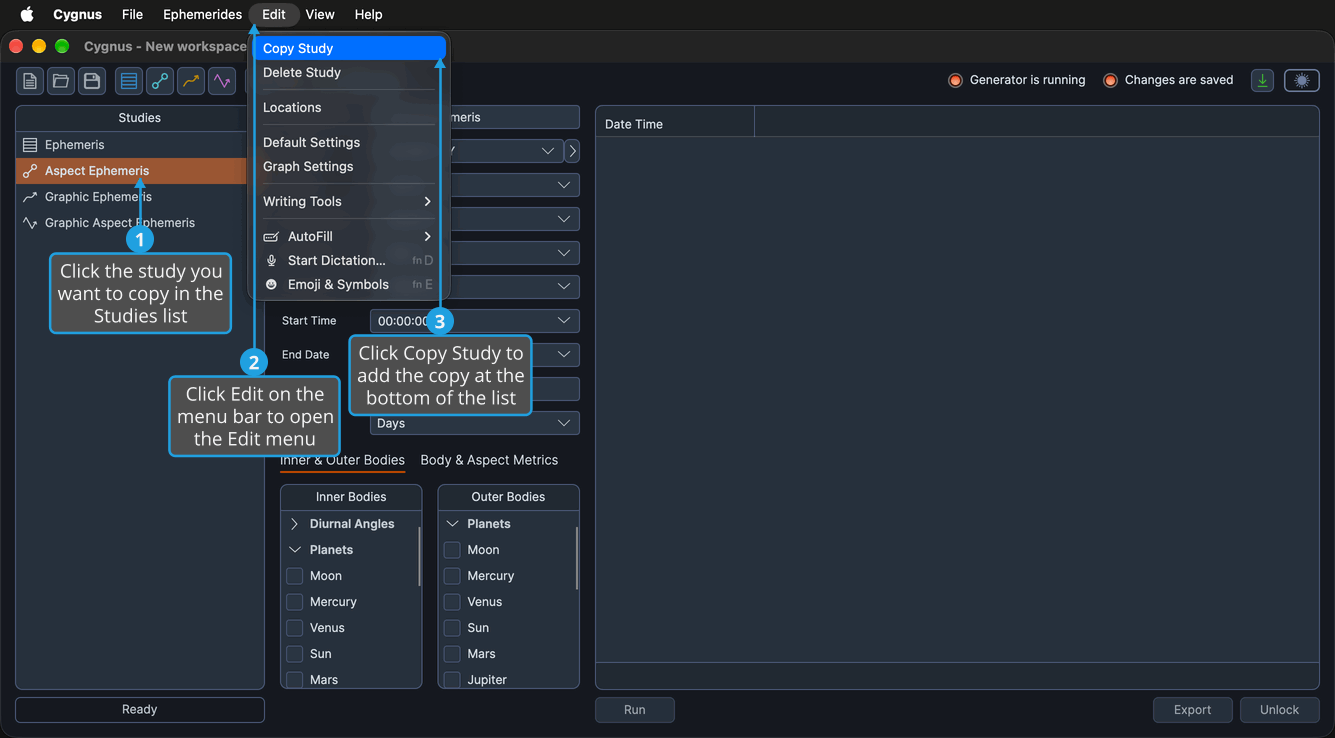
The copy is added at the bottom of the Studies list and selected. It is unlocked and has no results, so you can change its settings and generate it. The workspace now has unsaved changes.
Instead of the Edit menu, you can:
- Click the Copy Study button on the toolbar, which shows the same icon as Copy on the Studies list context menu and, on Windows, as Copy Study in the Edit menu.
- Right-click the study in the Studies list and choose Copy.
Related Topics
- Study Name: give the copy a name of its own.
- Generate Study: produce the copy's records or graph.
- Create Study: add a new study from the workspace defaults.
- Delete Study: remove a study you no longer need.
- Save Workspace: keep the new study.