Study Name
Give each study a meaningful name so you can tell your studies apart. The Study Name box at the top of every study holds the name that the Studies list shows, and the list updates as you type.
A new study is named after its type, and a copy of a study gets " (copy)" added to the end of the original study's name. You can change the name at any time, including after the study has been generated.
Rename a Study
Before you start, select the study in the Studies list.
- Click in the Study Name box at the top of the study.
- Enter the new name.
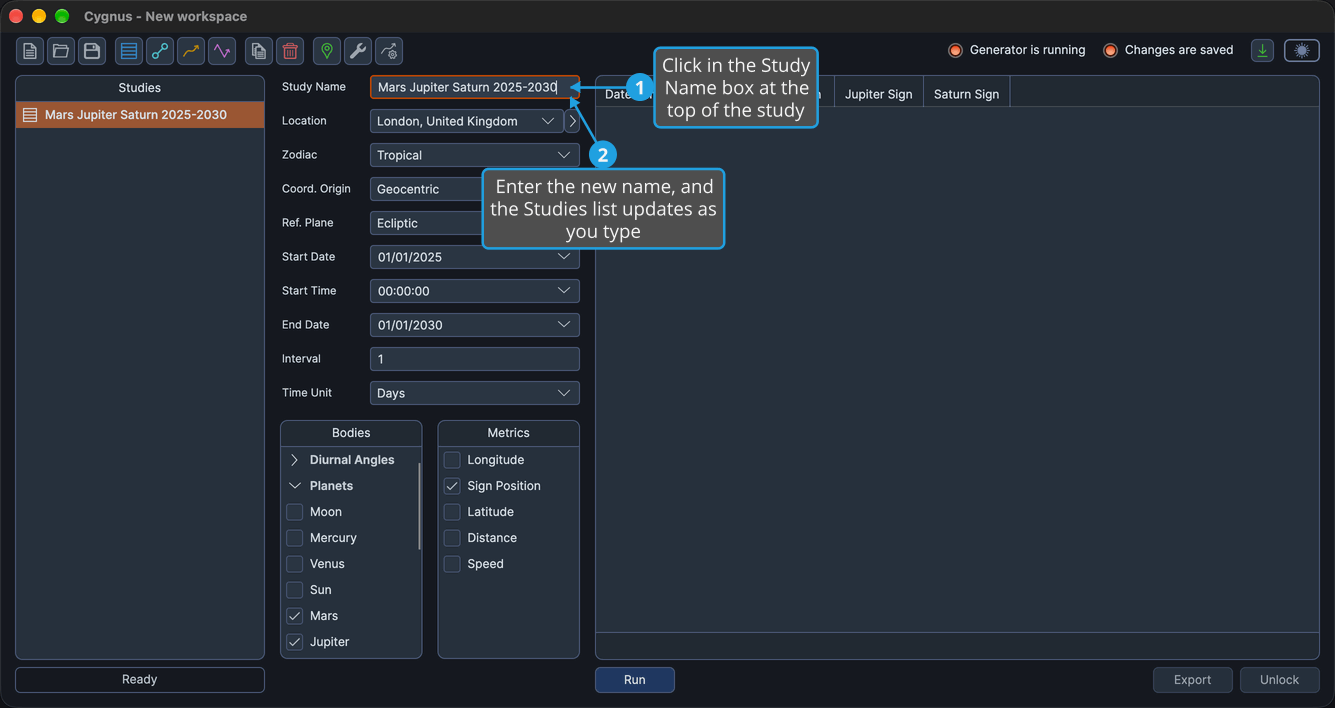
The Studies list shows the new name as you type. The new name is an unsaved change to the workspace until you save it, as described in Save Workspace.