Find Record by Date
After generating records, you can quickly navigate to a specific date within the ephemeris table. The Find feature locates and selects the record nearest to your specified date.
Finding a Record
To find the record nearest to a specific date:
- Enter a date in the Find date picker at the bottom-left of the study view.
- Click the Find button or press Enter.
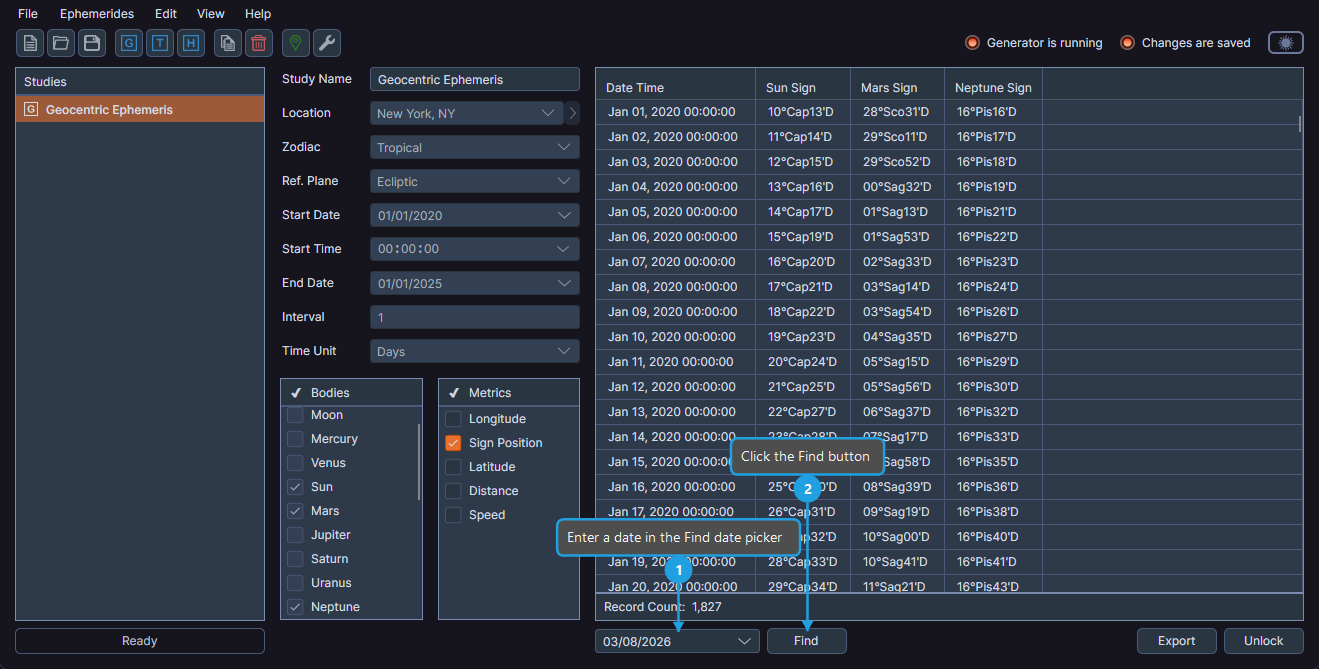
The ephemeris table scrolls to the closest matching record and centers it in the viewport. The record is selected automatically.
tip
This is especially useful when working with large ephemerides spanning many years, where manually scrolling to a specific date would be time-consuming.