Unlock Study
After generating records, Ephy locks the study to prevent accidental changes to the parameters that produced the current results. Unlocking a study restores parameter editing but permanently deletes all generated records.
Unlocking a Study
To unlock a study and enable parameter editing:
- Click the Unlock button at the bottom-right of the study view.
- Click Yes to confirm that the generated records will be deleted.
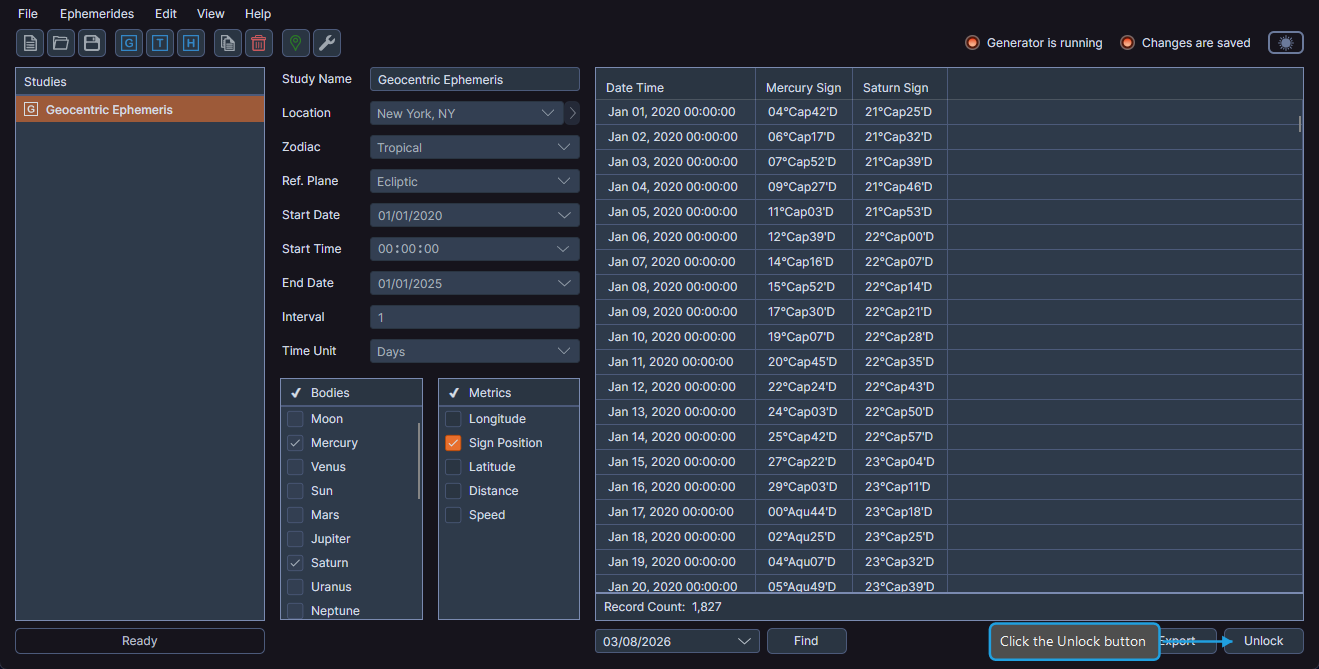
After unlocking, the study parameters become editable again and the Run button reappears so you can generate new records with updated settings.
warning
Unlocking a study permanently deletes all generated records. Make sure to export your data first if you need to keep the results.