Copy Study
Copying a study duplicates the selected study, giving you a new study with the same configuration as a starting point. The copy is named with a "(copy)" suffix, its generated records are cleared, and it is added to the workspace and selected.
Copying a Study
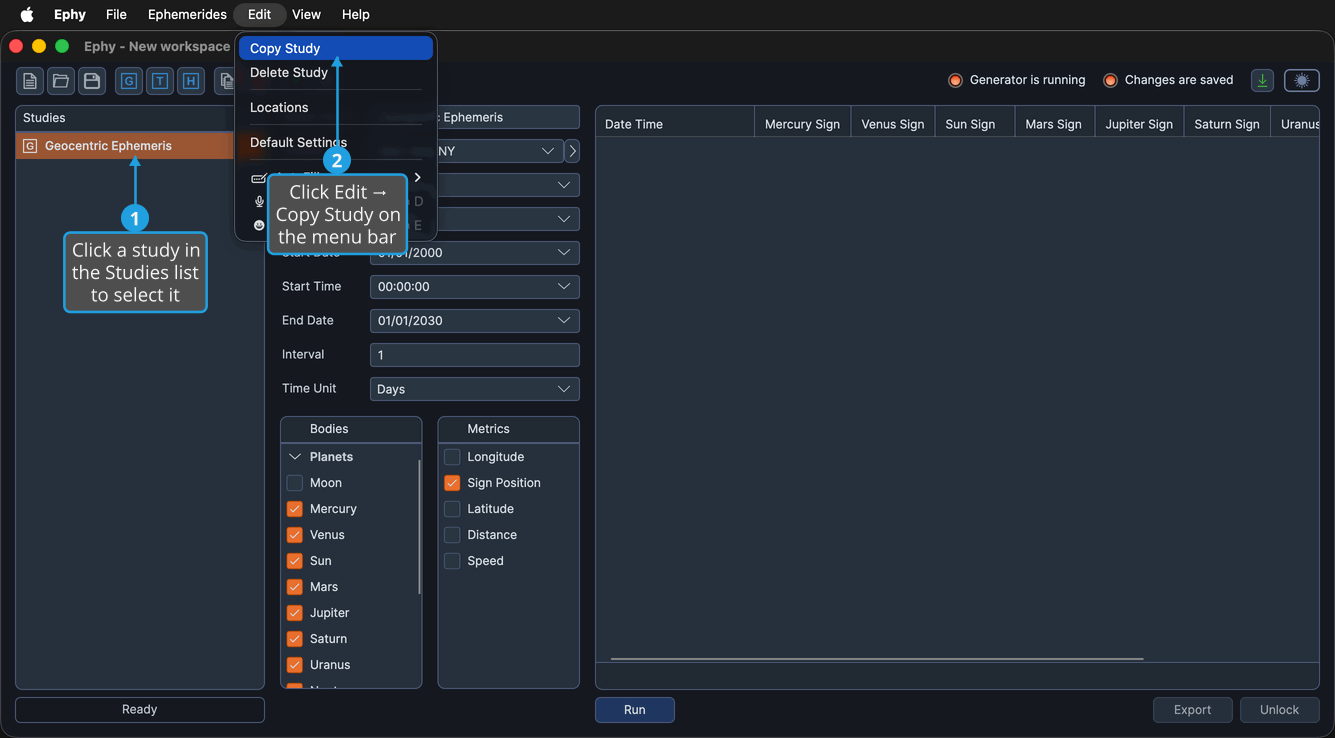
To copy a study:
- Click a study in the Studies list to select it.
- Click Edit → Copy Study on the menu bar.
You can also click the Copy study button on the toolbar, or right-click the study in the Studies list and choose Copy.