Hotspot Transits Study
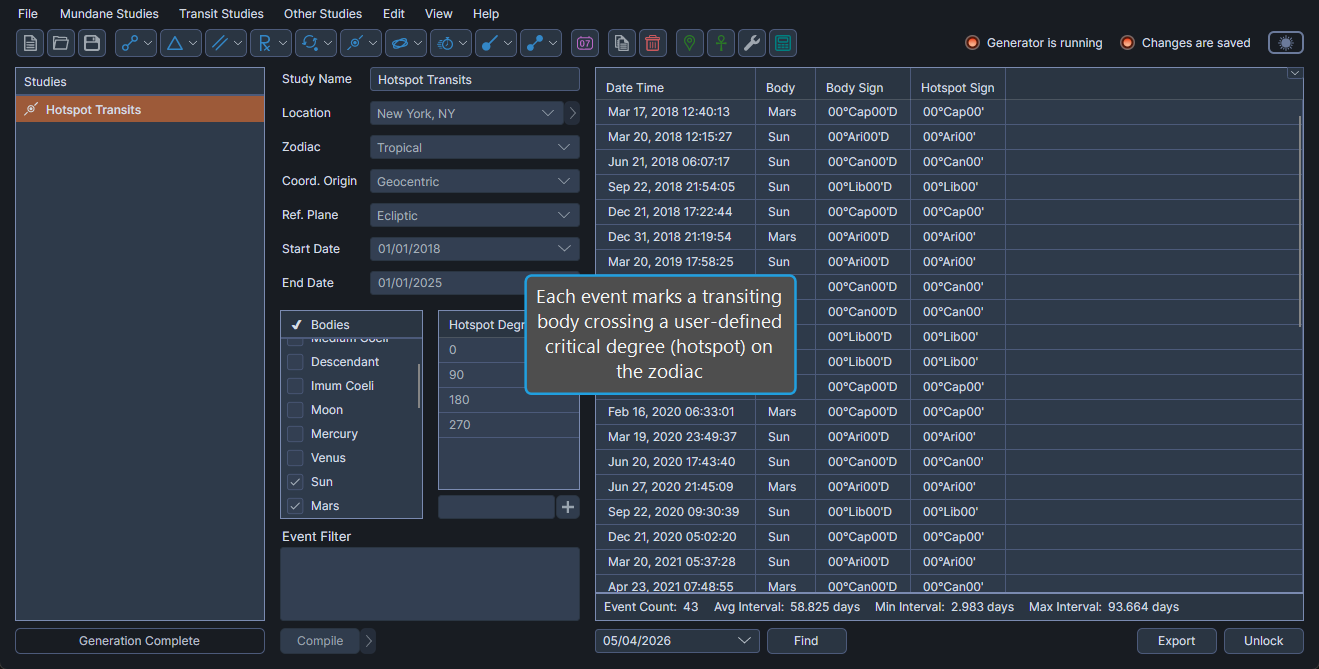
The Hotspot Transits Study generates an event whenever a transiting body crosses a fixed longitudinal degree on the zodiac defined as a critical degree (hotspot). Use the study to monitor when planets activate user-defined sensitive points such as midpoints, fixed star longitudes, or arbitrary degrees of interest.
Create a Hotspot Transits Study
To add a new Hotspot Transits Study to the active workspace:
- Click Mundane Studies on the menu bar.
- Click Critical Degree Transits, then click Hotspot Transits in the submenu.
You can also create a Hotspot Transits Study from the toolbar by clicking the Ingress Studies drop-down button and selecting Hotspot Transits.
Events Captured
A Hotspot Transits event occurs when a transiting body's ecliptic longitude (or right ascension, depending on Reference Plane) crosses a degree listed in the Hotspot Degrees table. Sign ingresses can also be generated using this study by populating the table with multiples of 30°, but the Sign Ingresses Study is purpose-built for that case.
Events Table Columns
The events table for a Hotspot Transits Study contains the following columns:
| Column | Description |
|---|---|
| Date Time | Date and time of the hotspot transit event. |
| Body | Name of the body crossing the hotspot. |
| Body Longitude | Ecliptic longitude of the body at the transit. |
| Body Sign | Zodiac sign (with degrees) of the body. |
| Body Latitude | Ecliptic latitude of the body. |
| Body Distance | Distance of the body from the coordinate origin. |
| Body Speed | Daily motion of the body. |
| Hotspot Longitude | Ecliptic longitude of the hotspot being transited. |
| Hotspot Sign | Zodiac sign (with degrees) of the hotspot. |
| Event Interval | Time interval since the previous hotspot transit event. |