Chart Defaults
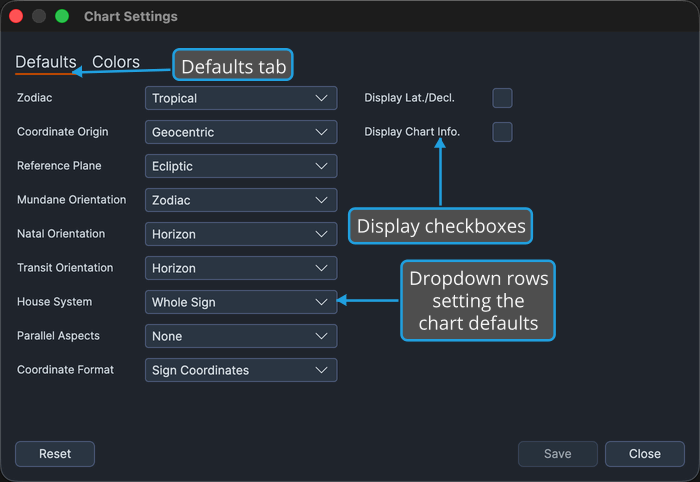
The Defaults tab decides what a newly opened chart starts with. If you always work in the same zodiac, from the same vantage point, or in the same coordinate format, set it here once and every new chart arrives that way.
Overview
The tab holds eleven rows across two columns. The left column is dropdowns covering the calculation frame, the per-chart-type orientations, the house system, the parallel aspects, and the coordinate format; the right column carries the two display checkboxes.
Every row seeds the next chart window and leaves already-open ones alone. Each also has a per-window equivalent on the chart itself, so a default you set here is a starting point rather than a lock:
| Rows here | Per-window equivalent |
|---|---|
| Zodiac, Coordinate Origin, Reference Plane, House System, Parallel Aspects, and the three Orientation rows | Chart Calculation Frame |
| Coordinate Format, Display Lat./Decl., Display Chart Info. | Chart Display Options |
Nothing on this tab is written to disk until you press Save on the window's bottom bar. See Chart Settings Window.
Calculation-Frame Defaults
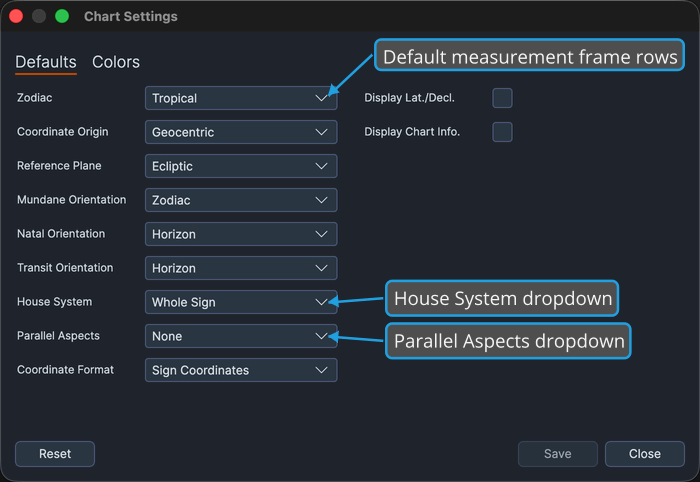
These rows decide the frame a newly opened chart is calculated in. Every field already shows its current default, so change only the settings you want to adjust:
- Zodiac, Coordinate Origin, and Reference Plane set the default measurement frame. Between them these three decide the terms every newly opened chart's positions are calculated in: which zodiac they are read against, the vantage point they are taken from, and the plane they are projected onto.
- House System sets the default house division, which governs how a new chart's wheel is carved into houses.
- Parallel Aspects sets the default declination parallels, which governs which parallels a new chart draws, if any.
Per-Chart-Type Orientation Defaults
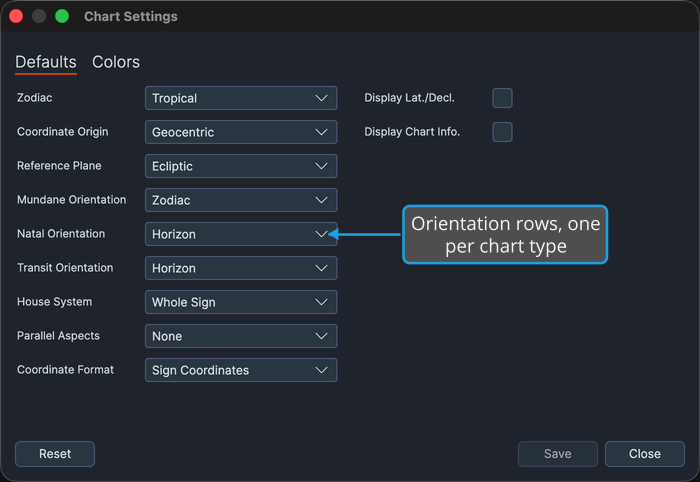
Each chart type carries its own orientation row, so what a new wheel is turned to can be set differently for each without one choice disturbing the others. All three rows already show their current defaults, so change only the ones you want to adjust:
- Mundane Orientation, Natal Orientation, and Transit Orientation set the opening orientation for a new Mundane, Natal, or Transit chart respectively.
Orientation decides whether the House System row is reachable on the chart itself: a chart's House System is available only while its orientation is Horizon.
Display Defaults
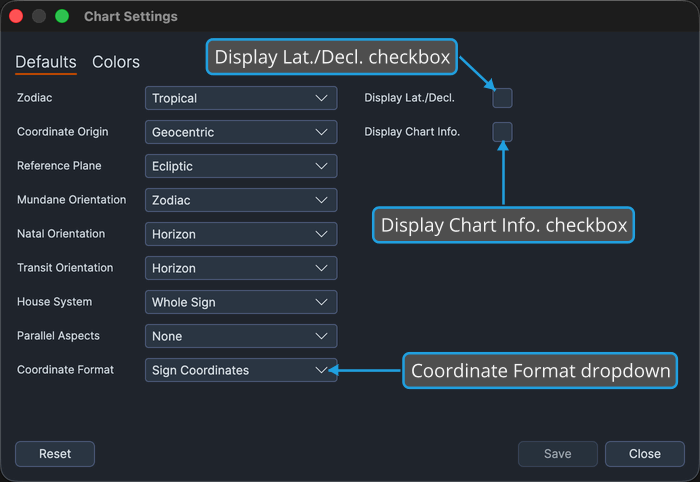
These rows decide how a newly opened chart writes positions and which overlays it shows. All three rows already hold their current values, so change only what you want to adjust:
- Coordinate Format sets the default position notation, which governs how a new chart writes the positions it reports.
- Display Lat./Decl. adds the latitude and declination values to a new chart's wheel; Display Chart Info. adds the chart information block. Between them these two decide how much supporting detail a new chart carries alongside the wheel.
Reference
Zodiac
| Option | Description |
|---|---|
| Tropical | New charts measure positions against the tropical zodiac. |
| Sidereal | New charts measure positions against the sidereal zodiac. |
Coordinate Origin
| Option | Description |
|---|---|
| Geocentric | The sky as seen from the center of the Earth. |
| Topocentric | The sky as seen from the chart's own place on the Earth's surface. |
| Heliocentric | The sky as seen from the Sun. |
Reference Plane
| Option | Description |
|---|---|
| Ecliptic | Positions are referred to the plane of the ecliptic. |
| Equatorial | Positions are referred to the plane of the equator. |
Orientation
The same two options are offered by all three orientation rows.
| Option | Description |
|---|---|
| Horizon | New charts of this type open turned to the horizon. |
| Zodiac | New charts of this type open turned to the zodiac. |
House System
| Option | Description |
|---|---|
| None | Angles only, with no house cusps drawn. |
| Alcabitus | The Alcabitus division. |
| Campanus | The Campanus division. |
| Equal (Ascendant) | Equal houses measured from the Ascendant. |
| Koch | The Koch division. |
| Meridian (Axial Rotation) | The meridian, or axial rotation, division. |
| Morinus | The Morinus division. |
| Placidus | The Placidus division. |
| Porphyry | The Porphyry division. |
| Regiomontanus | The Regiomontanus division. |
| Topocentric (Polich/Page) | The topocentric division of Polich and Page. |
| Vehlow Equal | The Vehlow equal division. |
| Whole Sign | Whole sign houses. |
Parallel Aspects
| Option | Description |
|---|---|
| None | New charts draw no declination parallels. |
| All | New charts draw both parallels and contraparallels. |
| Parallels | New charts draw parallels only. |
| Contraparallels | New charts draw contraparallels only. |
Coordinate Format
| Option | Description |
|---|---|
| Sign Coordinates | Positions are written against the zodiac sign they fall in. |
| Cycle Angles | Positions are written as angles around the full cycle. |