Chart Calculation Frame
Six rows decide the frame a chart is calculated and drawn in. All three chart types carry them identically, so the same moment can be drawn sidereal rather than tropical, heliocentric rather than geocentric, or under one house division rather than another, and the rows behave the same way whichever chart you happen to be in.
Overview
The six rows are:
| Row | What it decides |
|---|---|
| Zodiac | Which zodiac positions are measured in. |
| Coord. Origin | The vantage point the sky is seen from. |
| Ref. Plane | The plane positions are referred to. |
| Orientation | What the wheel is turned to. |
| House System | Which division of the houses applies. |
| Paral. Aspects | Whether declination parallels are drawn, and which kinds. |
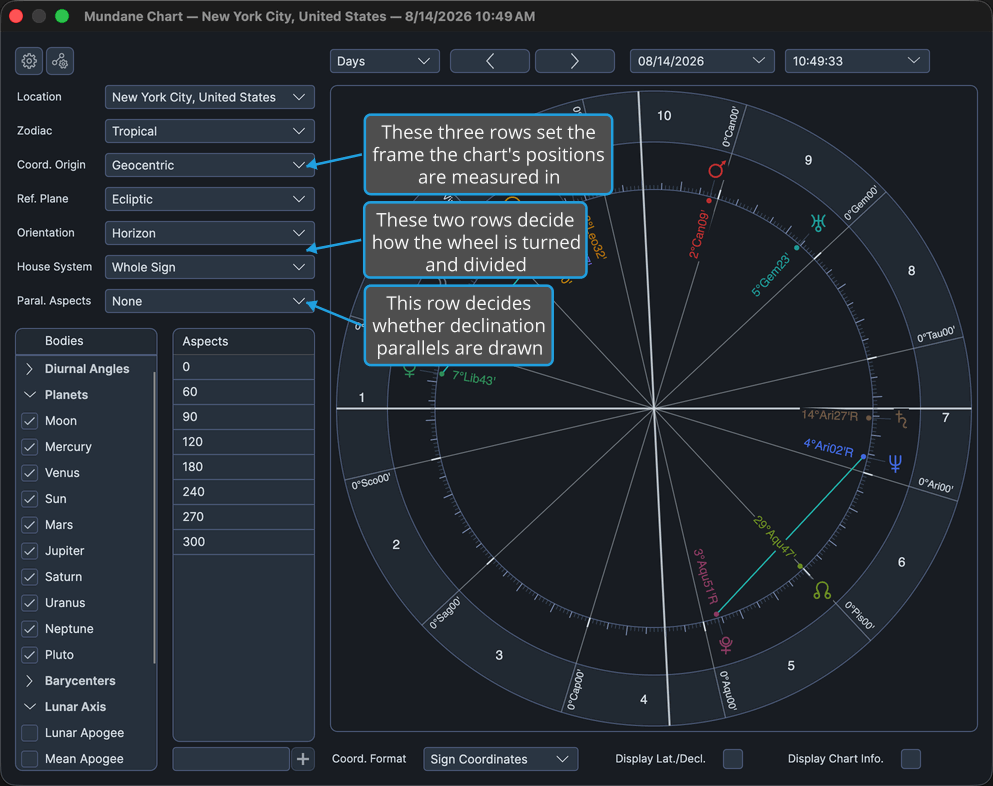
Where they are
- On a Mundane chart, they are the lower six rows of the settings column, beneath Location.
- On a Natal chart, they are the lower six rows of the settings column, beneath the record's date and time.
- On a Transit chart, they are the six rows beneath Location on the Ephemeris tab, where they describe the transiting side.
Two rows answer to the others
- Orientation is available only while Coord. Origin is Geocentric or Topocentric.
- House System is available only while Orientation is Horizon.
That is why the rows are worth working down in order: the frame choices at the top decide whether the orientation and house choices below them are within reach.
Scope
Every row is per-window. Changing one leaves other open charts untouched. The value a newly opened chart starts with comes from the Chart Settings window's Defaults tab, so set it there if you want every new chart to arrive that way.
The wheel recalculates as each choice lands.
Procedures
Configure the Chart Frame
To set the frame this chart window is calculated and drawn in:
- Configure the Measurement Frame settings (Zodiac, Coord. Origin, Ref. Plane). These three decide the terms the wheel's positions are computed in: which zodiac they are read against, the vantage point they are taken from, and the plane they are projected onto.
- Set how the wheel is turned and divided: choose values for Orientation and then House System. This pair comes after the frame because it answers to it, so working down the column in this order is what puts the house choice within reach.
- Set whether declination parallels are drawn: choose a value for Paral. Aspects. This decides whether this window's wheel carries parallel and contraparallel chords in addition to its ecliptic aspects.
On a Transit chart the six rows are on the Ephemeris tab, which is the tab the settings column opens on.
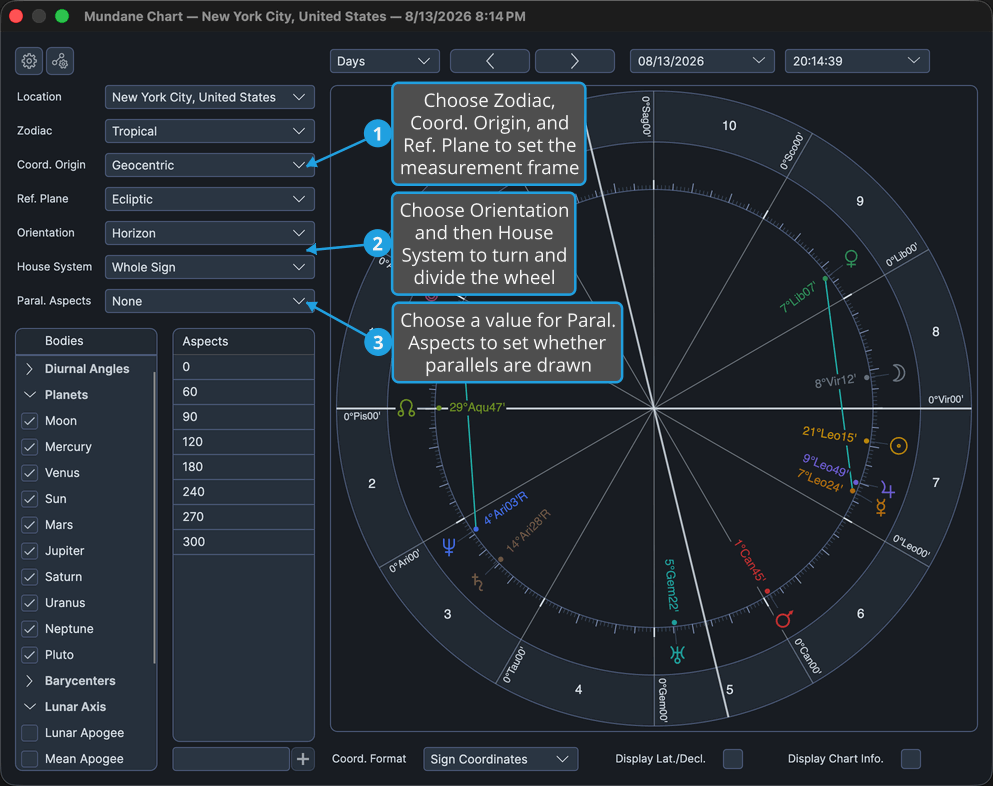
Reference
Zodiac
| Option | Description |
|---|---|
| Tropical | Positions are measured against the tropical zodiac. |
| Sidereal | Positions are measured against the sidereal zodiac. |
Coord. Origin
| Option | Description |
|---|---|
| Geocentric | The sky as seen from the center of the Earth. |
| Topocentric | The sky as seen from the chart's own place on the Earth's surface. |
| Heliocentric | The sky as seen from the Sun. Orientation is unavailable under this origin. |
Ref. Plane
| Option | Description |
|---|---|
| Ecliptic | Positions are referred to the plane of the ecliptic. |
| Equatorial | Positions are referred to the plane of the equator. |
Orientation
| Option | Description |
|---|---|
| Horizon | The wheel is turned to the chart's horizon. House System is available only under this orientation. |
| Zodiac | The wheel is turned to the zodiac. |
House System
| Option | Description |
|---|---|
| None | Angles only, with no house cusps drawn. |
| Alcabitus | The Alcabitus division. |
| Campanus | The Campanus division. |
| Equal (Ascendant) | Equal houses measured from the Ascendant. |
| Koch | The Koch division. |
| Meridian (Axial Rotation) | The meridian, or axial rotation, division. |
| Morinus | The Morinus division. |
| Placidus | The Placidus division. |
| Porphyry | The Porphyry division. |
| Regiomontanus | The Regiomontanus division. |
| Topocentric (Polich/Page) | The topocentric division of Polich and Page. |
| Vehlow Equal | The Vehlow equal division. |
| Whole Sign | Whole sign houses. |
If a chosen house system cannot be applied for the chart's moment and place, the calculation substitutes another and says so in the message banner above the wheel.
Paral. Aspects
| Option | Description |
|---|---|
| None | No declination parallels are drawn. |
| All | Both parallels and contraparallels are drawn. |
| Parallels | Only parallels are drawn. |
| Contraparallels | Only contraparallels are drawn. |
The orbs and colors these are matched and drawn with come from the Parallel Aspect Settings for the chart's type.