Chart Calculation Messages
The message banner sits between the toolbar band and the wheel and reports on the calculation behind the drawing. It is how you find out that the wheel in front of you is not quite what you asked for, and why.
Overview
The banner carries two kinds of message, and it can show both at once:
- An error, in the critical color, when a calculation could not be completed for the current moment.
- A notice, in the caution color, describing something the calculation had to work around. A house system that could not be applied and was substituted is the common case.
While there is nothing to say, the banner takes up no space at all, so a healthy chart shows the wheel right up against the toolbar band.
A message too long for the banner's two lines is trimmed. Hover the trimmed message to see it in full.
Messages clear themselves once the cause is gone. Adjusting the offending setting in the settings column, or moving the chart to a different moment, removes the banner as soon as the next calculation succeeds.
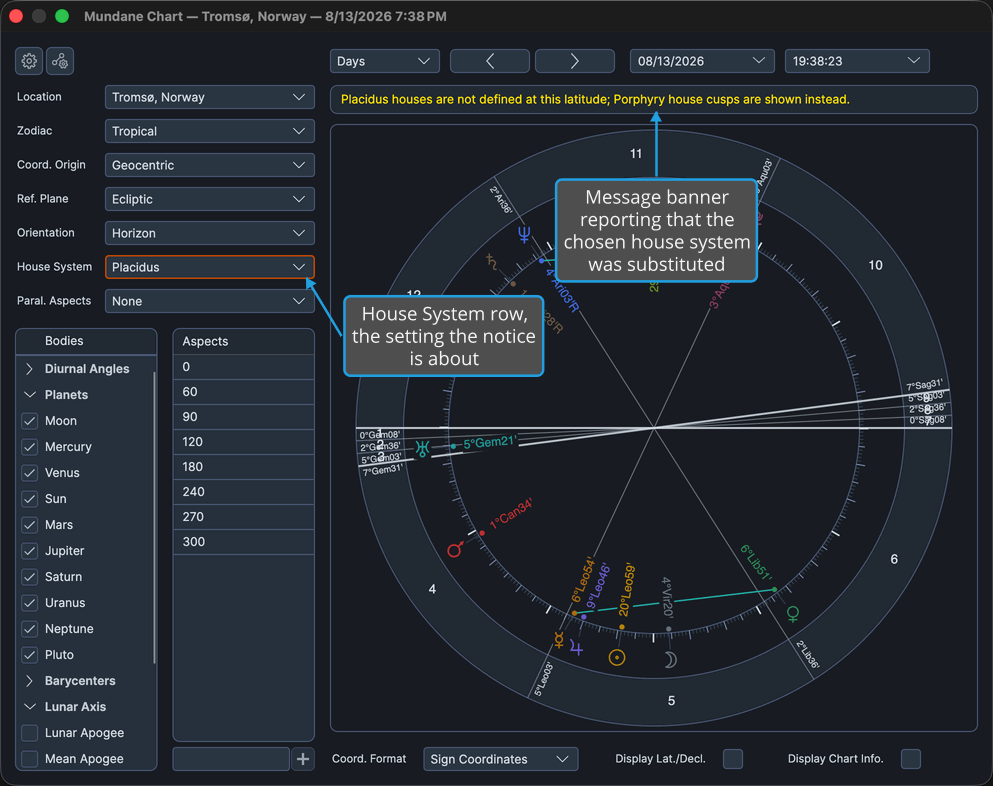
A notice about a substituted house system usually means the Chart Calculation Frame is asking for a division that cannot be applied at this chart's latitude or orientation. Changing the House System row is the quickest way to settle it.