Chart Wheel
Read a chart at a glance: where each body stands, in which sign and house, and which aspects connect them. The wheel is drawn in the middle of every chart window. Point at a body or an aspect chord to emphasize it, and drag the splitter to the left of the wheel to give the wheel more or less room.
What the Wheel Shows
The wheel is a degree ring that carries:
- The zodiac signs in its outer band. While the chart's reference plane is Equatorial, the band shows numbered segments 1 to 12 in place of the signs.
- The house cusps and house numbers, when the chart is oriented to the horizon with a house system.
- The angles.
- Each plotted body's glyph at its position.
- Aspect chords in their aspect colors, on the chart types that match aspects. The Mundane, Natal and Transit charts also draw dashed parallel chords. The Primary Directions chart's wheel draws no aspect chords of its own.
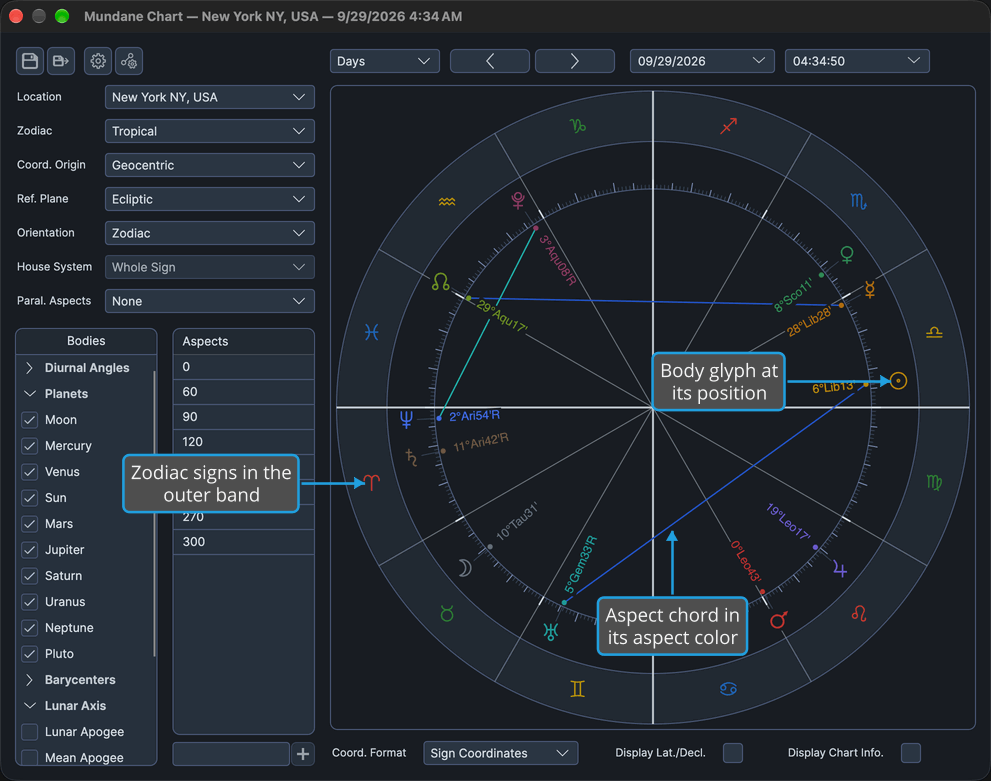
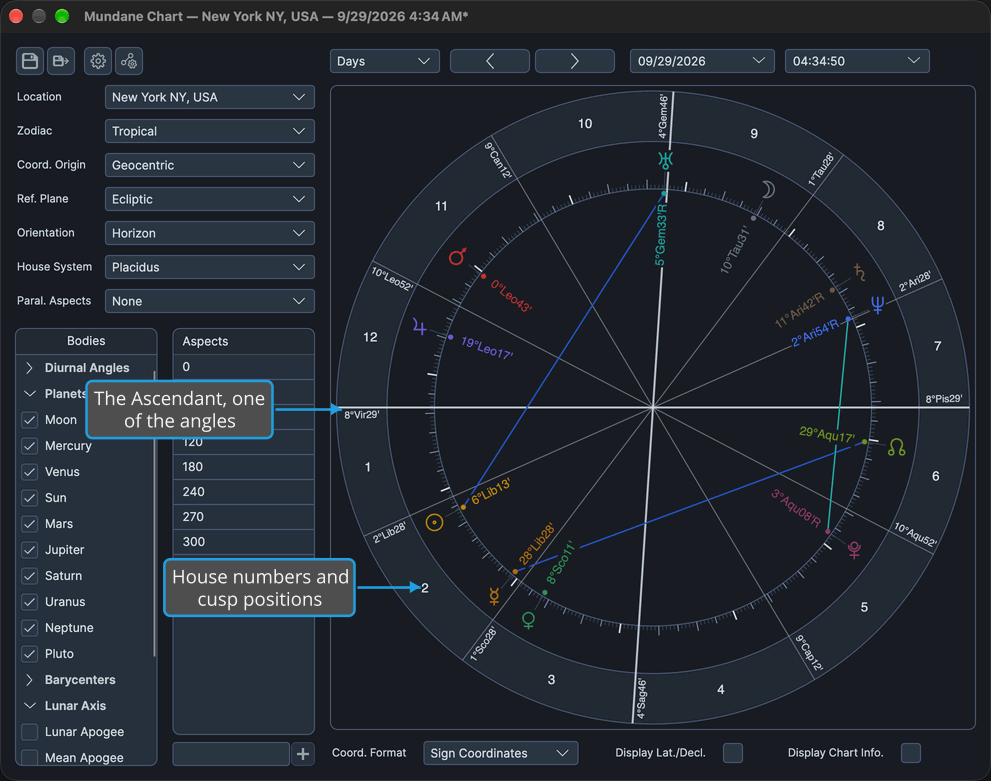
Charts with two point sets, the Transit, Solar Arc Directions and Secondary Progressions charts, carry both sets on the one ring.
The wheel can also show each body's latitude on an ecliptic wheel or its declination on an equatorial wheel, and, in its center, a chart information block naming the place, moment and frame. Both are shown or hidden with check boxes on the display strip beneath the wheel, as described in Chart Display Options. The reference plane, the orientation and the house system are chosen in the chart's settings panel, as described in Chart Frame.
As the window is resized, the wheel stays round and centered in its column.
Emphasize a Body on the Wheel
To pick out one body's glyph among the others, in a chart window with at least one body plotted:
- Point at the body's glyph on the wheel.
The glyph grows in place and the pointer becomes a hand. The glyph returns to its normal size when the pointer leaves it.
The sign band, the house cusps and the house numbers give no hover feedback. Hover feedback is also paused while a body is being dragged.
Emphasize an Aspect Chord on the Wheel
To pick out one aspect chord among the others, in a chart window whose wheel draws aspect chords:
- Point at an aspect chord inside the wheel.
The chord thickens in place and the pointer becomes a hand. The chord returns to its normal width when the pointer leaves it.
Resize the Wheel Column
To give the wheel more or less of the chart window's width, at the settings panel's expense or to its benefit:
- Drag the splitter between the settings panel and the wheel sideways to the width you want.
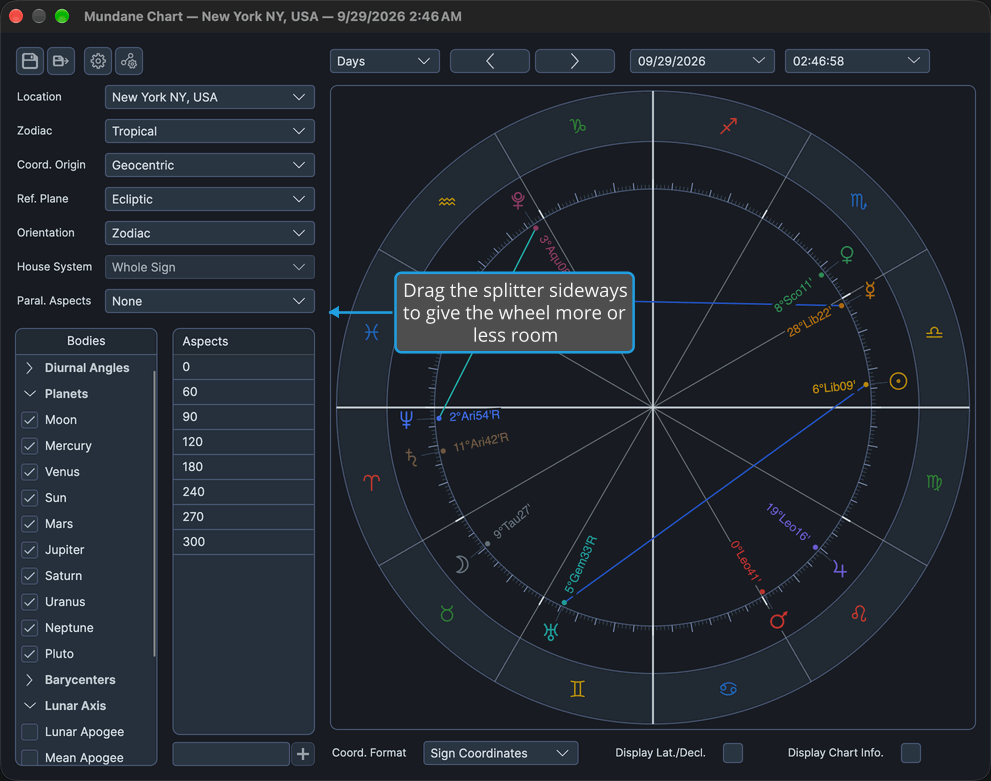
Width moves between the settings panel and the wheel column. The wheel stays round and centered, fitted to the shorter side of its column.
The wheel column keeps a minimum width, so the splitter stops before the wheel can be squeezed away. On the Primary Directions, Solar Arc Directions and Secondary Progressions charts, a second splitter sits between the wheel and the directions list; it is described in Directions List.
Related Topics
- Chart Display Options: the coordinate format, the display of each body's latitude on an ecliptic wheel or its declination on an equatorial wheel, and the chart information block.
- Wheel Context Menu: copy a body's position or an aspect's description from the wheel.
- Drag a Body to Its Transit: Shift-drag a transiting body to jump the chart to its transit of a degree.
- Drag a Body to an Aspect: drag a transiting body and watch the whole chart follow it.
- Chart Frame: the reference plane, orientation and house system the wheel is drawn with.
- Aspect Settings Window: the aspect colors and orbs for each chart type.