Update Notification Button
Know when a newer version of Cygnus is available and get it easily. When the update notification button appears beside the theme switch, rest the pointer on it to see the new version number, and click it to open the download page.
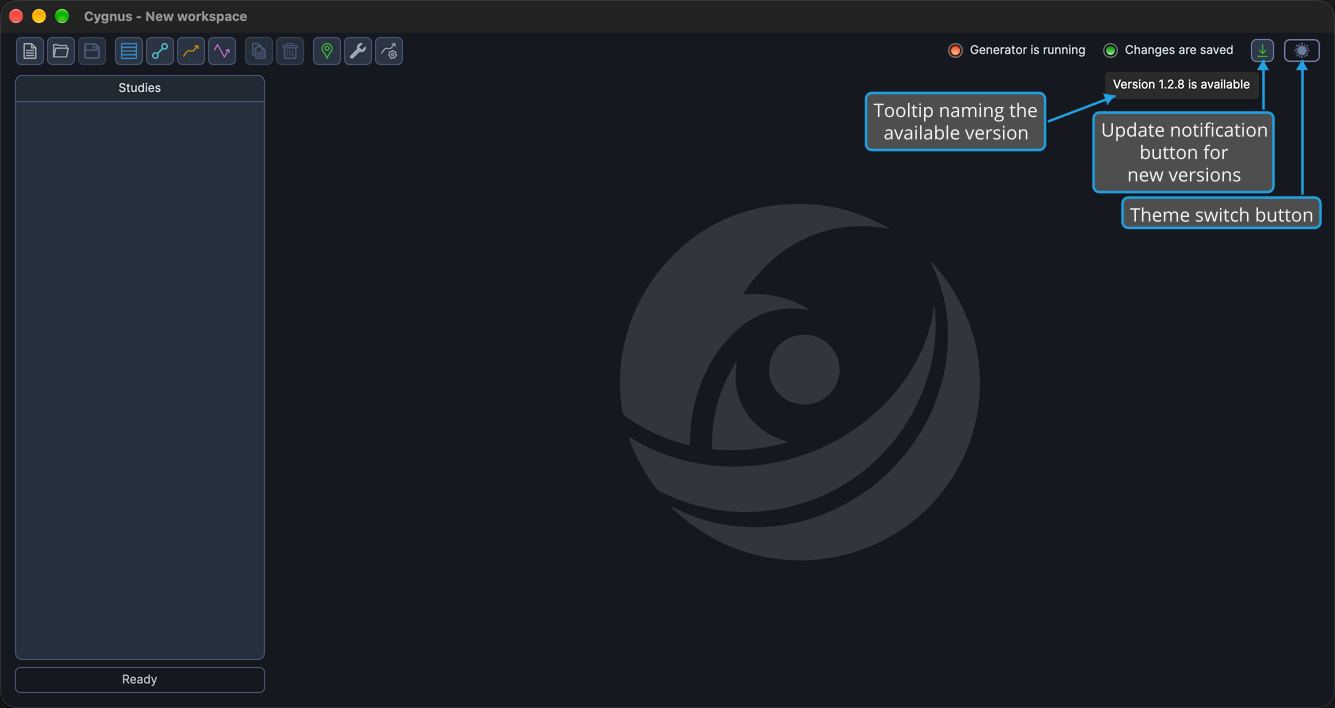
Cygnus checks for a newer version when it starts. When one is available, the update notification button, a download-arrow button, appears at the right end of the Toolbar row, immediately to the left of the theme switch (see Theme Toggle). While the version you have is the latest, the button is hidden.
Rest the pointer on the button to see which version is available: its tooltip reads "Version N is available", where N is the new version number.
Open the Download Page for an Update
Get the newer version of Cygnus when one is available.
- Click the update notification button in the toolbar row.
The download page for the new version opens in your default web browser.
Related Topics
- Toolbar: the buttons and indicators in the toolbar row.
- Theme Toggle: switch Cygnus between its Light and Dark themes with the switch beside this button.
- About Dialog: check which version of Cygnus you have.