Pan the Graph Time Window
Panning moves the visible time window backward or forward without changing its width. Use it to scroll through a long generated span and look at a different period, with no need to generate the study again.
Pan the Visible Time Window
To move through the generated span:
- Press and hold inside the plot area, drag left or right, and release.
The window is limited to the span the generation produced, so panning can never take you off the data.
The pointer must be inside the plot area rather than over the time-axis band or a value-axis band, because both of those claim the drag for their own gestures.
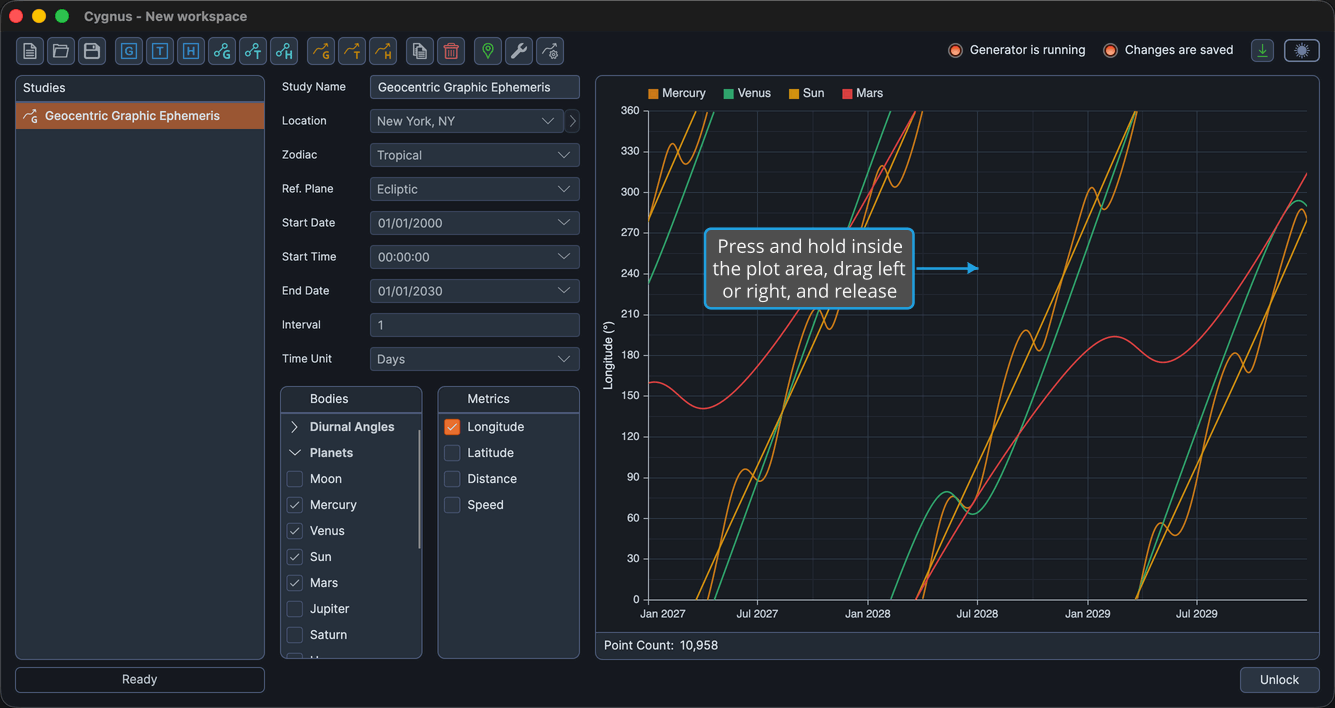
The resulting view lasts only for the current session. Unlike a value-axis adjustment, the time window is deliberately not saved with the study: it is recomputed each time the study is opened, so a study always reopens on the most recent part of its span.