Activation Status
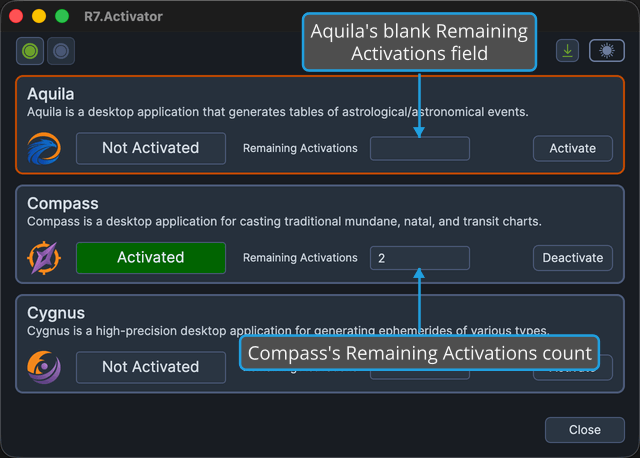
Each application panel carries a pair of read-only fields that report the product's licensing state: the activation status field, and the Remaining Activations field beside it. Together they answer the two questions you came to R7.Activator with: whether the product is licensed on this computer, and how many further computers you can still use it on.
Both fields are displays rather than inputs. You cannot type in either one or select its contents.
Activation Status Values
The activation status field shows one of two values:
| Value | What it means |
|---|---|
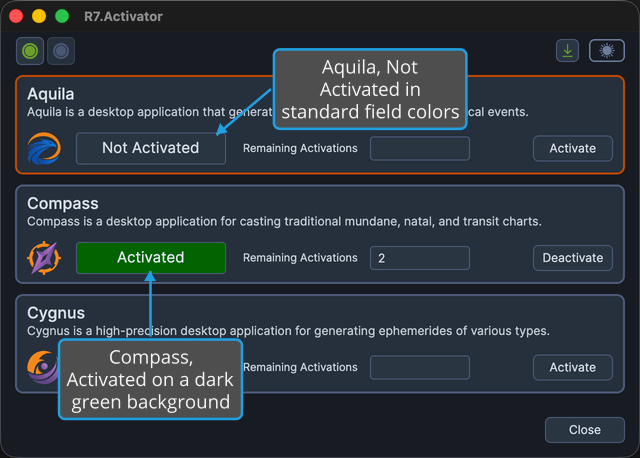
| Activated | The product is licensed on this computer and ready to use. The value is shown on a dark green background, so an activated product stands out in the list. |
| Not Activated | The product is not licensed on this computer. The value has no color of its own, so it takes the standard read-only field appearance and looks slightly different in the Dark and Light themes. |
While the Status Is Being Evaluated
R7.Activator checks every product's license state when the window opens. While it is still evaluating a product's state, that product's status field is blank and R7.Activator draws a progress ring on top of the left end of the field, not beside it.
A blank status field does not mean the product is unlicensed. It means the answer is still being evaluated. Wait for the progress ring to clear before you read the field.
Remaining Activations
The Remaining Activations field shows how many further computers you can still activate that product on.
The field is blank when the count is unknown or when the license carries no limit. R7.Activator fills the field in when you activate a product, and clears it when you release the activation. See Activate License and Deactivate License.