Exit Application
Close R7.Activator when you have finished managing your activations. The command is always available, and closing the application never affects the licenses you have activated.
Close R7.Activator
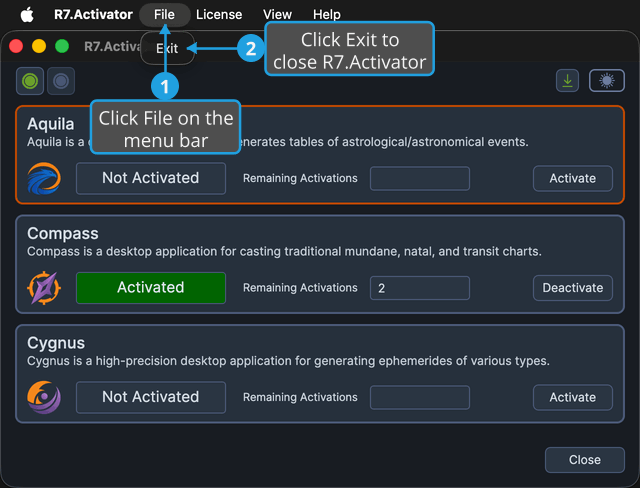
To close the application:
- Click File on the menu bar.
- Click Exit in the File menu.
tip
Two other actions do exactly the same thing: the Close button at the lower right of the window, and the window's own title-bar close button. All three run the same command, so the result is identical whichever you use.
What Happens Next
The window closes and the application ends. There is no prompt to save your work, because R7.Activator holds no document to save. Your activations stay exactly as they were.