Toggle Theme
R7.Activator has a Dark theme and a Light theme. Switch between them so the application matches the rest of your working environment.
Switch Between the Dark and Light Themes
To change the theme:
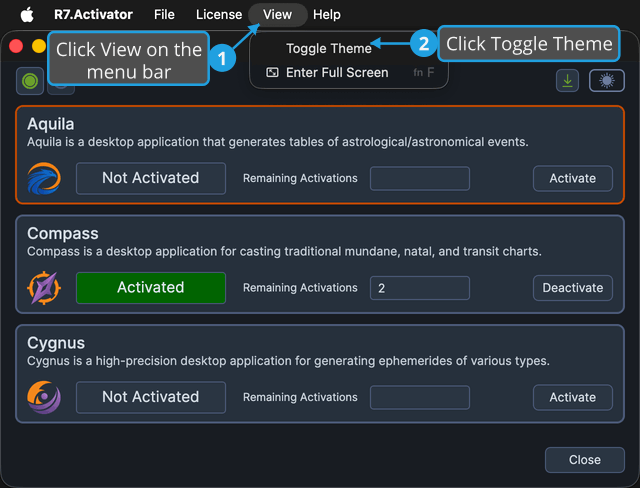
- Click View on the menu bar.
- Click Toggle Theme in the View menu.
tip
The theme switch at the right end of the toolbar makes the same change in one click. Both the switch and the menu item change the application to the opposite theme, so use whichever is closer. See Toolbar.
What Happens Next
R7.Activator applies the opposite theme immediately across the whole window, and the toolbar's theme switch moves to match.
R7.Activator saves your choice, so the application starts in the same theme next time. If it cannot read the saved preference, it falls back to the Dark theme.