Import Natal Records
Bring birth data collected elsewhere into Compass in one step. Data → Import in the Natal Records Editor adds the records in a CSV file to the editor's grid and reports how many it imported. Save the editor to keep them.
Import Natal Records from a CSV File
With the Natal Records Editor open, to add the records in a CSV file to its grid:
- Click Data → Import on the editor's menu bar.
- Choose the CSV file in the Select CSV File to Import dialog, as described in Open a File in the Open Dialog.
- Dismiss the Import Successful message, as described in Acknowledge a Message.
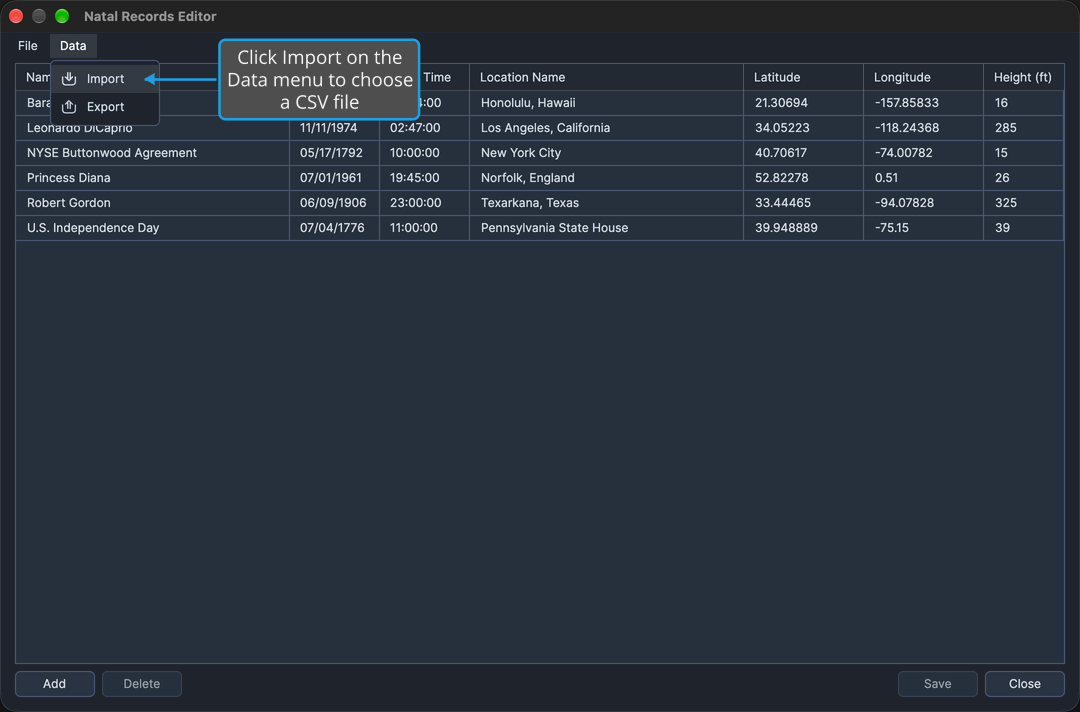
The file's records are appended to the grid, and the Import Successful message reports how many were imported. The imported records are kept once you save the editor.
The dialog's file-type filter offers CSV files (*.csv) and all files. Compass reports a file that cannot be read and adds nothing. Canceling the dialog, as described in Cancel the Open Dialog, imports nothing and shows no message.
Related Topics
- Natal Records Editor: edit, delete and save the imported records.
- Export Natal Records: write the editor's named records to a CSV file.
- Import Locations: the same import in the Locations Editor.