Run Event Generation
The Run button triggers event generation for the configured event-generator study. While generation is in progress, the Cancel button and a progress indicator are visible. When generation completes, the events table populates, the Event Generator Statistics Panel below the events table shows the event count, average interval between events, minimum interval, and maximum interval, and the study locks: the Run button becomes invisible and the Unlock button becomes enabled. To regenerate the study's events with different parameters, click Unlock, make your changes, and click Run again.
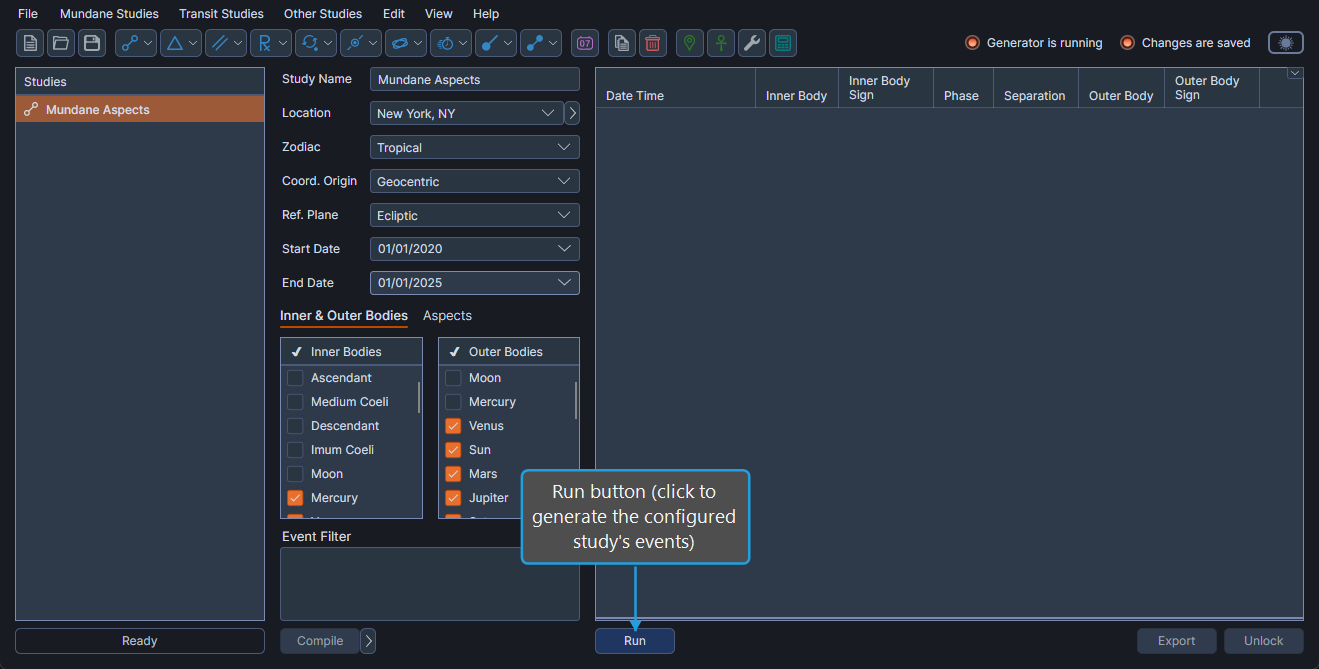
Run Event Generation
To generate the configured study's events:
- Click the Run button.
The button is enabled only when:
- The study is unlocked.
- A Location is selected in the Ephemeris Parameters.
- The filter script (if any) has compiled successfully (see Filter Script Compiled Status Indicator).
- All other required parameters are configured.