About Dialog
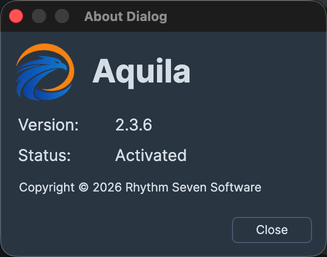
The About dialog reports which build of Aquila you are running and what state your license is in, including how much of a trial period is left.
The window shows the application icon and name, the installed Version number, a Status line, and the copyright notice, with a Close button beneath them.
| Line | What It Shows |
|---|---|
| Version | The version number of the installed build. |
| Status | "Activated" when a valid license is installed, or the number of days remaining when you are running under a trial license. |
Open the About Dialog
To read the installed version and the license status:
- Click Help on the menu bar.
- Click About in the Help menu.
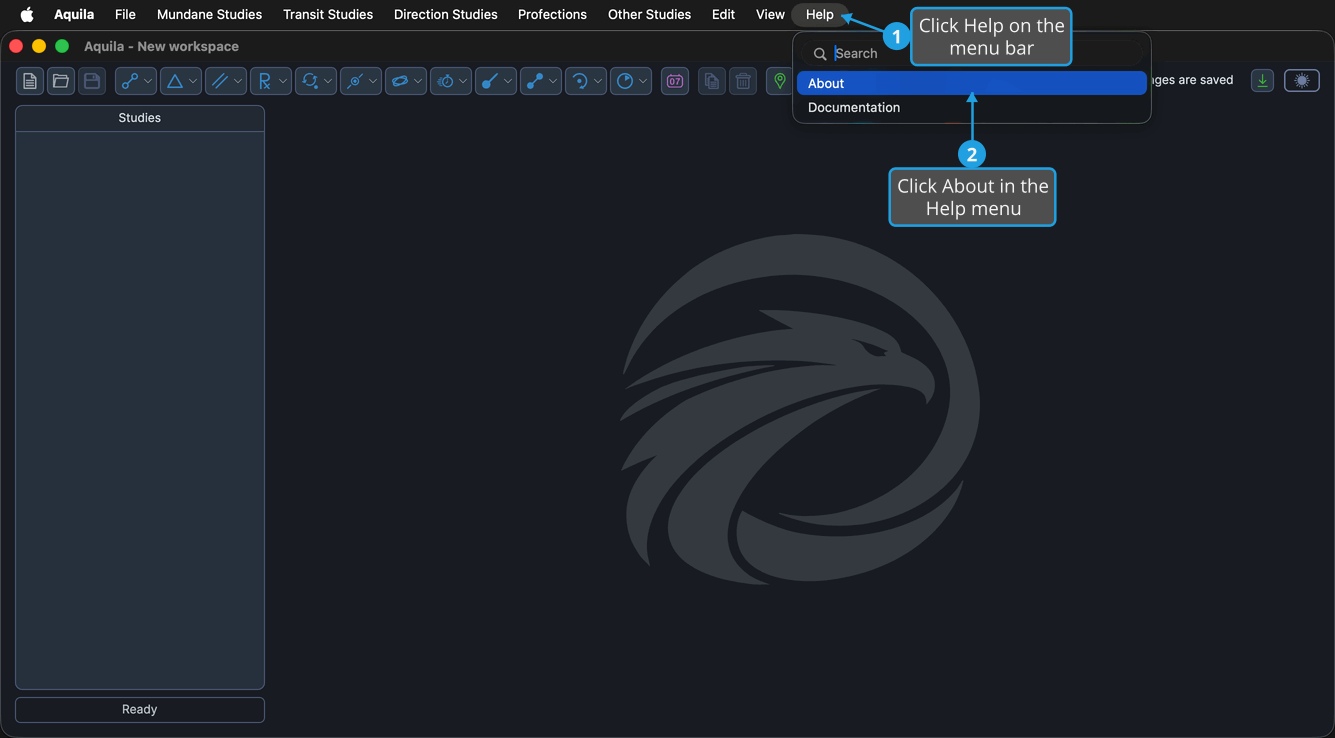
The About dialog opens over the main window.
Close the About Dialog
To dismiss the window and return to your work:
- Click the Close button.