Open Documentation
Aquila's user documentation covers every study type, every setting, and every command in the application, and the Help menu links straight to it.
The documentation opens in your default browser, alongside Aquila rather than inside it, so you can read a page and work in the application at the same time.
Open the Documentation
To open Aquila's user documentation:
- Click Help on the menu bar.
- Click Documentation in the Help menu.
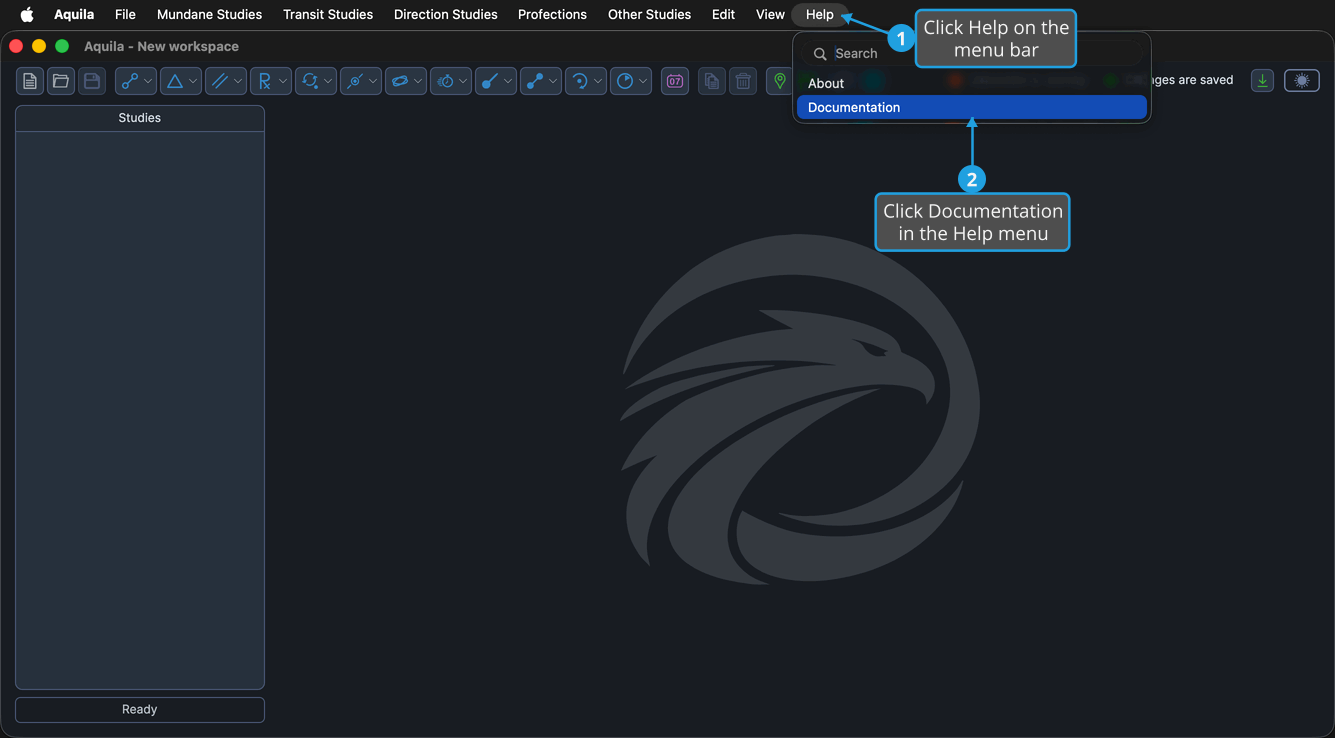
The documentation opens in your default browser.