Mundane Stations
The Mundane Stations study finds the dates when a body stations, turning retrograde or direct.
Creating a Mundane Stations Study
To create a Mundane Stations study:
- Click Mundane Studies → Stations → Mundane Stations on the menu bar.
The new study is added to the Studies list and opens with your workspace's default settings, ready to configure. You can also create it from the study-group dropdown button on the main toolbar.
Events Captured
This study records an event each time a chosen body stations, the moment its apparent motion changes direction and its longitudinal speed passes through zero. A retrograde station marks the start of backward motion; a direct station marks the return to forward motion.
An Event Type selector determines which stations the study captures: retrograde stations only, direct stations only, or both.
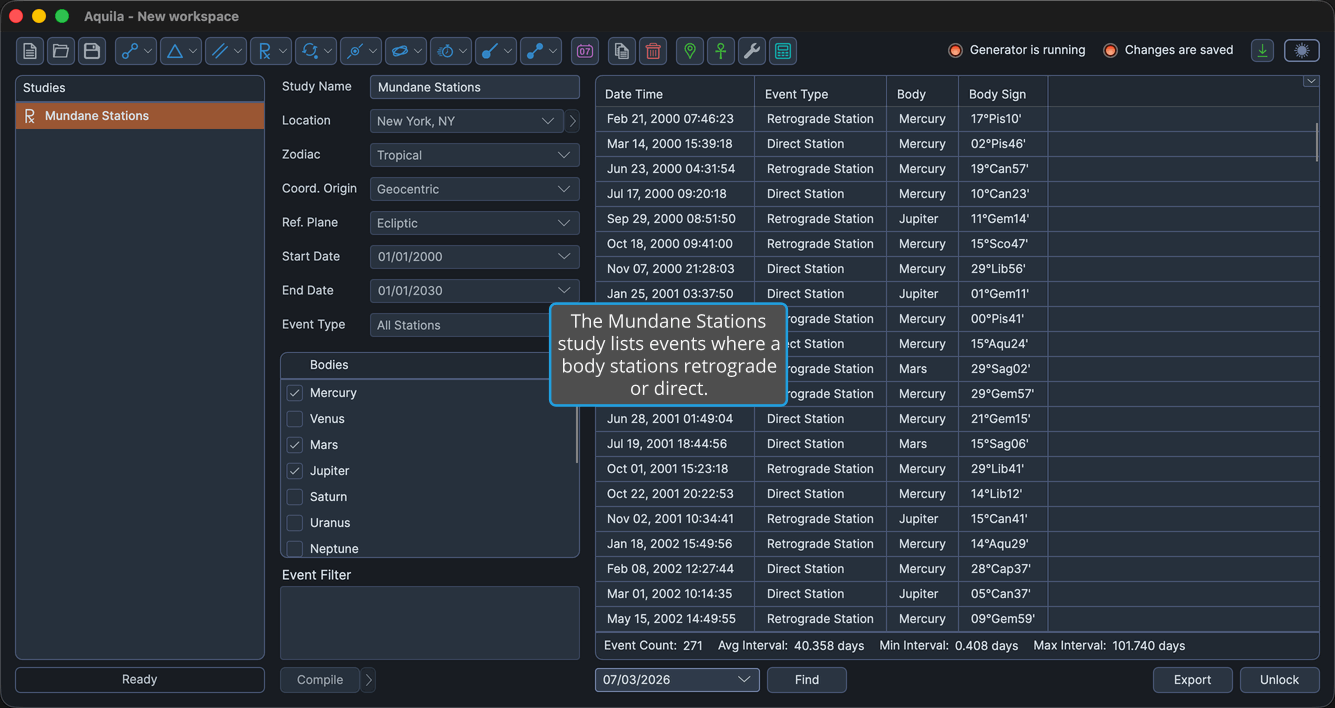
Events Table Columns
The events table can display the following columns for this study. Many are hidden by default; to show or hide any column, right-click a column header (see Event Column Visibility). Column headers that name longitude or latitude are relabeled to right ascension and declination when the study's Reference System uses an equatorial reference plane.
| Column | Description |
|---|---|
| Date Time | Local date/time of the station. |
| Event Type | Station subtype (retrograde or direct). |
| Body | The body that stations. |
| Body Longitude | Body ecliptic longitude (or right ascension). |
| Body Sign | Zodiac sign of the body. |
| Body Latitude | Body latitude (or declination). |
| Body Distance | Body distance. |
| Body Speed | Body longitudinal speed (near zero at a station). |
| Event Interval | Interval (days) since the previous event. |