Celestial Body Selection
Each ephemeris study includes a Bodies list where you select which celestial bodies to include in the generated ephemeris. Selected bodies appear with a checkmark, and each selected body produces columns in the ephemeris table.
Selecting Bodies in Standard Studies
Standard ephemeris studies (geocentric, heliocentric, and topocentric) use a single Bodies list.
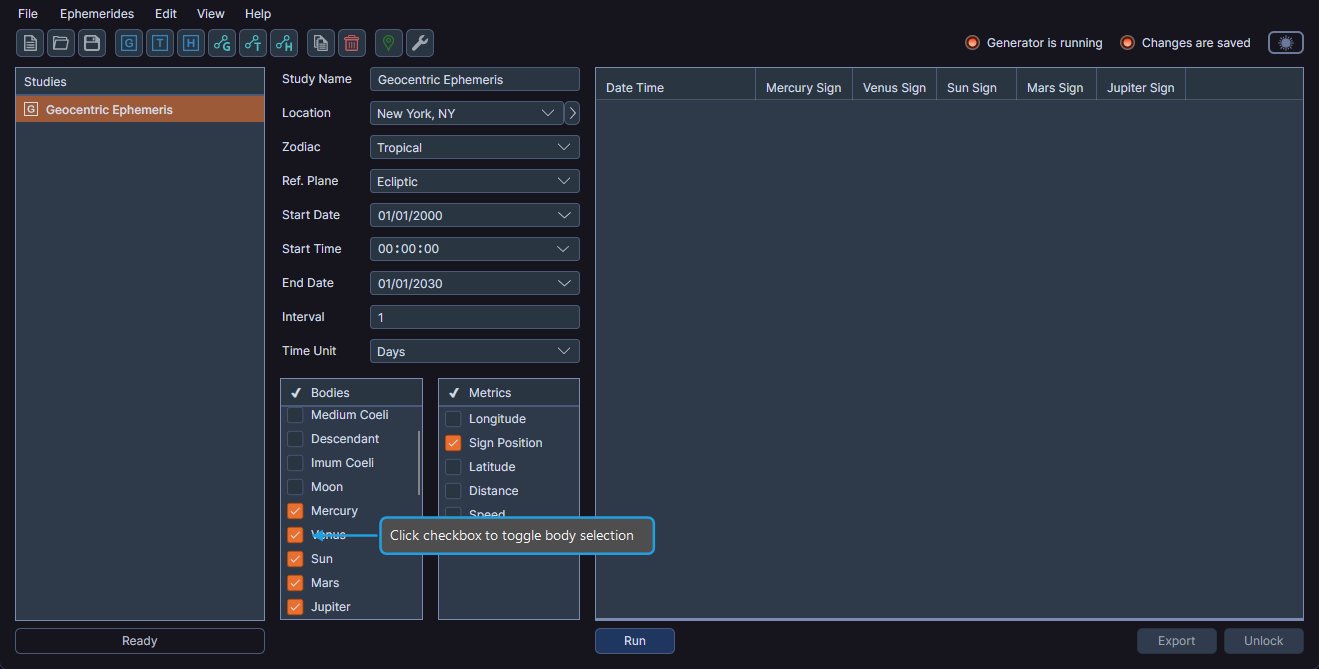
Using the Checkbox
- Click the checkbox next to a body in the Bodies list to toggle its selection state.
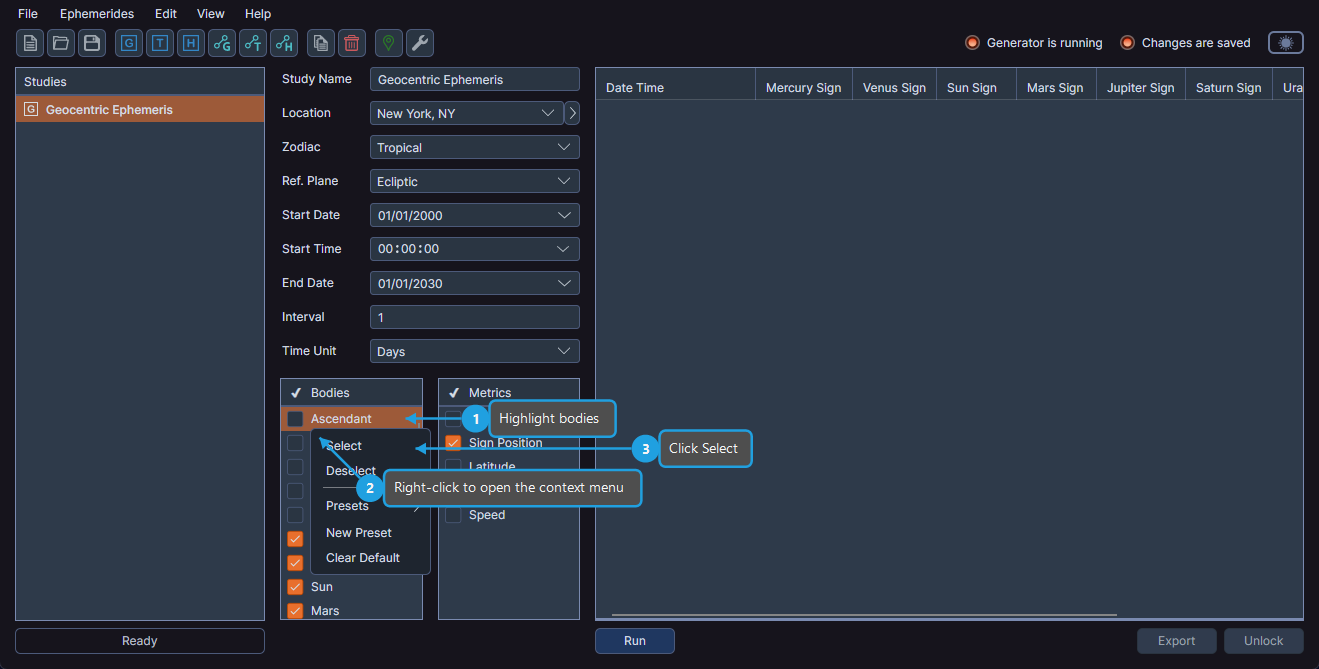
Using the Context Menu to Select
- Highlight one or more bodies in the Bodies list.
- Right-click on a highlighted body.
- Click Select in the context menu.
Using the Context Menu to Deselect
- Highlight one or more bodies in the Bodies list.
- Right-click on a highlighted body.
- Click Deselect in the context menu.
To select multiple bodies at once, hold Ctrl (or Cmd on macOS) while clicking to highlight multiple items, then use the context menu to select or deselect them all.
Selecting Bodies in Aspect Studies
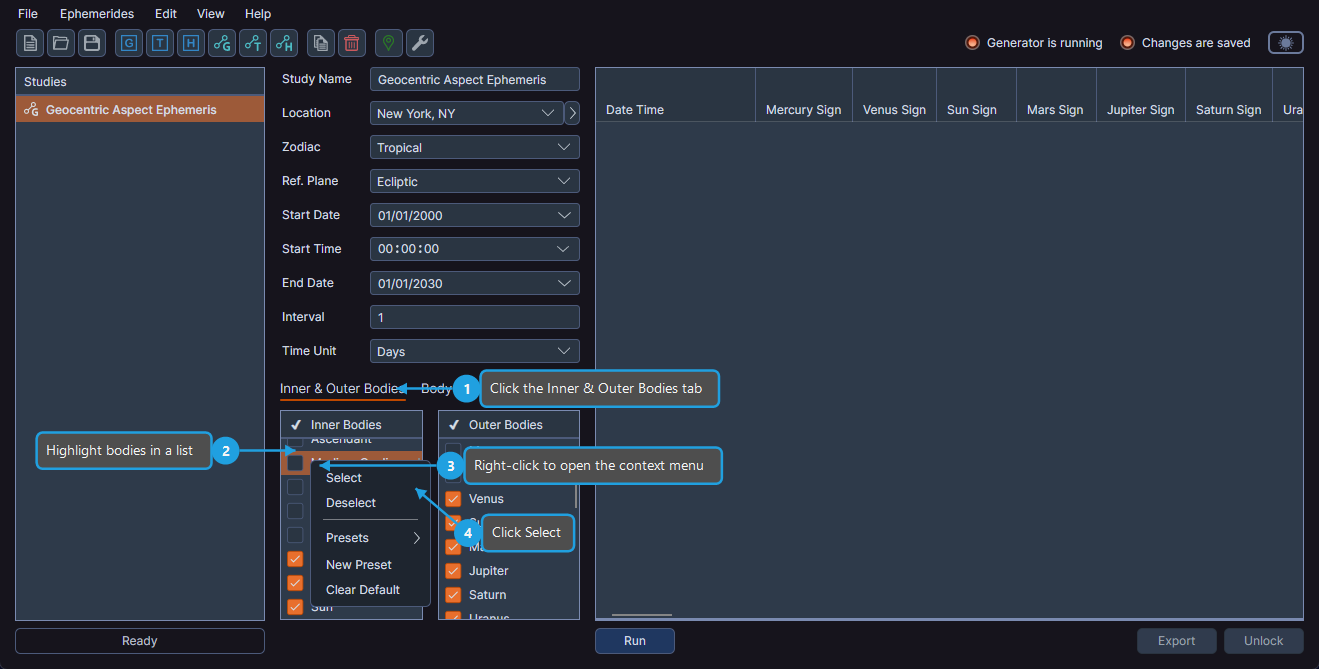
Aspect ephemeris studies (geocentric aspect, heliocentric aspect, and topocentric aspect) use two body lists to define body pairs. These lists are accessed through the Inner & Outer Bodies tab.
- Click the Inner & Outer Bodies tab.
- Highlight one or more bodies in the Inner Bodies or Outer Bodies list.
- Right-click on a highlighted body.
- Click Select in the context menu.
Each selected inner body is paired with each selected outer body. For example, if you select Sun and Moon as inner bodies and Jupiter and Saturn as outer bodies, the ephemeris will generate aspect data for Sun-Jupiter, Sun-Saturn, Moon-Jupiter, and Moon-Saturn.
In geocentric and topocentric aspect studies, the Outer Bodies list does not include the cardinal points (Ascendant, Medium Coeli, Descendant, Imum Coeli). In heliocentric aspect studies, both inner and outer body lists contain the same bodies.
Available Bodies by Study Type
Geocentric and Topocentric Bodies
Ascendant, Medium Coeli, Descendant, Imum Coeli, Moon, Mercury, Venus, Sun, Mars, Jupiter, Saturn, Uranus, Neptune, Pluto, Tenet, Lunar Apogee, Mean Apogee, North Node, Mean Node, Vesta, Juno, Ceres, Pallas, Chiron, and Pholus.
Heliocentric Bodies
Mercury, Venus, Earth, Mars, Jupiter, Saturn, Uranus, Neptune, Pluto, Tenet, Vesta, Juno, Ceres, Pallas, Chiron, and Pholus.
The heliocentric body list differs from the geocentric list because the Sun is the coordinate center (so it is not included), the Moon orbits Earth (so it is excluded), and Earth is included as an orbiting body. Cardinal points and lunar axis points are also absent.
Bodies Presets
You can save and reuse body selection configurations using bodies presets.