Geocentric Aspect Ephemeris
A geocentric aspect ephemeris study generates a tabular listing of positional data and angular relationships between selected celestial body pairs as seen from Earth's center at regular time intervals. This study type combines individual body positions with aspect metrics that describe the angular separation between body pairs.
Creating a Geocentric Aspect Ephemeris Study
Using the Menu
- Click Ephemerides on the menu bar.
- Click Geocentric Aspect Ephemeris in the Ephemerides menu.
Using the Toolbar
- Click the Geocentric Aspect Ephemeris toolbar button.
A new geocentric aspect ephemeris study is added to the studies list and automatically selected.
Configuring the Study
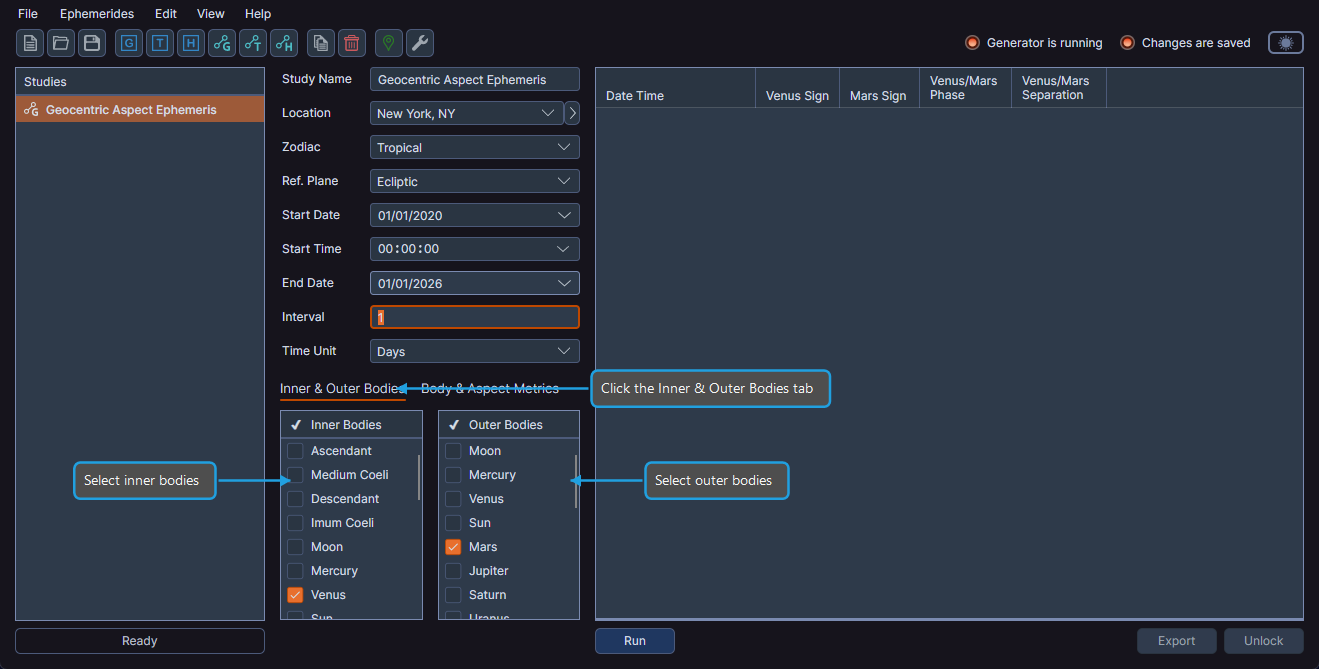
The configuration panel for an aspect ephemeris study uses a tabbed interface for body and metric selections.
Study Name
Each study has an editable name that appears in the studies list.
Location
Select a geographic location from the Location dropdown. The location determines the time zone used for displaying dates and times. Locations are managed through the Locations Editor.
A location is required for all ephemeris types, including geocentric aspect studies, because dates and times are displayed according to the location's time zone.
Zodiac System
Select the zodiac system from the Zodiac dropdown:
| Option | Description |
|---|---|
| Tropical | Positions measured from the vernal equinox point |
| Sidereal | Positions measured from a fixed star reference |
Reference Plane
Select the reference plane from the Reference Plane dropdown:
| Option | Description |
|---|---|
| Ecliptic | Positions measured along the ecliptic plane |
| Equatorial | Positions measured along the celestial equator |
Date Range
Set the Start Date and End Date to define the time span for the ephemeris.
Time Interval
Configure the time interval between records by setting the Interval value and selecting a Time Unit from the dropdown:
| Time Unit |
|---|
| Seconds |
| Minutes |
| Hours |
| Days |
| Months |
| Years |
Inner and Outer Bodies
Aspect ephemeris studies use two body lists to define body pairs. Click the Inner & Outer Bodies tab to access them.
- The Inner Bodies list contains all geocentric bodies: Ascendant, Medium Coeli, Descendant, Imum Coeli, Moon, Mercury, Venus, Sun, Mars, Jupiter, Saturn, Uranus, Neptune, Pluto, Tenet, Lunar Apogee, Mean Apogee, North Node, Mean Node, Vesta, Juno, Ceres, Pallas, Chiron, and Pholus.
- The Outer Bodies list contains all geocentric bodies except the cardinal points (Ascendant, Medium Coeli, Descendant, Imum Coeli).
Each selected inner body is paired with each selected outer body to produce aspect data. See Body Selection for details on selecting bodies in aspect studies.
Body and Aspect Metrics
Click the Body & Aspect Metrics tab to access metric selections. Aspect ephemeris studies have two metric lists:
- Body Metrics -- Control visibility of positional data columns (same as standard ephemeris metrics). See Ephemeris Metrics.
- Aspect Metrics -- Control visibility of aspect-specific columns:
| Aspect Metric | Description |
|---|---|
| Cycle Angle | The angular position within the full 360-degree cycle between the body pair |
| Phase | The current phase of the aspect relationship |
| Separation | The angular distance between the two bodies |
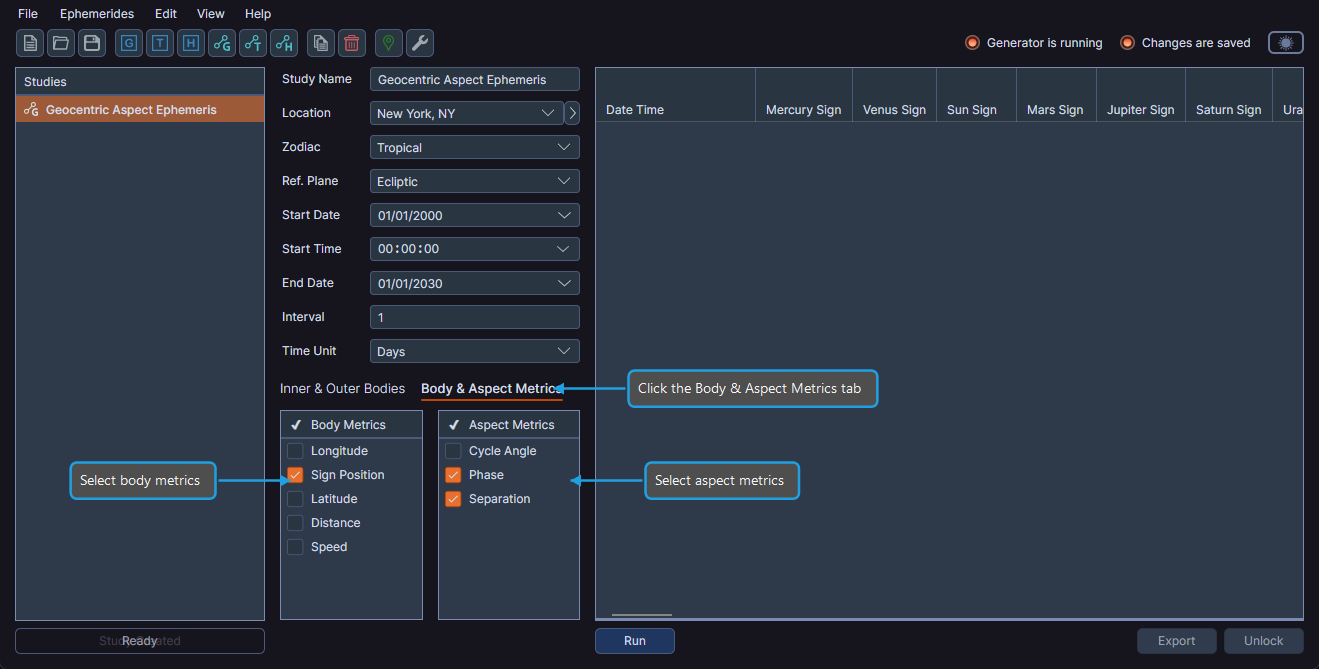
See Ephemeris Metrics for details on selecting and deselecting metrics.
Generating the Ephemeris
Once all parameters are configured, generate the ephemeris by clicking the Run button. See Generating Records for details.
Working with Results
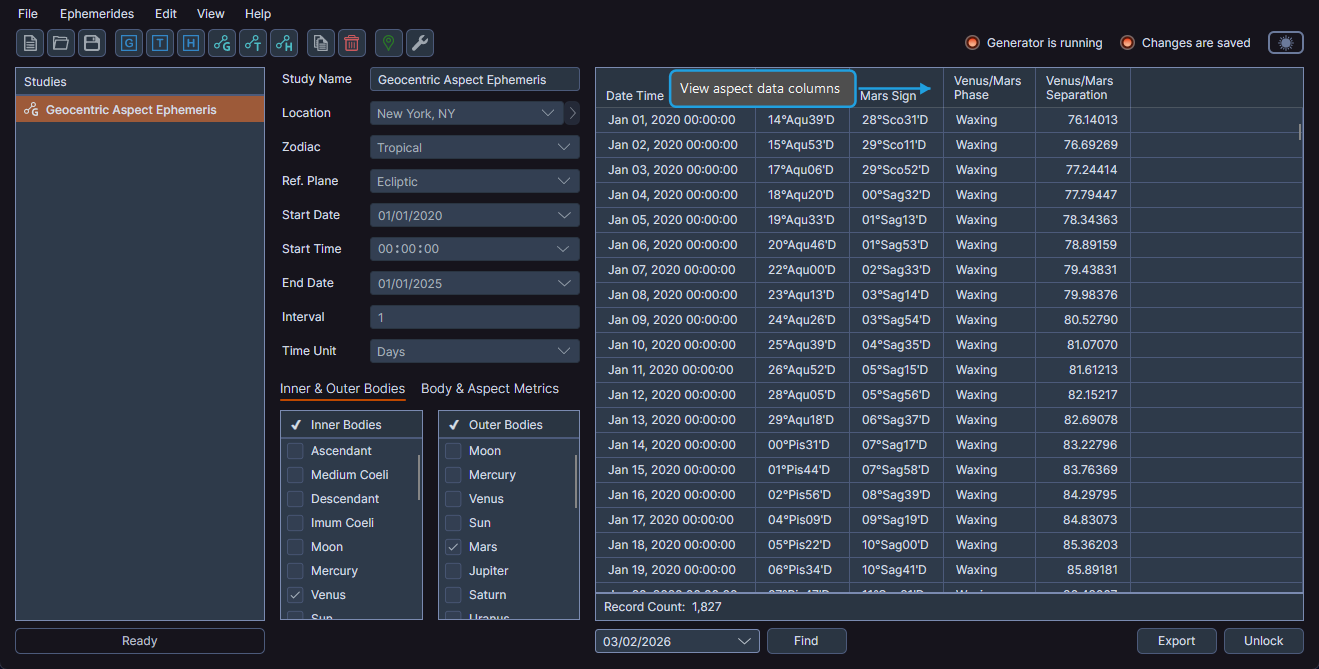
After generation completes, the ephemeris table displays positional and aspect data. You can:
- Navigate to specific dates in the results
- Manage column visibility and order
- Export data to CSV or copy to clipboard
Save study configurations as ephemeris presets to quickly apply the same settings to new studies.