Workspace Status Indicators
The workspace status indicators are two status dots at the top-right of the main window that give you an at-a-glance signal of what the workspace is doing. Each dot displays its descriptive text as a label beside it and updates live as the workspace state changes.
What the Indicators Show
| Indicator | What it tells you |
|---|---|
| Generator is running | An ephemeris generator is currently computing records. |
| Changes are saved | All changes to the workspace have been saved to disk. |
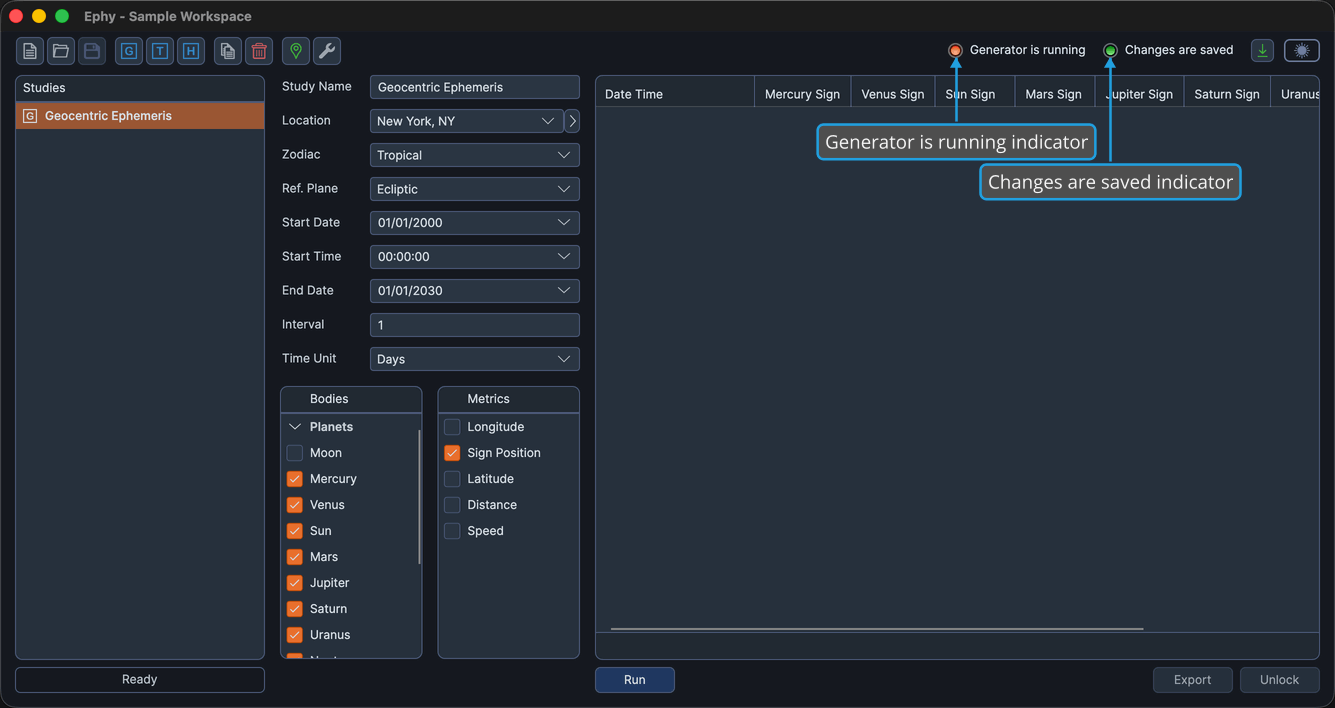
Glance at the indicators to confirm the current state before you close the application or start another task. To save pending changes, see Save Workspace.