Cancel Event Generation
A wide date range across many bodies can search for a long time. When you realize a study is looking further than you meant it to, you can stop the search part-way through rather than waiting for it to finish.
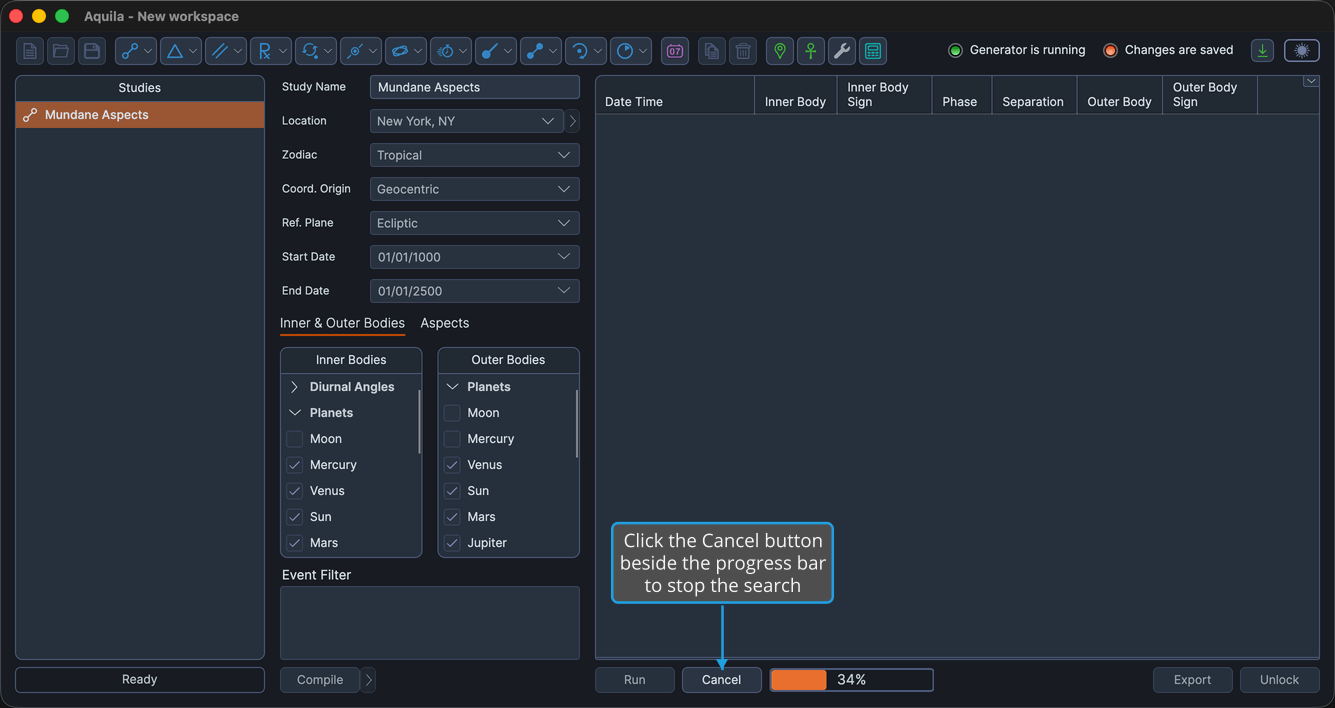
The Cancel button is visible only while a study is generating, beside the progress bar.
Cancel a Generation in Progress
To stop a search that is in progress:
- Click the Cancel button beside the progress bar.
What Happens Next
Generation stops, and the Cancel button and the progress bar disappear. The status area reports "Generation Canceled."
The study is left unlocked, so every setting is still editable and the search can be narrowed before you try again:
- Shorten the date range on the study's Start Date and End Date. See Study Date Range.
- Uncheck bodies the question does not need. See Bodies Selection List.
- Tighten the orb so fewer near-misses qualify. See Orb Settings.
With the settings narrowed, click the Run button again. See Generate Events.