Orb Settings
Nothing in the sky is ever exact, so a study that demanded exactness would return almost nothing. An orb is the tolerance that decides how loose a configuration, or how wide a contact, you are willing to count. It is the single setting that most directly determines how many events a study returns.
Aquila has three orbs. Two of them are shared across many studies, each on its own set, and a study carries whichever ones its technique needs: twenty-three studies carry at least one, and six carry both. The third, the Appulse Orb, belongs to the Appulse Minima study alone. Each field carries the name of the orb it sets as its label, accepts a value in degrees between 0 and 90, and stays editable only while the study is unlocked.
| Orb | What It Governs | Where It Appears |
|---|---|---|
| Aspect Orb | How far from exact the aspects that make up a pattern may be for the configuration to count as formed. | The twelve pattern studies: the six mundane pattern studies and their six activation counterparts. |
| Transit Orb | How close a transiting body must come to the thing it activates for the contact to register. | Thirteen of the fifteen transit studies, and the four hotspot studies. |
| Appulse Orb | How close two bodies must come, in true great-circle angular distance, for their closest approach to count as an event. | The Appulse Minima study alone. See Set the Appulse Orb. |
Set the Aspect Orb
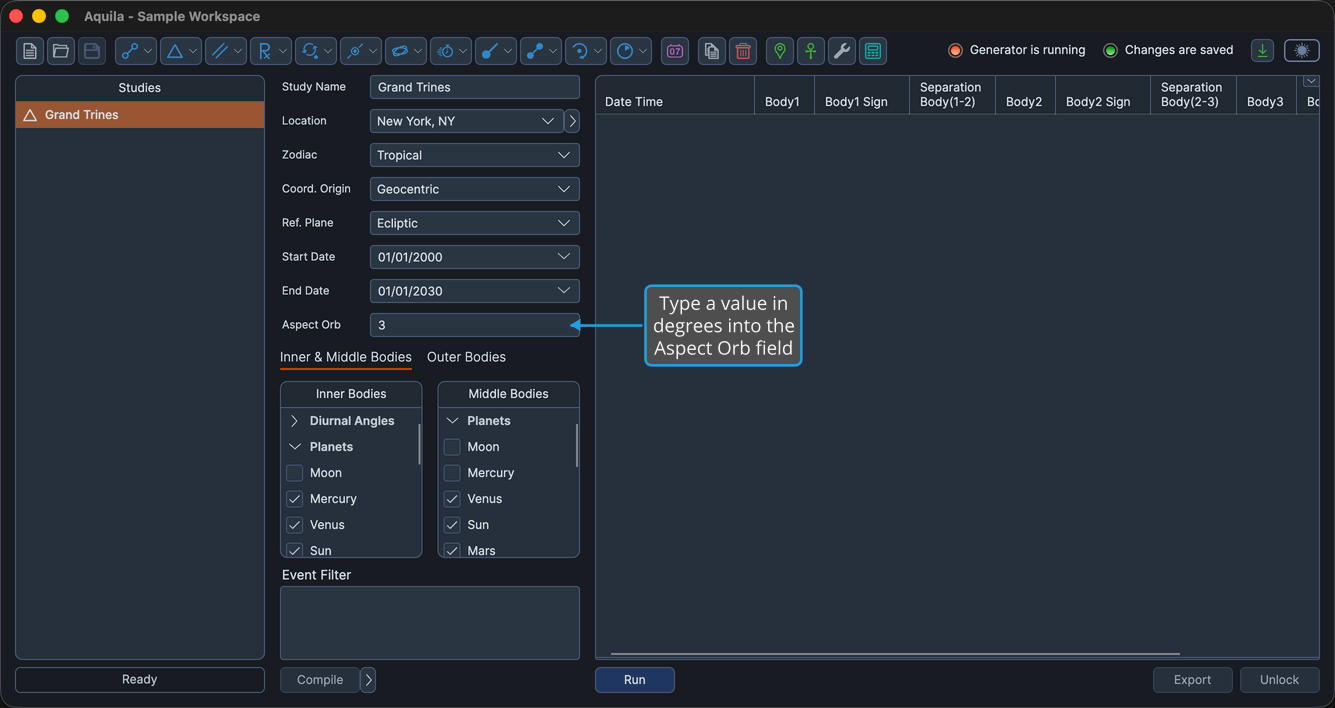
A pattern such as a Grand Trine is three aspects holding at once. The Aspect Orb says how far each of those aspects may sit from exact before the configuration stops counting as formed. A wide orb finds many loose patterns; a tight one finds only the clean ones.
To set it:
- Type a value in degrees into the Aspect Orb field.
On the six mundane pattern studies the field sits directly in the settings column. On the six activation studies it sits on the Ephemeris tab, which is the first tab, so no tab click is needed there either.
Set the Transit Orb
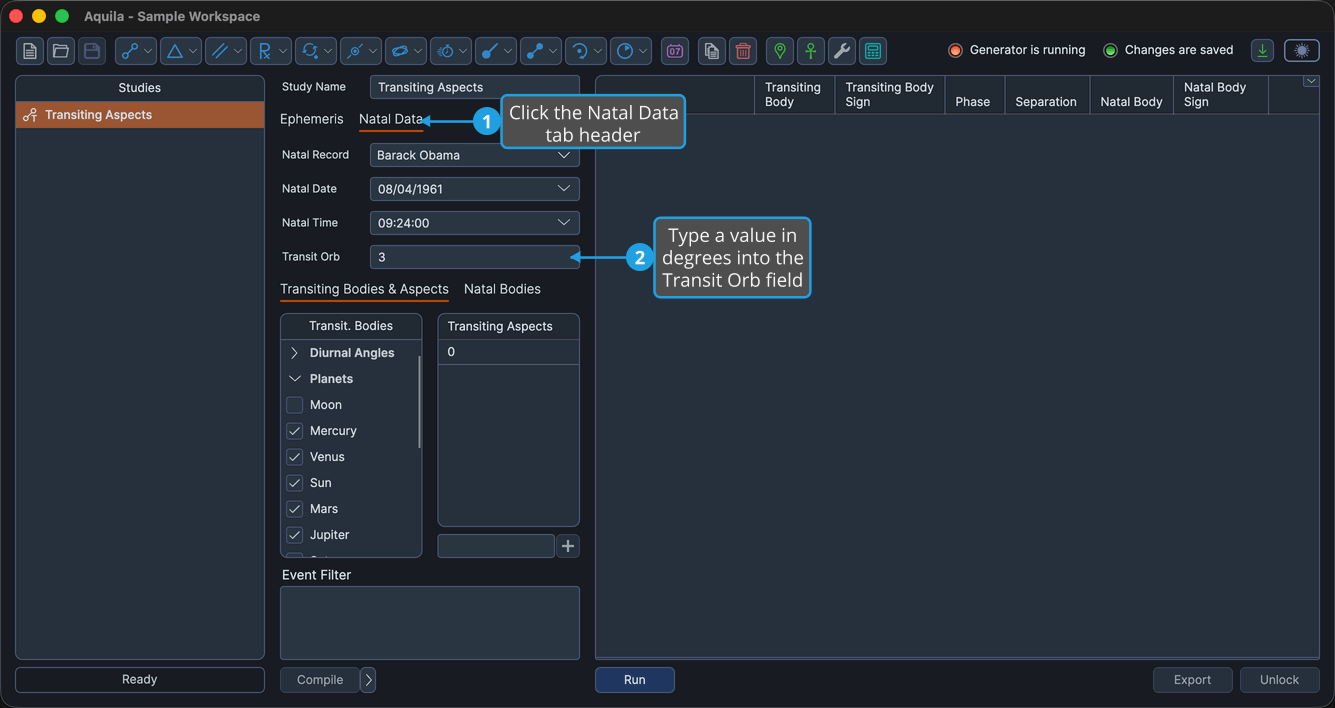
The Transit Orb says how close a transiting body must come to what it activates: a natal body on the activation and transit studies, or a critical degree on the hotspot studies.
The hotspot studies lay the field out directly in the settings column. The transit studies and the pattern-activation studies place it on the Natal Data tab, which has to be clicked first.
To set it on a transit or pattern-activation study:
- Click the Natal Data tab.
- Type a value in degrees into the Transit Orb field.
On a hotspot study the field is already in the settings column, so only the second step applies.
The orb fields are disabled once a study's events have been generated. Click the Unlock button to change an orb and generate again. See Unlock Study.