Natal Data
Transit, direction, progression and profection techniques are all measured against a birth moment. The Natal Data panel is where a study says which one: it holds a searchable Natal Record drop-down, a Natal Date field and a Natal Time field.
Choosing a record fills the date and time from the record itself, and normally they are left exactly as the record set them.
Sixteen study views host the shared Natal Data panel on a tab of that name. The Parallel Activations, Station Activations and Transiting Parallels views lay the same three rows out inline on their Event & Natal Data tab.
Select the Natal Record
To anchor the study to a stored natal record:
- Click the Natal Data tab.
- Click the Natal Record drop-down to open its list.
- Type part of the record's name to narrow the list.
- Click the record's row in the list.
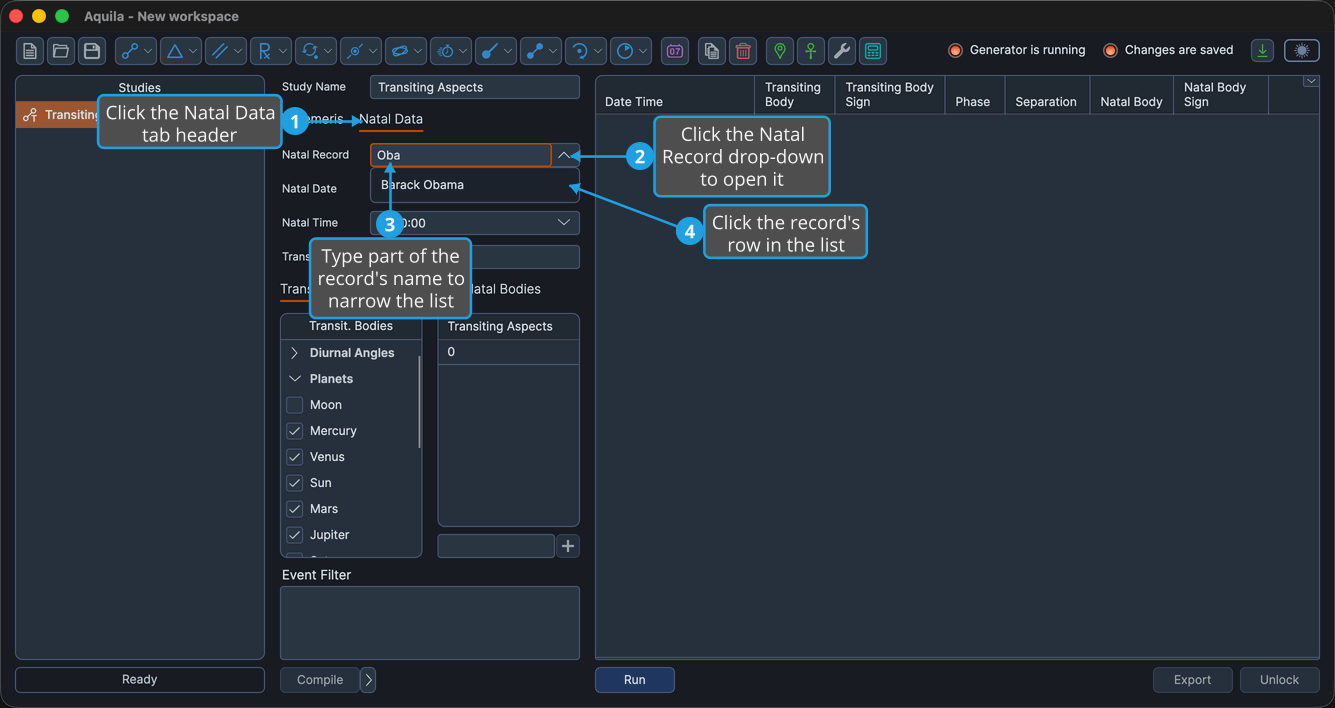
The Natal Record field shows the chosen record's name, and the Natal Date and Natal Time fields fill from that record.
The drop-down lists the natal records you have saved. Each row shows the record's name, and the record itself carries a birth date, a birth time and a location. You build the list in the Natal Records Editor, where records can also be imported from a file or exported to one. On a first run, with nothing saved yet, the list is empty. The drop-down is disabled while the study is locked.
Adjust the Natal Date and Time
The natal rows sit on the Natal Data tab of the study's settings column. Both fields arrive filled from the chosen natal record, so change them only when you are deliberately testing a variant moment, a rectification trial for instance:
- The natal moment the study is measured against: the Natal Date and Natal Time fields.
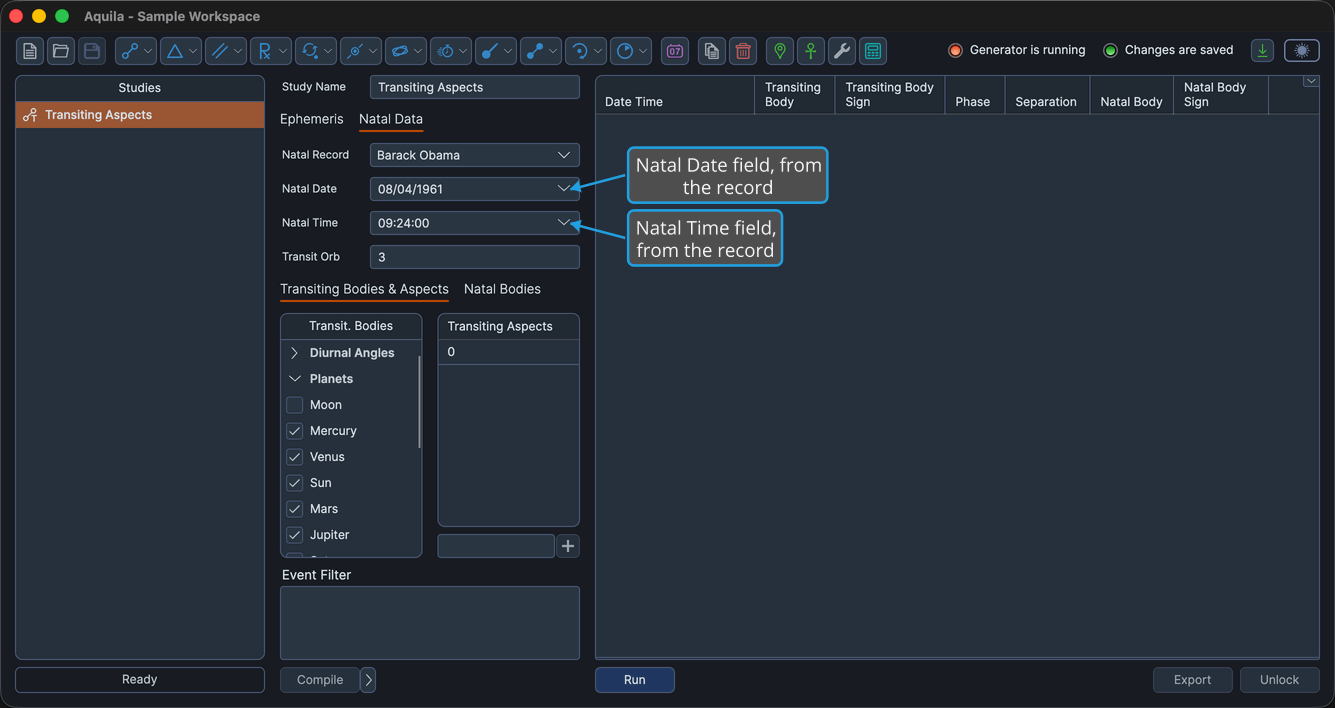
Editing these fields does not change the stored natal record. The change lives on this study alone.
A natal record is a saved set of birth data: a name, a date, a time and a place. Aquila draws no charts of its own. To see a chart for an event a study found, hand it off to Compass. See Open Chart from an Event.