Moon Phase Types Selection List
Many researchers track only the four quarters, or only new and full moons, rather than all eight phase angles. The Moon Phase Types list restricts the Lunar Phases Study to the phases wanted.
The list is laid out directly in the study's settings column and offers eight phases in their natural order through the lunation cycle. It is a fixed set: you choose which phases are checked, never which phases exist.
Phases Offered
| Phase | Where It Falls in the Cycle |
|---|---|
| New Moon | The Moon is conjunct the Sun; the cycle begins. |
| Waxing Crescent | Between the New Moon and the First Quarter. |
| First Quarter | The Moon is a quarter of the way through the cycle. |
| Waxing Gibbous | Between the First Quarter and the Full Moon. |
| Full Moon | The Moon is opposite the Sun; the cycle's midpoint. |
| Waning Gibbous | Between the Full Moon and the Last Quarter. |
| Last Quarter | The Moon is three quarters of the way through the cycle. |
| Waning Crescent | Between the Last Quarter and the next New Moon. |
Include a Moon Phase in the Study
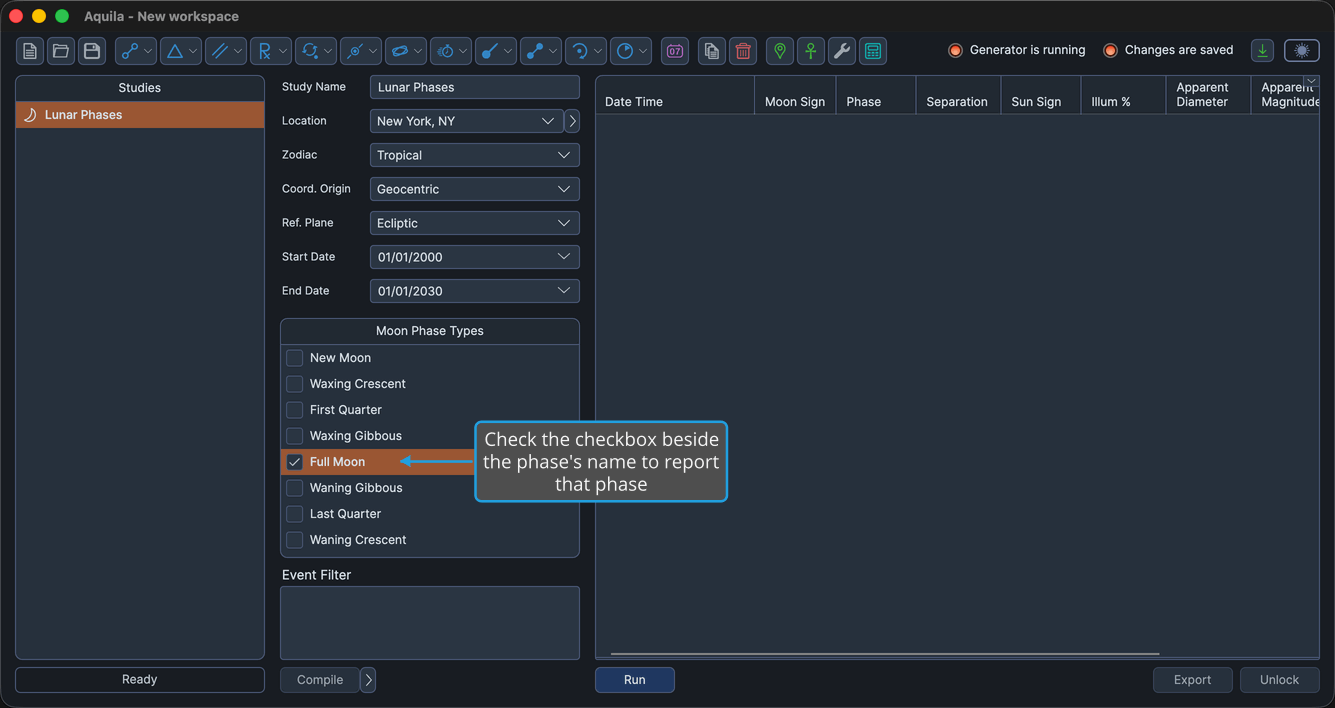
To add a single phase to the set the study reports:
- Check the checkbox beside the phase's name in the Moon Phase Types list.
The phase's checkbox shows a checkmark and the study reports that phase when it generates.
Pressing Space while one or more rows are highlighted toggles those rows' checkboxes without clicking them.
Select the Highlighted Moon Phases
To check several phases at once rather than one checkbox at a time:
- Highlight one or more phase rows in the Moon Phase Types list.
- Right-click a highlighted row to open the context menu.
- Click Select in the context menu.
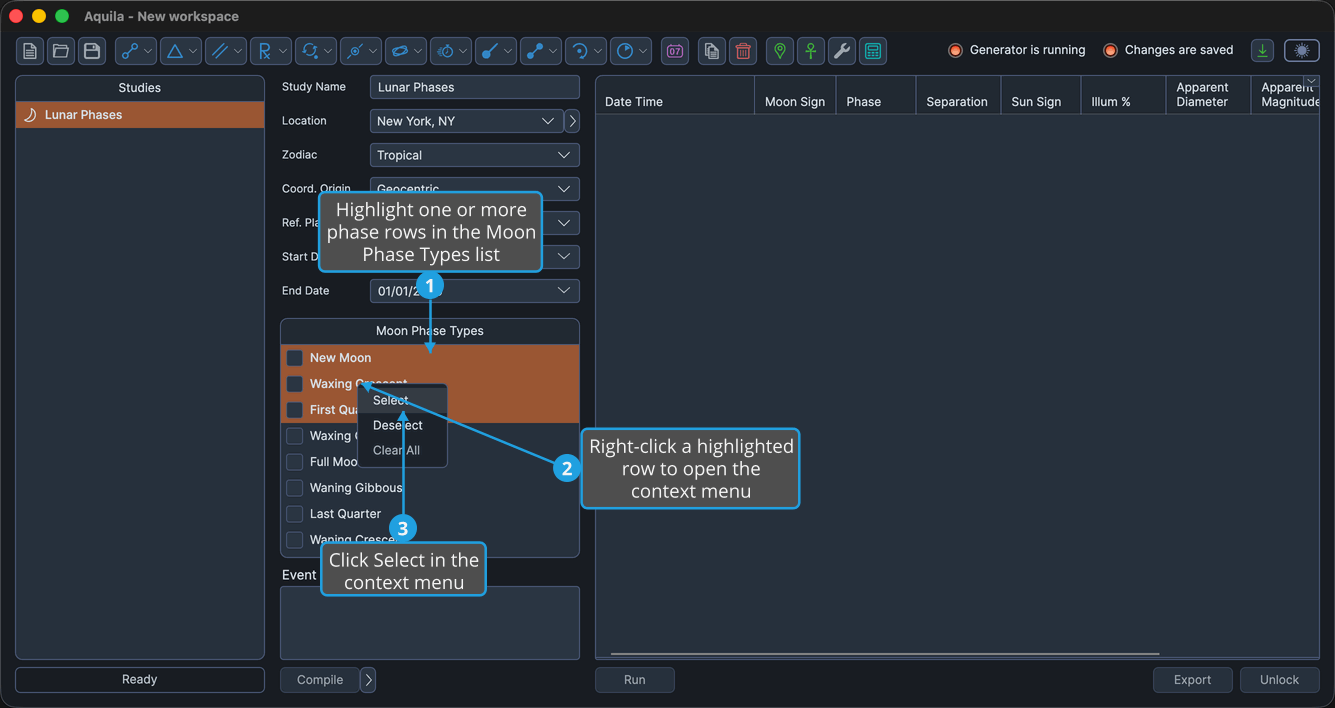
Aquila checks every highlighted phase row, and the study reports all of them.
Cmd-click to toggle individual rows in the highlight; Shift-click to extend the highlight to a range. On Windows use Ctrl-click in place of Cmd-click.
Deselect the Highlighted Moon Phases
To uncheck several phases at once:
- Highlight one or more phase rows in the Moon Phase Types list.
- Right-click a highlighted row to open the context menu.
- Click Deselect in the context menu.
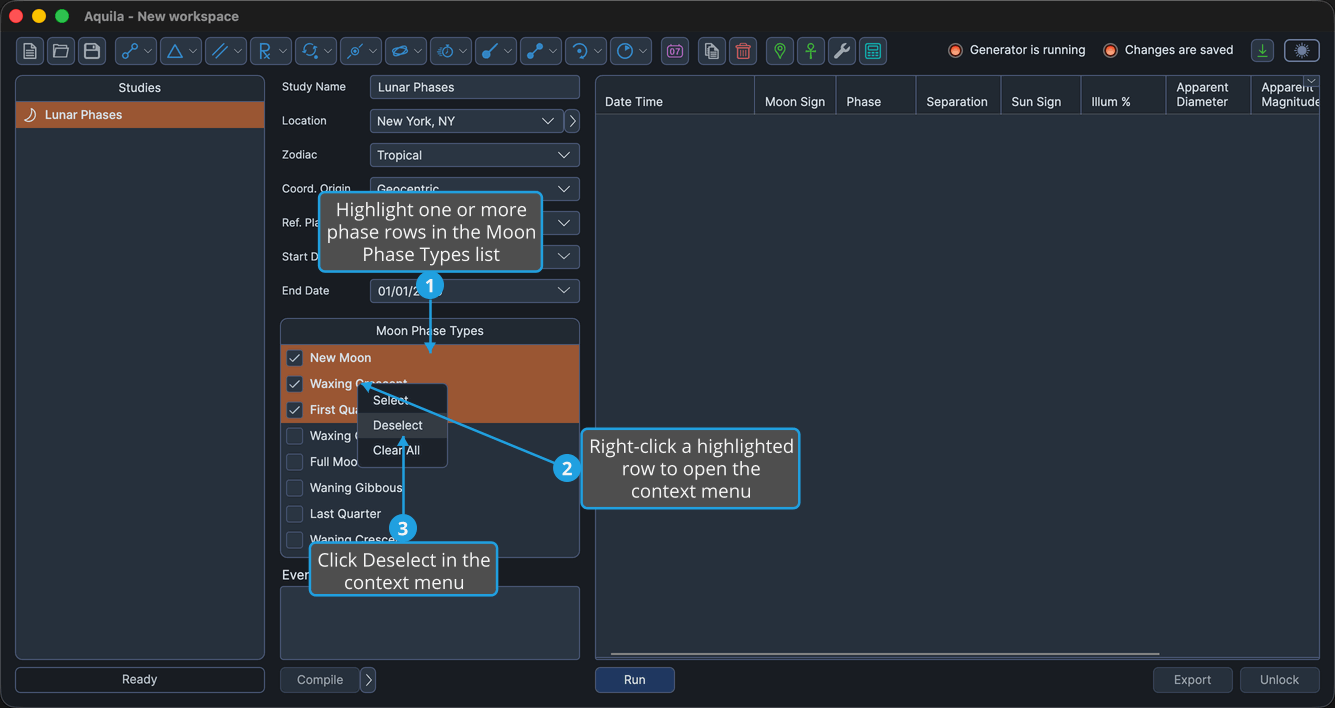
Aquila unchecks every highlighted phase row, and the study no longer reports those phases.
Cmd-click to toggle individual rows in the highlight; Shift-click to extend the highlight to a range. On Windows use Ctrl-click in place of Cmd-click.
Clear All Moon Phases
To uncheck every phase in the list before building a fresh selection:
- Right-click a phase row in the Moon Phase Types list to open the context menu.
- Click Clear All in the context menu.
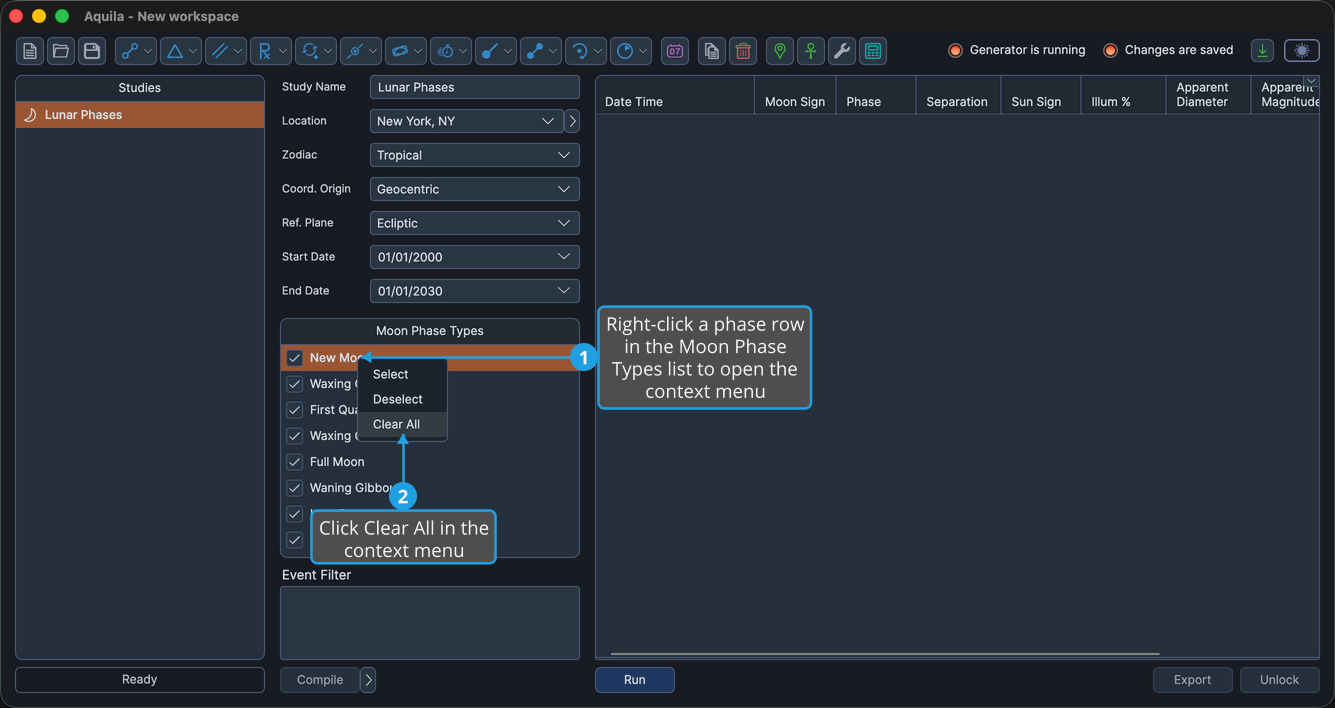
Aquila unchecks every moon phase in the list.
The Moon Phase Types Context Menu
Right-clicking any row of the list opens its context menu.
| Item | What It Does |
|---|---|
| Select | Checks every currently highlighted row. |
| Deselect | Unchecks every currently highlighted row. |
| Clear All | Unchecks every phase in the list, whatever is highlighted. |
The menu is disabled while the study is locked.