Generate Events
Generating a study's events searches its date range and returns every moment that matches the settings you have chosen.
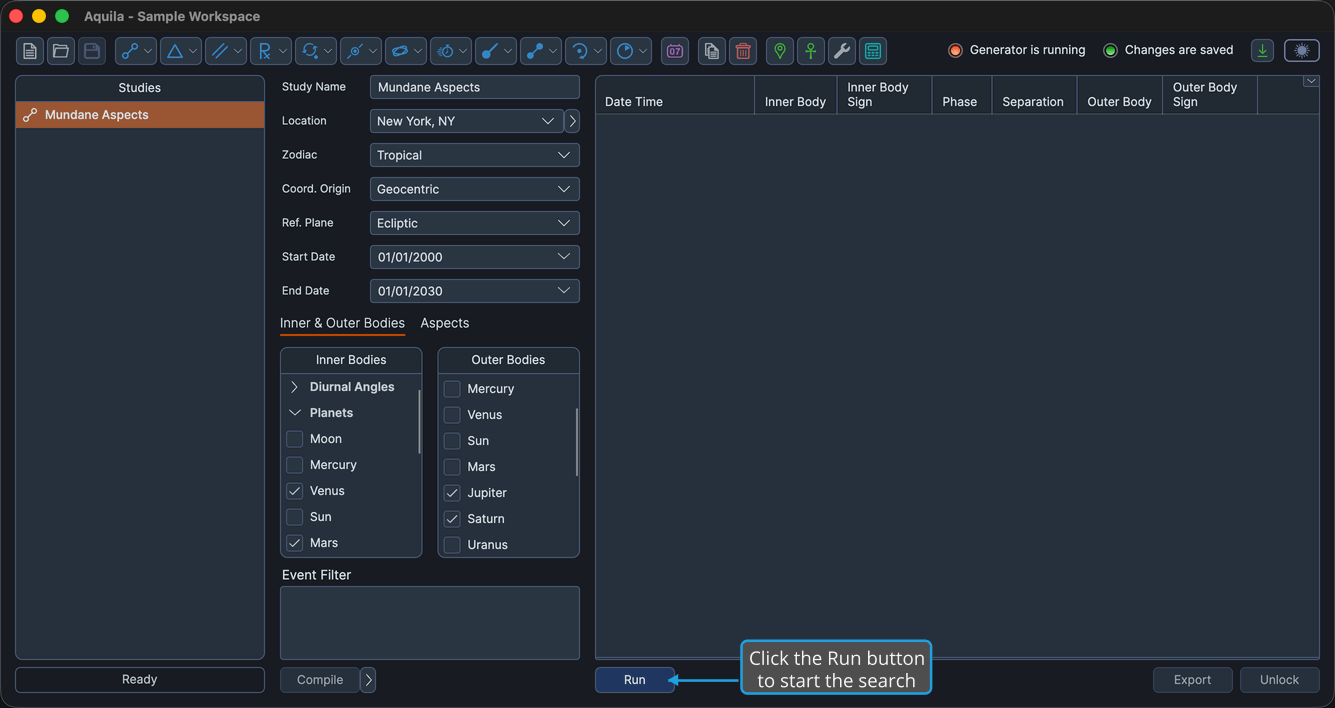
Every generator study carries a Run button at the bottom-left of its results column. Clicking it starts the search and fills the events table with what it finds.
Before You Generate
The Run button becomes available once the study is ready to search. A study is ready when:
- The study is unlocked and is not already generating.
- A location is selected. Every study needs one, geocentric and heliocentric alike, because event dates and times are calculated and displayed in the location's time zone.
- The Start Date is earlier than the End Date.
- At least one body is selected.
- The event filter script is either empty or compiled. See Compile Filter Script.
Generate the Study's Events
To generate the events for the study as you have configured it:
- Click the Run button at the bottom-left of the results column.
While Generation Is in Progress
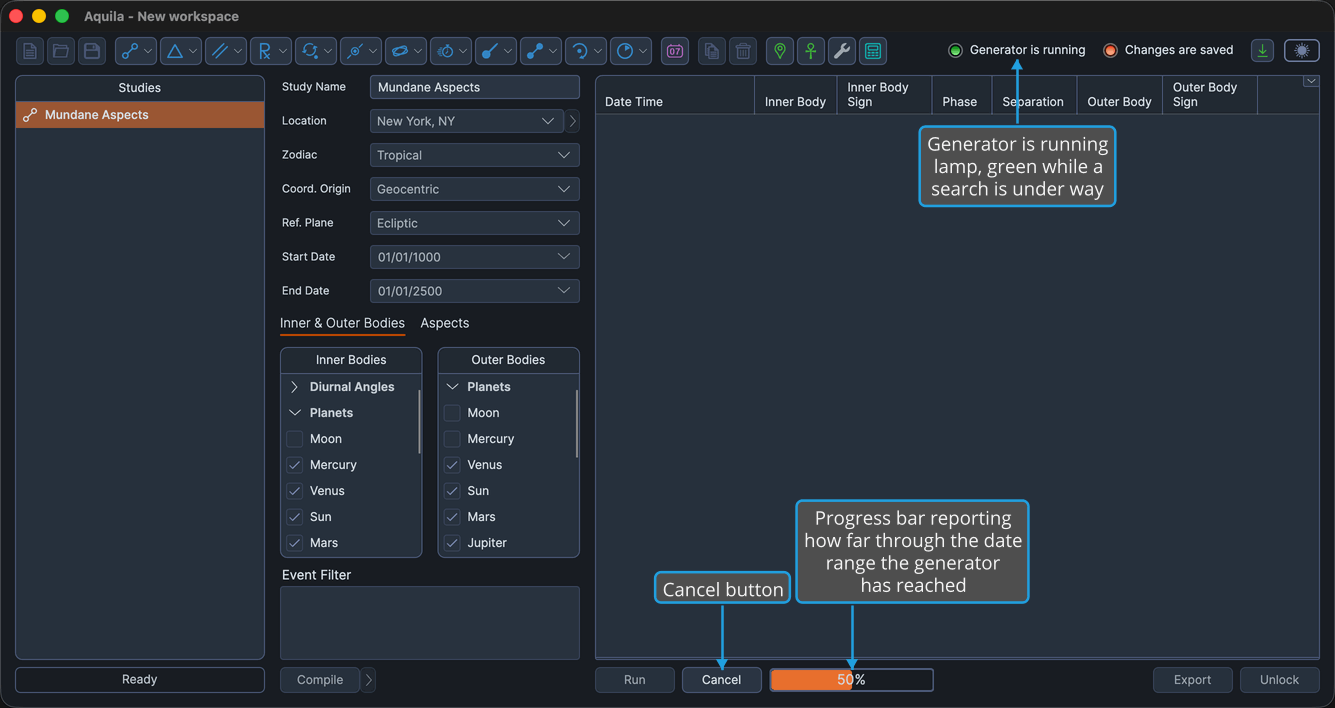
A progress bar reports how far through the date range the generator has reached, and the main window's Generator is running lamp lights. The events table stays empty while the search runs. When the search finishes, Aquila fills the table, adding the rows in batches so the window stays responsive.
A Cancel button sits beside the progress bar for as long as the search continues, so a search that turns out to be broader than you meant can be stopped part-way. See Cancel Event Generation.
When Generation Completes
Once the search finishes, the study locks:
- Its settings become read-only, so the results on screen always match the configuration that produced them.
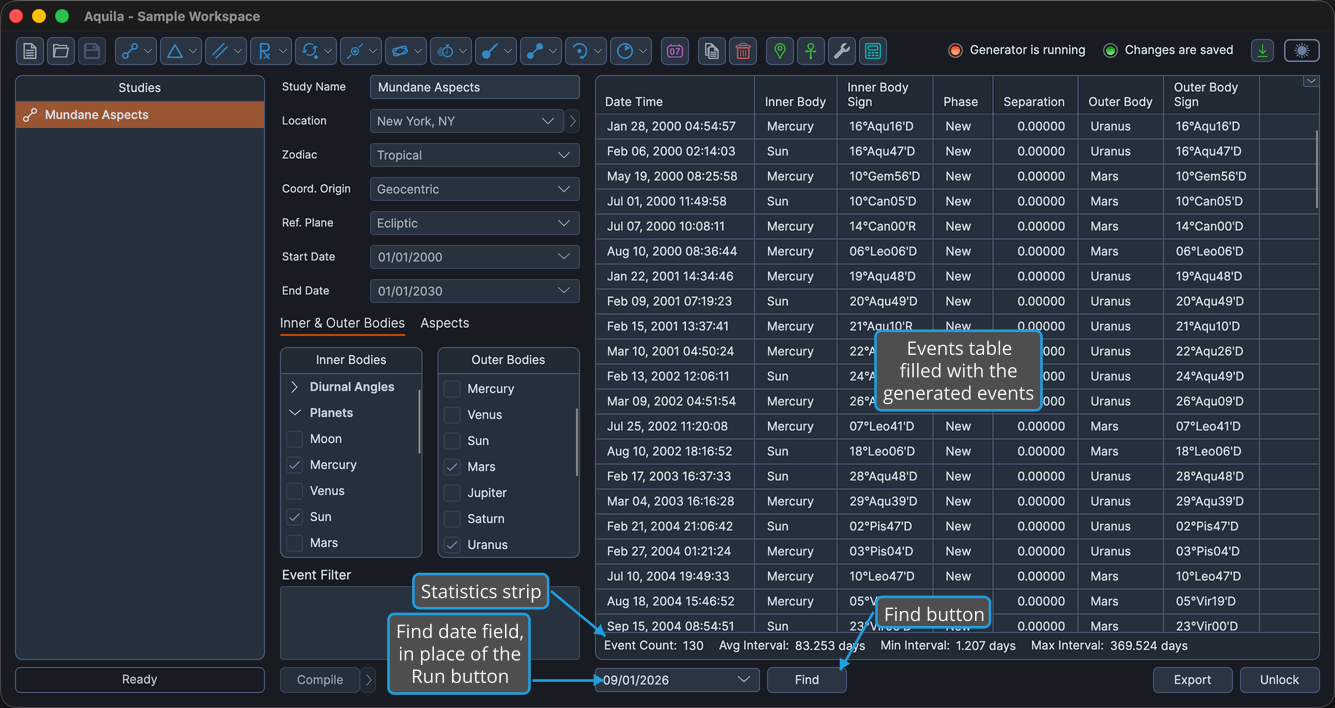
- The Run button becomes invisible. The Find date field and the Find button take its place at the bottom-left of the results column. See Find Nearest Event.
- The events fill the events table and the statistics strip appears beneath it. See Events Table and Event Statistics.
The Run button reappears only when the study is unlocked, and unlocking discards the events that have been generated. See Unlock Study.