Bodies List Presets
Researchers return to the same working sets of bodies again and again, and checking a dozen checkboxes again for every new study is wasted effort. A bodies list preset saves a list's current selection under a name so the whole selection can be put back in one click.
Presets are held per body-list category, so a preset saved on a Natal Bodies list appears on the Natal Bodies list of every study that has one, and does not appear on an Inner Bodies list. That is what lets a new study of a given technique open on a body set appropriate to it.
There is no preset button on a bodies list. The menu opens by right-clicking a body row inside the list. Right-clicking a group header row, such as Planets or Uranians, opens nothing.
Apply a Bodies List Preset
To replace a list's current selection with a saved one:
- Right-click a body row in the bodies list to open the context menu.
- Click Presets in the context menu to open the submenu.
- Click the preset's name in the Presets submenu.
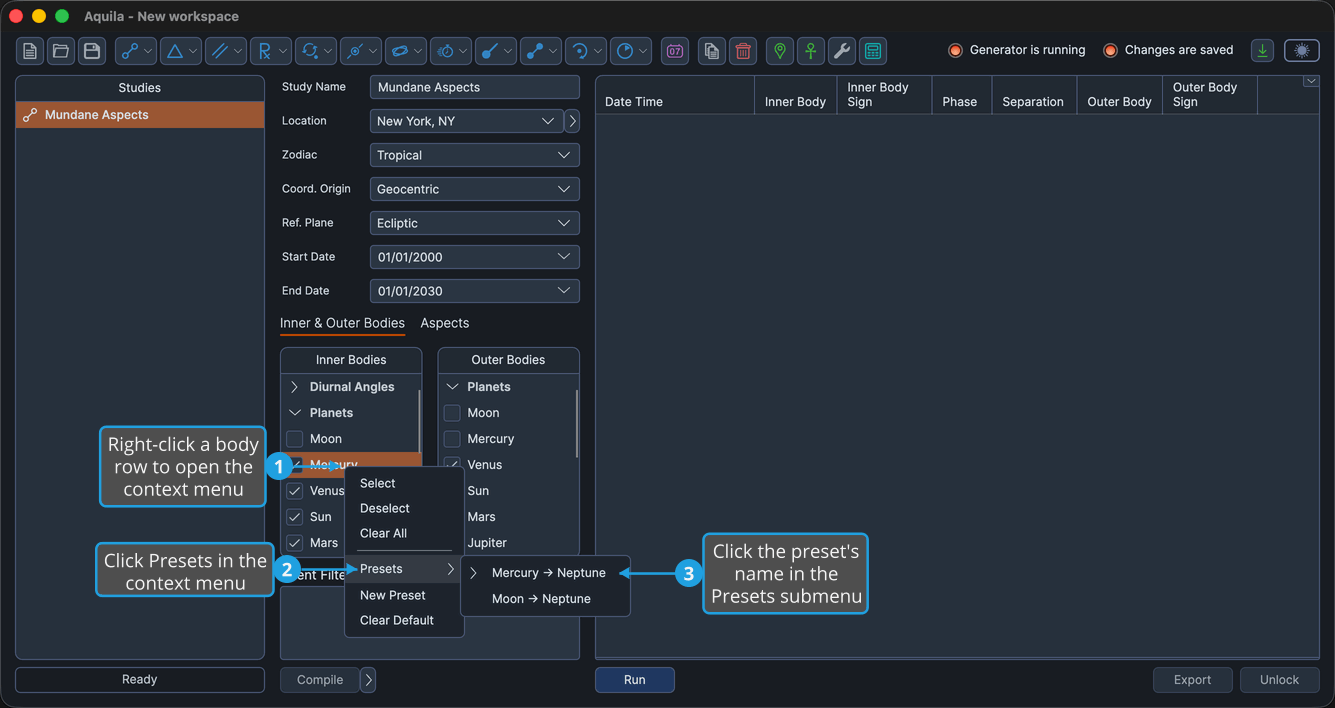
The preset's selection replaces the list's own. A preset marked as the default carries a chevron beside its name.
Save a New Bodies List Preset
To keep the list's current selection under a name:
- Right-click a body row in the bodies list to open the context menu.
- Click New Preset in the context menu.
- Type a name in the prompt and click Save.
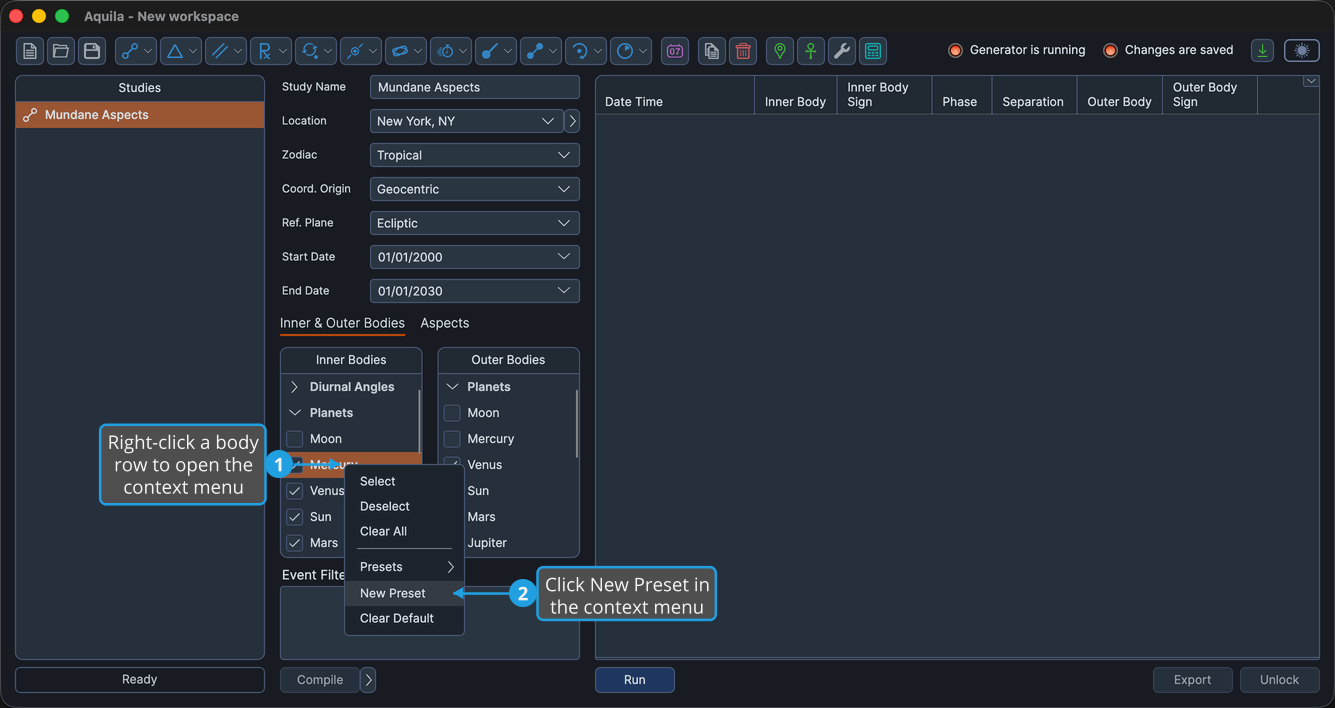
The named preset appears in the Presets submenu for that body-list category.
Preset Name Dialog
The small prompt that collects the name opens with an empty box when a new preset is being saved, and pre-filled with the existing name when one is being renamed. Save is enabled only while the box holds text.
To name the preset:
- Type the preset name.
- Click Save.

Pressing Enter in the name box does the same thing, because Save is the prompt's default button. Click Cancel, or press Escape, to close the prompt without saving anything.
Set a Bodies List Preset as the Default
A new study of a given technique opens on the default preset for its body-list category. To mark one:
- Right-click a body row in the bodies list to open the context menu.
- Click Presets in the context menu to open the submenu.
- Right-click the preset's name in the Presets submenu to open its options menu.
- Click Set Default in the preset's options menu.
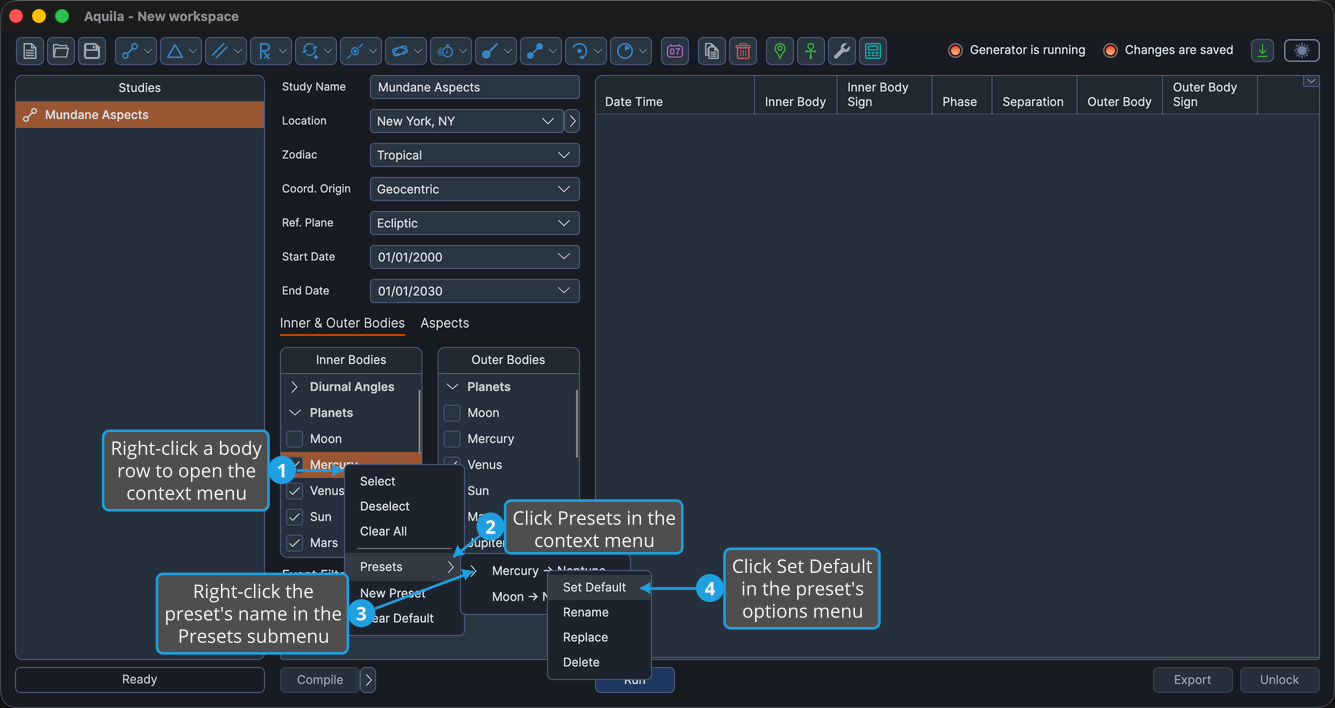
The preset shows the default chevron in the Presets submenu.
Clear the Default Bodies List Preset
To stop a new study of that technique opening on a preset:
- Right-click a body row in the bodies list to open the context menu.
- Click Clear Default in the context menu.
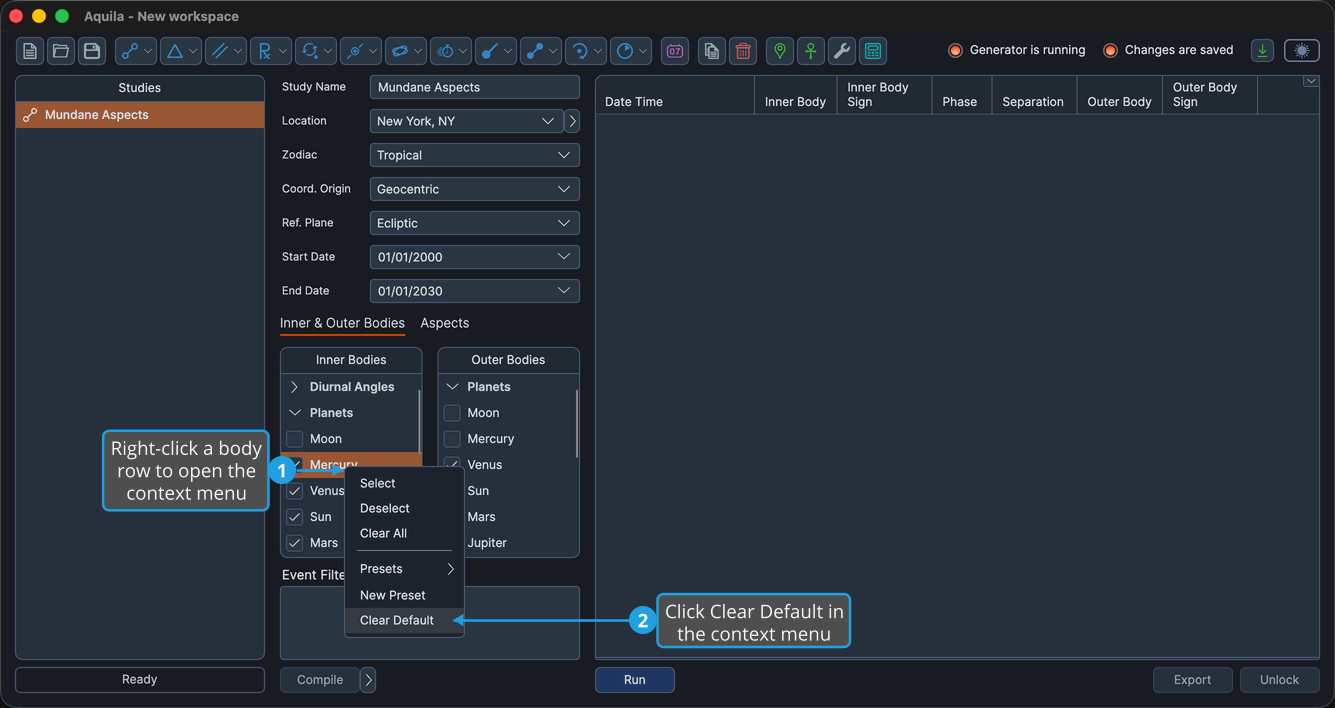
No preset in the submenu carries the default chevron afterward, and new studies of that technique open on their built-in body selection.
Rename a Bodies List Preset
To give a saved selection a different name without changing which bodies it holds:
- Right-click a body row in the bodies list to open the context menu.
- Click Presets in the context menu to open the submenu.
- Right-click the preset's name in the Presets submenu to open its options menu.
- Click Rename in the preset's options menu.
- Type the new name in the prompt and click Save.
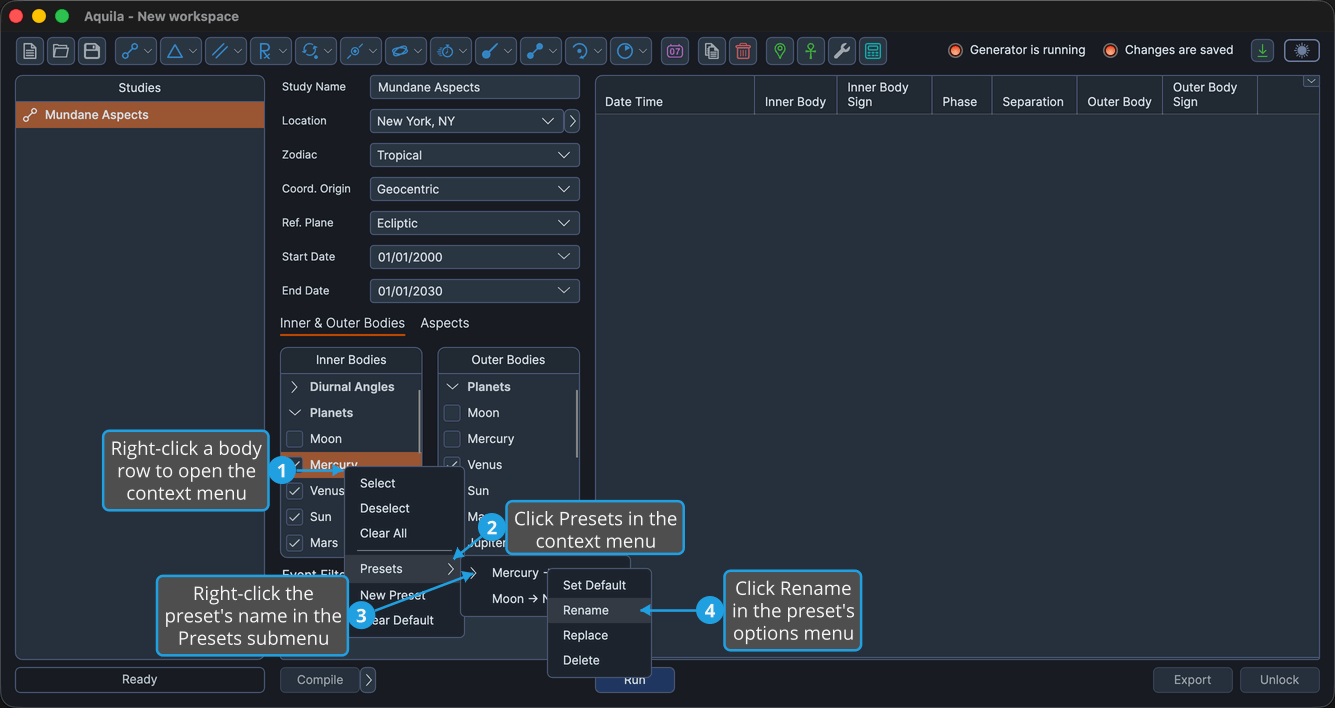
The name prompt opens pre-filled with the preset's existing name. See Preset Name Dialog above.
Replace a Bodies List Preset
To overwrite a saved preset with the selection the list currently holds:
- Right-click a body row in the bodies list to open the context menu.
- Click Presets in the context menu to open the submenu.
- Right-click the preset's name in the Presets submenu to open its options menu.
- Click Replace in the preset's options menu.
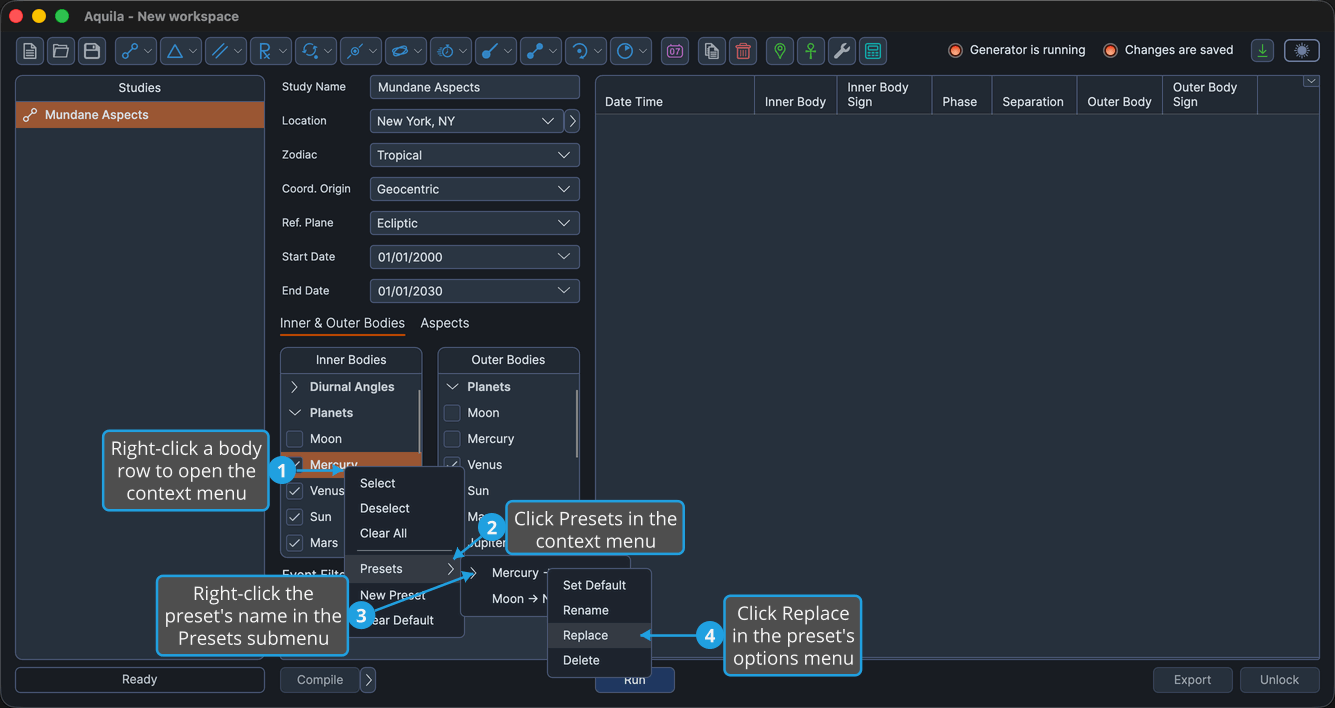
The preset keeps its name and now holds the list's current selection.
Delete a Bodies List Preset
To remove a saved selection that is no longer wanted:
- Right-click a body row in the bodies list to open the context menu.
- Click Presets in the context menu to open the submenu.
- Right-click the preset's name in the Presets submenu to open its options menu.
- Click Delete in the preset's options menu.
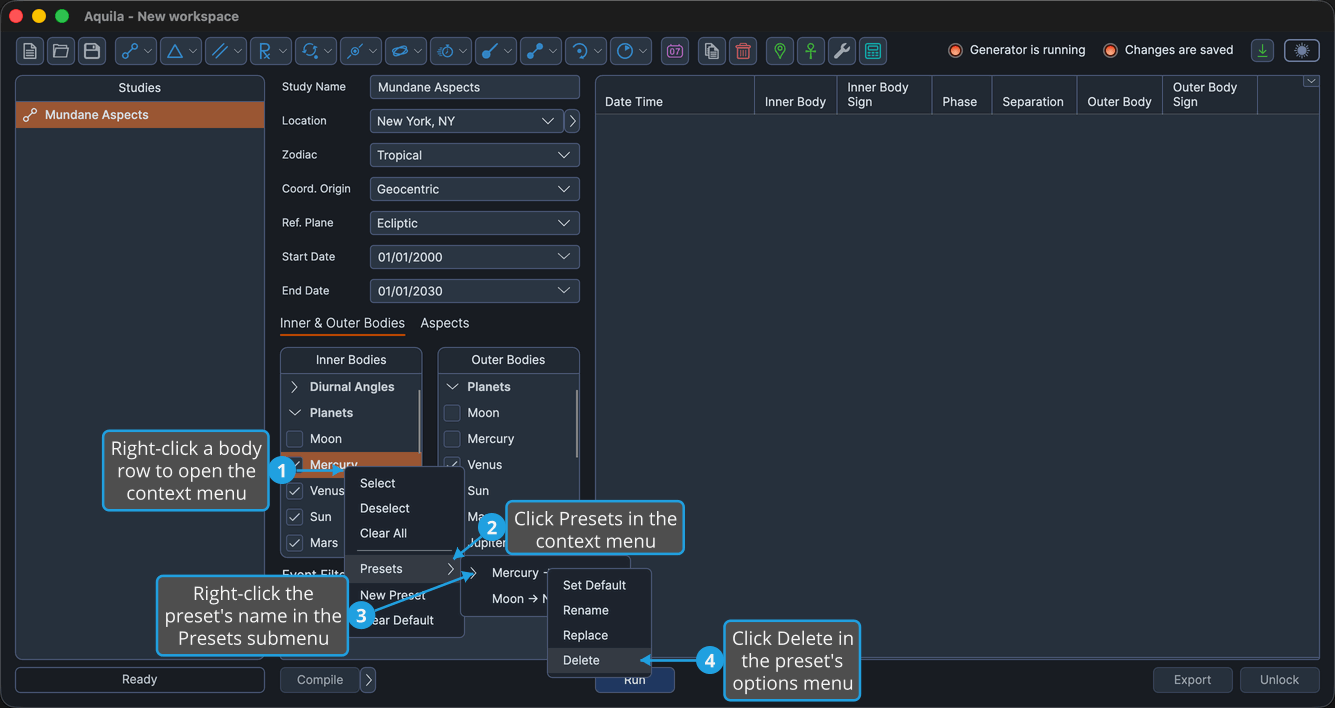
The preset is gone from the Presets submenu.
The Preset Options Menu
Right-clicking a preset's name inside the Presets submenu opens that preset's own menu.
| Item | What It Does |
|---|---|
| Set Default | Marks the preset as the one a new study of that technique opens on. |
| Rename | Prompts for a new name, leaving the saved selection unchanged. |
| Replace | Overwrites the preset's selection with the list's current selection, keeping its name. |
| Delete | Removes the preset. |