Study Name
A workspace can hold many studies of the same type, so each one needs a label that says what it investigates. The Study Name box sits at the top of every study's settings column and holds that label.
A newly created study is named after its type, which is fine for the first Mundane Aspects study in a workspace and unhelpful for the fourth. Typing a new name updates the study's entry in the Studies list as you type, so the effect is immediate and there is nothing to confirm.
Name the Study
To replace the name a new study was created with:
- Click the Study Name box at the top of the study's settings column.
- Type the new name.
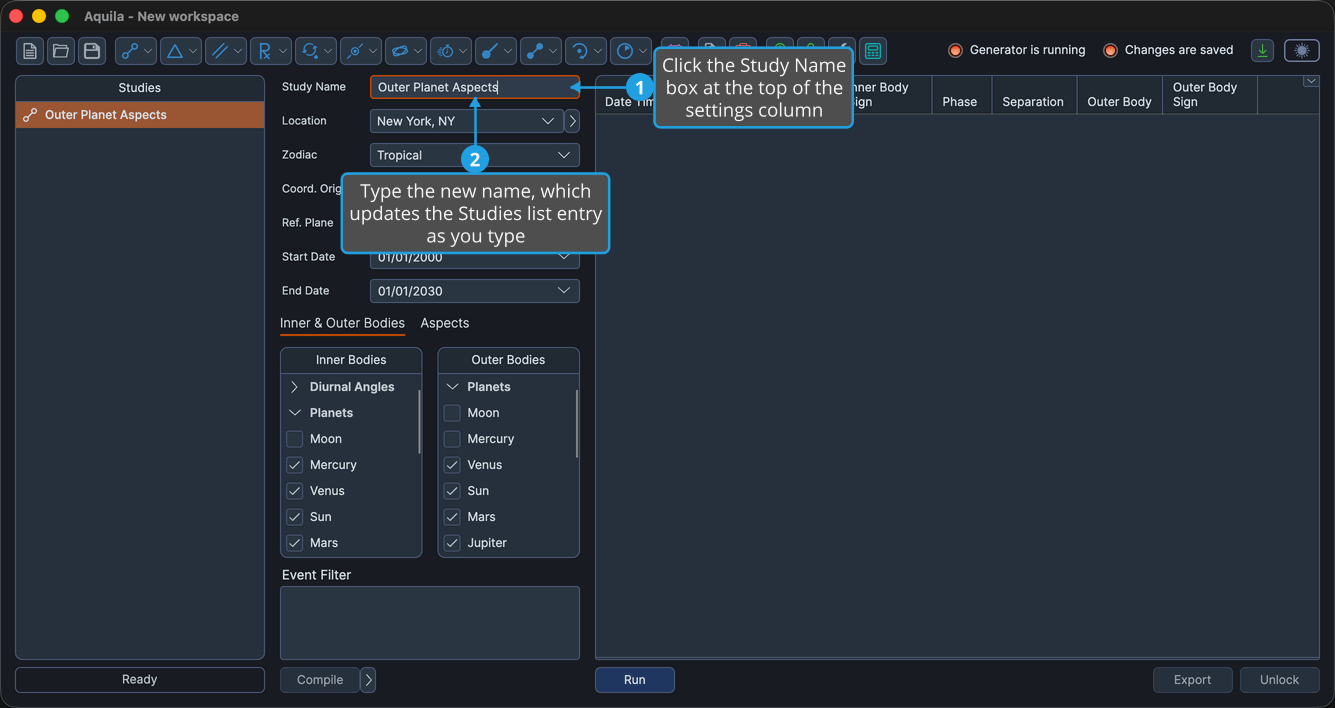
The Studies list entry changes as you type. Aquila stores the name with the study, so it survives a save and comes back when the workspace is reopened.
Names that describe the question rather than the technique make a crowded workspace far easier to read. "Saturn stations over the natal Ascendant" tells you more six months later than "Station Activations 3."